


Windows 10 reached EOS (end of support) on October 14, 2025. If you are on Windows 10, see this article.

Pomoc přepytać

Hladajće so wobšudstwa pomocy. Njenamołwimy was ženje, telefonowe čisło zawołać, SMS pósłać abo wosobinske informacije přeradźić. Prošu zdźělće podhladnu aktiwitu z pomocu nastajenja „Znjewužiwanje zdźělić“.

Dalše informacije

It looks like "turning off hardware acceleration" is not applied to the initial "Firefox - Choose User Profile" !, What should I do ?

  • 1 wotmołwa
  • 0 ma tutón problem
  • 19 napohladow
  • Poslednja wotmołwa wot Denys
  • Wočinjeny

Hello All,

I'm using Firefox (149.0.2 snap) with LUbuntu 24.04.4 LTS. Because of a wrong graphic driver, I had to turn off hardware acceleration in FF.

When FF is started the Initial "Firefox - Choose User Profile" is unreadable (see attached : wrong_screen.jpg), but if I continue (click somewhere in the window) , all the opened tabs are readable.

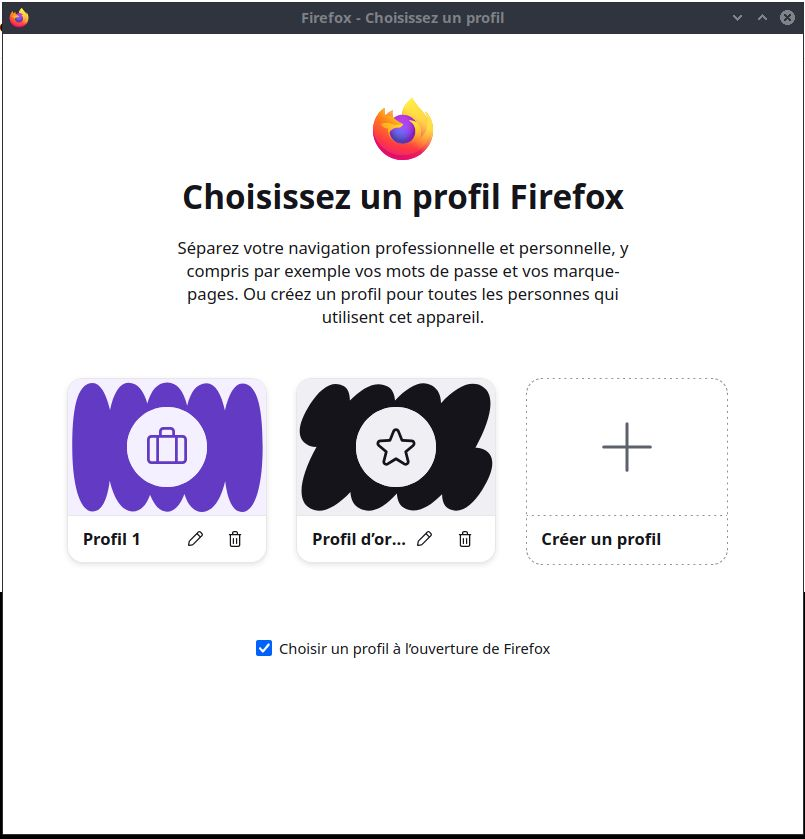
Once in FF, if I want to select another profile from the application menu -> .. -> manage profiles, then the "Choose User Profile" window is fine (see attached : good_screen.jpg).

I tried to start FF with the "-P" option to specify wanted profile but it continues to start with the unreadable "Choose User Profile" window.

Could someone give me a solution, except finding the good hardware driver for my computer?

Thanks Bouilla.
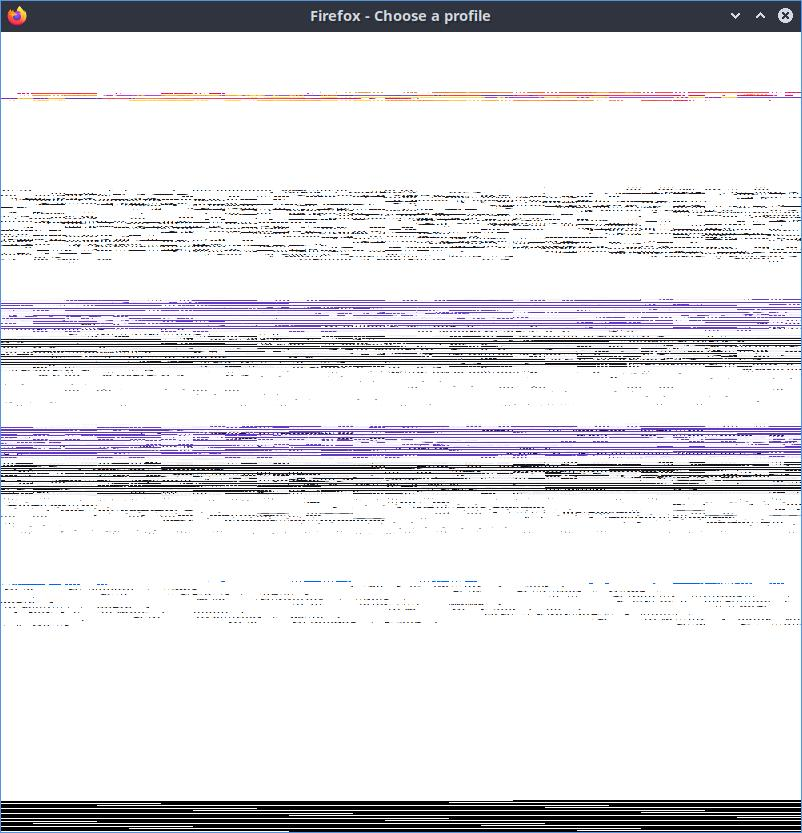
Hello All, I'm using Firefox (149.0.2 snap) with LUbuntu 24.04.4 LTS. Because of a wrong graphic driver, I had to turn off hardware acceleration in FF. When FF is started the Initial "Firefox - Choose User Profile" is unreadable (see attached : wrong_screen.jpg), but if I continue (click somewhere in the window) , all the opened tabs are readable. Once in FF, if I want to select another profile from the application menu -> .. -> manage profiles, then the "Choose User Profile" window is fine (see attached : good_screen.jpg). I tried to start FF with the "-P" option to specify wanted profile but it continues to start with the unreadable "Choose User Profile" window. Could someone give me a solution, except finding the good hardware driver for my computer? Thanks Bouilla.
Připowěsnjene fota wobrazowki

Wšě wotmołwy (1)

Hi, could you please clarify how exactly you turned off hardware acceleration in Firefox?

Stajće prašenje

Dyrbiće so pola swojeho konta přizjewić, zo byšće na přinoški wotmołwił. Prošu stajće nowe prašenje, jeli hišće wužiwarske konto nimaće.