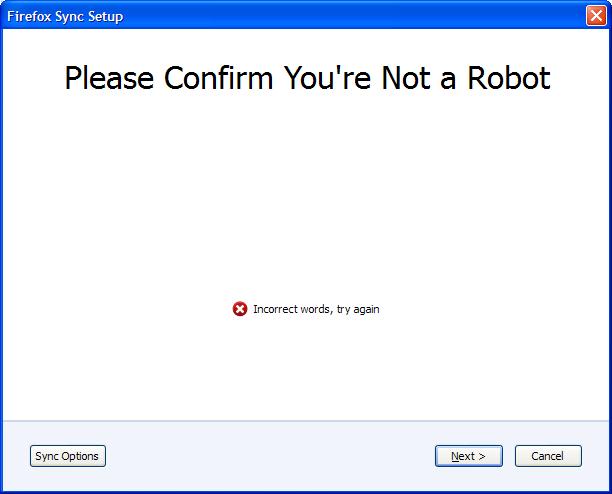
Please confirm you are not a Robot does not display words, or text entry area!

When I try to set up a new Sync account, I get to the Robot section with the words "Please confirm you are not a Robot". There are no words, or anywhere to type. I do have a screen image. If I click next, obviously, I get the error "incorrect words, try again"...
Is this my setup, or something odd?
Svi odgovori (2)
http://support.mozilla.com/en-US/questions/794781
this is same question written in Chinese, the reply reminded me.... I found my question is the "Request Policy" plug-in blocks the request of confirmation image, other adblock-like plug-in may got the same problem, allow requests before sync setting, try it!....
Izmjenjeno od remarklin@gmail.com
The only add-on that should be blocking anything is Adblock Plus. I disabled it and tried again without any different results. I do have HTTPS-Everywhere as well, but that shouldn't affect anything either.
Anyway, including image of the dialog box as I see it!