Sync does not work for tabs nor for tab groups.

I have sync account. I have a laptop and my main computer added there. Each time I click the "sync now" button on my laptop, only the bookmarks and addons sync! My tabs don't change nor do I get the tab groups that I have on my main computer.
I have sync account. I have a laptop and my main computer added there. Each time I click the "sync now" button on my laptop, only the bookmarks and addons sync! My tabs don't change nor do I get the tab groups that I have on my main computer.
Όλες οι απαντήσεις (1)
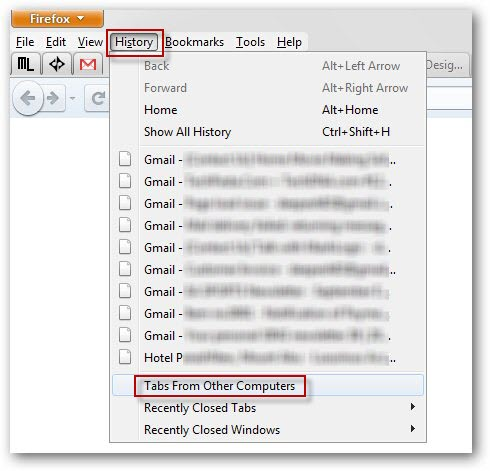
The tabs won't open instantly as you click on sync. To access them, go to History -> Tabs from other Computers. Or in a new tab, type 'about:sync-tabs' in the address bar. (Assuming the sync settings are correct).