


Websites aren't auto filling suggestions

Example: If I start typing in the address bar and type the letter a... amazon.com comes up since I frequent there a lot. But, if I start typing the name of my bank nothing comes up in the address bar. I always have to type it out.
Όλες οι απαντήσεις (5)
Maybe bookmark the bank website and include bookmarks as a suggestion or pin the site to a tile on the Firefox Home page.
- https://support.mozilla.org/en-US/kb/customize-new-tab-page
- https://support.mozilla.org/en-US/kb/hide-or-display-content-new-tab
You can set what suggestions show when you enter an URL in the location/address bar bar.
- Settings -> Privacy & Security
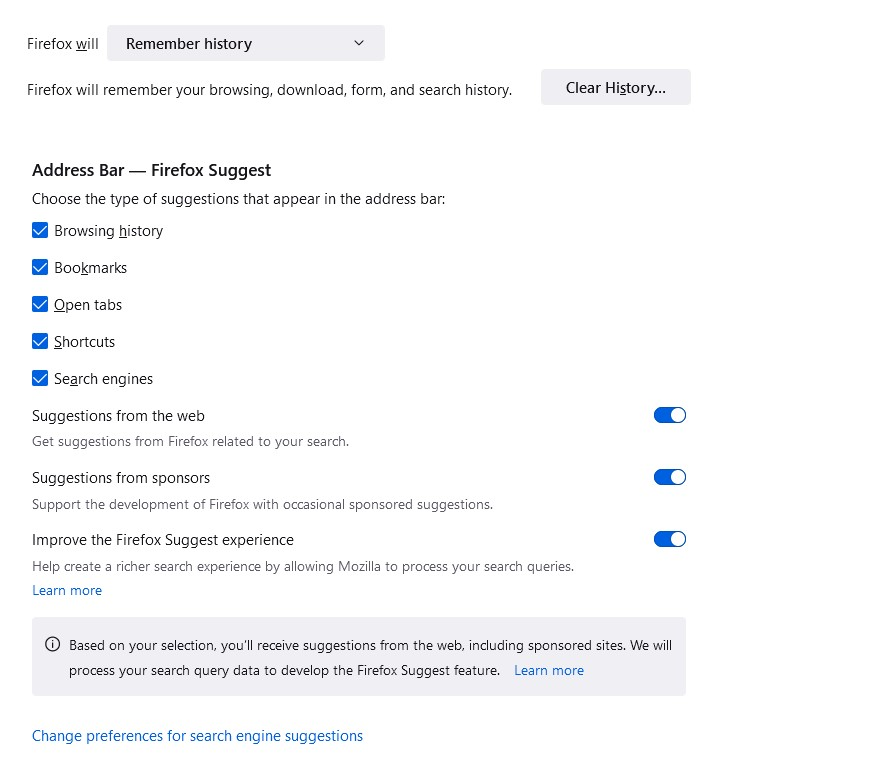
Address Bar — Firefox Suggest -> Choose the type of suggestions that appear in the address bar:
Browsing history
Bookmarks
Open tabs
Shortcuts
Search engines
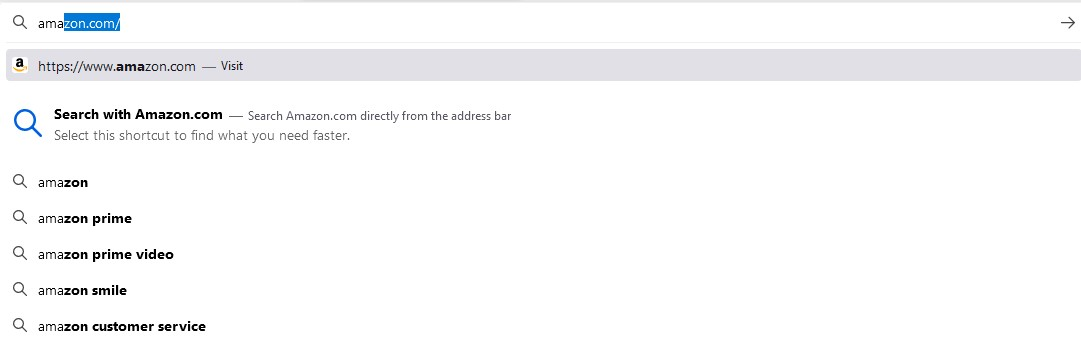
Thank you but this doesn't solve my issue. Please see attached picture. As I type Amazon it knows I want that but it doesn't work with my bank.
Τροποποιήθηκε στις από τον/την bryan.touchton

Hi bryan, The address bar suggestions/autocomplete is based on the settings mentioned by cor-el
cor-el said
You can set what suggestions show when you enter an URL in the location/address bar bar.
- Settings -> Privacy & Security
Address Bar — Firefox Suggest -> Choose the type of suggestions that appear in the address bar:
Browsing history
Bookmarks
Open tabs
Shortcuts
Search engines
Can you check that setting, and whether your bank website exists in your browsing history or any of the other selected options.
This is what mine looks like (see attached picture). I don't know what you mean by making sure my bank is in my browsing history. How do I get there?
When you click on History, there should be a "manage history" option at the bottom which will allow you to look at your browsing history and search for the bank website.
I have also found a forum post from 3 years ago that seems to be a similar issue to yours. The person managed to fix it by re-installing Firefox, so you might want to try that. https://support.mozilla.org/en-US/questions/1246055