


video loading error
~~~SOLVED~~~ Hello guys, this is about some..adults sites, i'm just getting loading error on the screen. Sorry if that's inappropriate. Also recently, youtube videos can't play at 1080p, only 720p, even tho i know the video it's 1080p.

Τροποποιήθηκε στις από τον/την Nektarios
Επιλεγμένη λύση
FredMcD said
Do you still have the problem? You added ~~~SOLVED~~~ to your post. What is the solution?
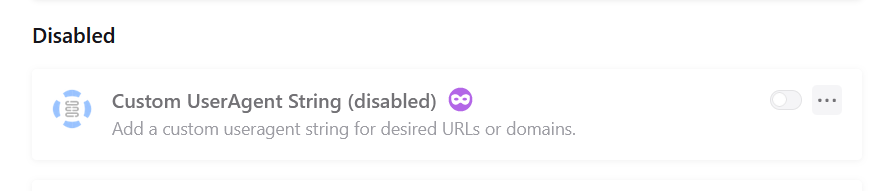
i had an add-on called custom userAgent string, for accessing youtube TV on my pc. That made the issue. i disabled it and i will keep pressing enable every time i need it
Προβολή απάντησης εντός συζήτησης 👍 0Όλες οι απαντήσεις (6)

Steps to replicate the issue... ;-)) You don't have to post here, you can send me a message via this forum. Have you tried Firefox in Safe Mode? https://support.mozilla.org/en-US/kb/diagnose-firefox-issues-using-troubleshoot-mode#w_how-to-start-firefox-in-4troubleshoot-modesf5safe-modesf
Τροποποιήθηκε στις από τον/την jonzn4SUSE
jonzn4SUSE said
Steps to replicate the issue... ;-)) You don't have to post here, you can send me a message via this forum. Have you tried Firefox in Safe Mode? https://support.mozilla.org/en-US/kb/diagnose-firefox-issues-using-troubleshoot-mode#w_how-to-start-firefox-in-4troubleshoot-modesf5safe-modesf
i'll let you know when i find time, in 1-2 days, sorry for late reply my friend.

You could start looking here if troubleshoot mode doesn't make a difference.
https://support.mozilla.org/en-US/kb/fix-common-audio-and-video-issues

Do you still have the problem? You added ~~~SOLVED~~~ to your post. What is the solution?
Επιλεγμένη λύση
FredMcD said
Do you still have the problem? You added ~~~SOLVED~~~ to your post. What is the solution?
i had an add-on called custom userAgent string, for accessing youtube TV on my pc. That made the issue. i disabled it and i will keep pressing enable every time i need it
That was very good work. Well Done.