


installation file corrupt

I cannot reinstall Firefox. Message says "File corrupt"
I'm running Windows 11 w/ sufficient disk space.
The previous installation kept crashing.
Wšykne wótegrona (7)
If the compact installer or the other means do not work, you can either grab alternative way like a .MSI here: https://www.firefox.com/download/all/desktop-release/
or if you use Microsoft Store get your Firefox installed from there as an alternative: https://www.firefox.com/download/all/desktop-release/win-store/
Thanks for the tip, but it didn't work.
I downloaded the .MSI file for 64 bit and got the same error: File is corrupt See attached.
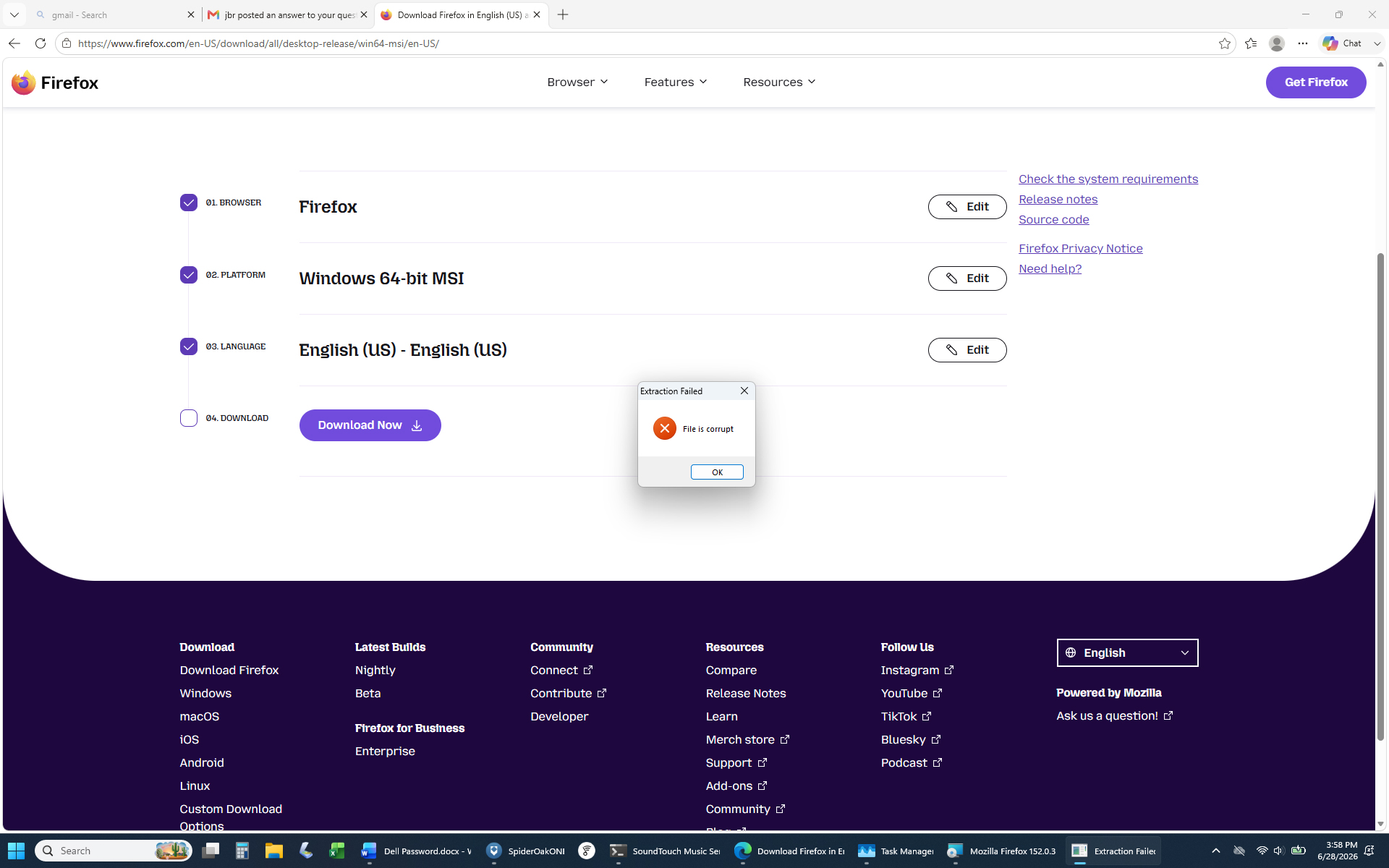
If I were you I'd get the system scanned for any viruses or malicious software — as this sounds like something's trying to compromise the installer immediately — and the checksums then don't match so it doesn't proceed.
(Or conversely it can be a AV scanner poking its nose into any downloaded exe/installer and corrupting the file in the process, dunno. Or you're using a downloader that can't handle these?)
You can get any version directly from archive.mozilla.org/pub/firefox/releases/ — the installers are also accompanied by checksums that you can verify after downloading — in case you're not getting the same on your end.
all good thoughts but not solving the problem. A full scan shows nothing. The Firefox installer (downloaded 5 times) says it's 18.5.0.0. Nothing like that shows up in the archive.
Hi,
While that's super weird, have you already tried installing Firefox from Microsoft Store? In that case, Windows manages the installation, which may work around whatever issue you face.
This error apparently comes from compressed stub extraction searchfox.org/firefox-main/source/other-licenses/7zstub/firefox/resource.rc#46 — none of that should even be executed if you remove all the broken ones and download a proper full installer.
Not sure what to advice, as that's something iffy going on with that system, sorry. The full link to the current installers is archive.mozilla.org/pub/firefox/releases/152.0.3/win64/en-US/ incl. the file sizes to validate, and a few folders up there are checksums for all the files so you can compute the hash locally and verify the integrity yourself in case something's interfering with your downloads.
The above sounds like a bigger issue in itself, worth investigating further even when you decide to install the browser from the store and leave updates to the system.
So my last try was to download from the MS Apps store - and it seems to have worked with no issues. I dunno. I've never had an issue with Firefox before and I've been using it for at least 20 years.
I do appreciate your hanging with me on this.
Bill