


Windows 10 reached EOS (end of support) on October 14, 2025. If you are on Windows 10, see this article.

Pomoc pśepytaś

Glědajśo se wobšudy pomocy. Njenapominajomy was nigda, telefonowy numer zawołaś, SMS pósłaś abo wósobinske informacije pśeraźiś. Pšosym dajśo suspektnu aktiwitu z pomocu nastajenja „Znjewužywanje k wěsći daś“ k wěsći.

Dalšne informacije
Wócynjony

How do you open multiple tabs?

Leon Saridakis

Can someone describe to me how you can open multiple tabs from the Browser starting page? All I see is the top search bar which takes me to Google. But what do I do if I wanna do another search in another tab? Most other browsers simply have a clearly visible button to open another tab but I can‘t find it on Firefox Focus. Online it says there‘s supposed to be a + in the top right corner but it isn‘t there on the picture below and it also doesn‘t appear once I do a search.
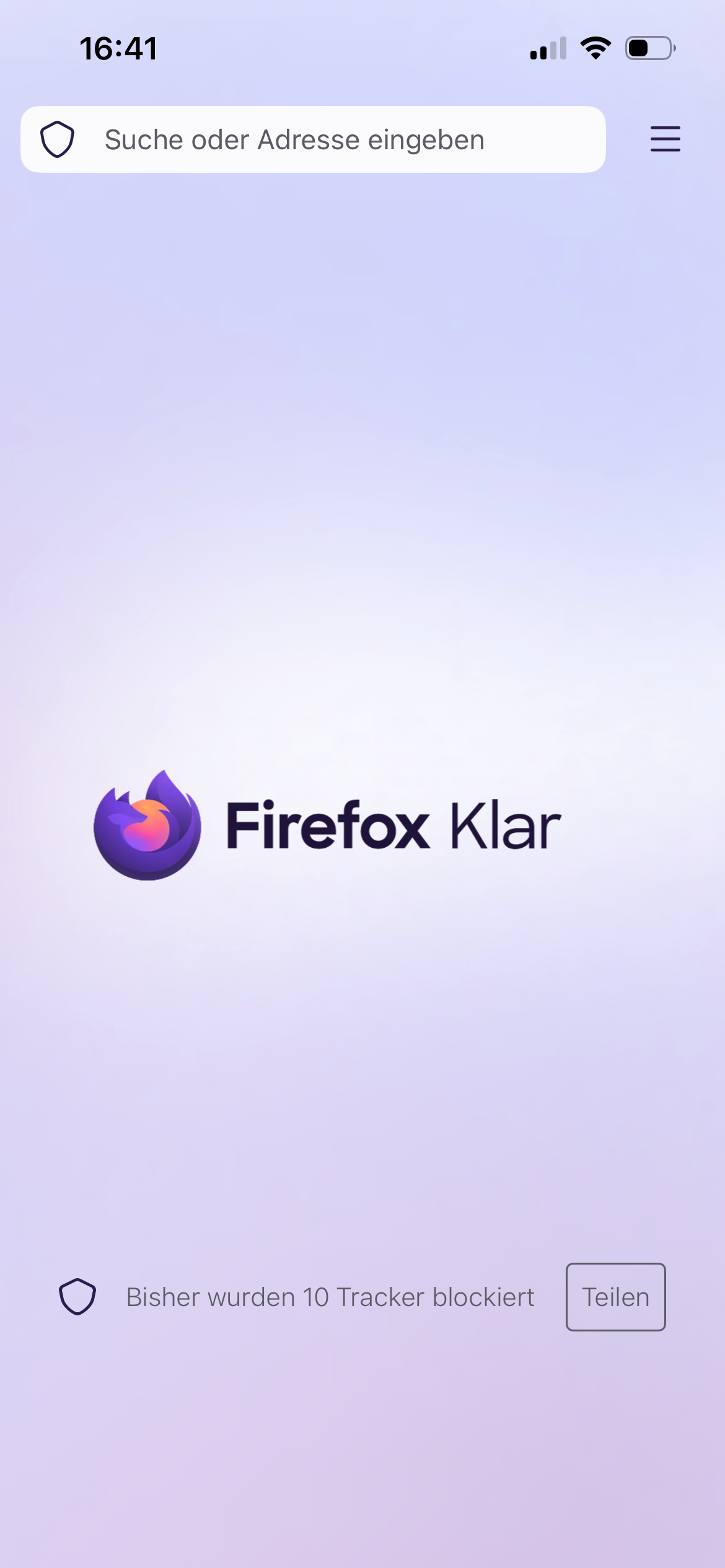
Can someone describe to me how you can open multiple tabs from the Browser starting page? All I see is the top search bar which takes me to Google. But what do I do if I wanna do another search in another tab? Most other browsers simply have a clearly visible button to open another tab but I can‘t find it on Firefox Focus. Online it says there‘s supposed to be a + in the top right corner but it isn‘t there on the picture below and it also doesn‘t appear once I do a search.
Pśipowjesone fota wobrazowki

Wšykne wótegrona (1)

Hi

Is that Firefox Focus on iPhone (iOS)?

If you want the privacy of Focus but need multiple tabs for searching, use the Standard Firefox App and opening a "Private Tab" there. That version has the "+" button you are looking for.

The guide mentioning a + or a tab number, check the title of the article, maybe is "for Android." ?

Stajśo pšašanje

Musyśo se pla swójogo konta pśizjawiś, aby na pśinoski wótegronił. Pšosym stajśo pšašanje, jolic hyšći njamaśo wužywaŕske konto.