


Easy Screenshot stopped working properly

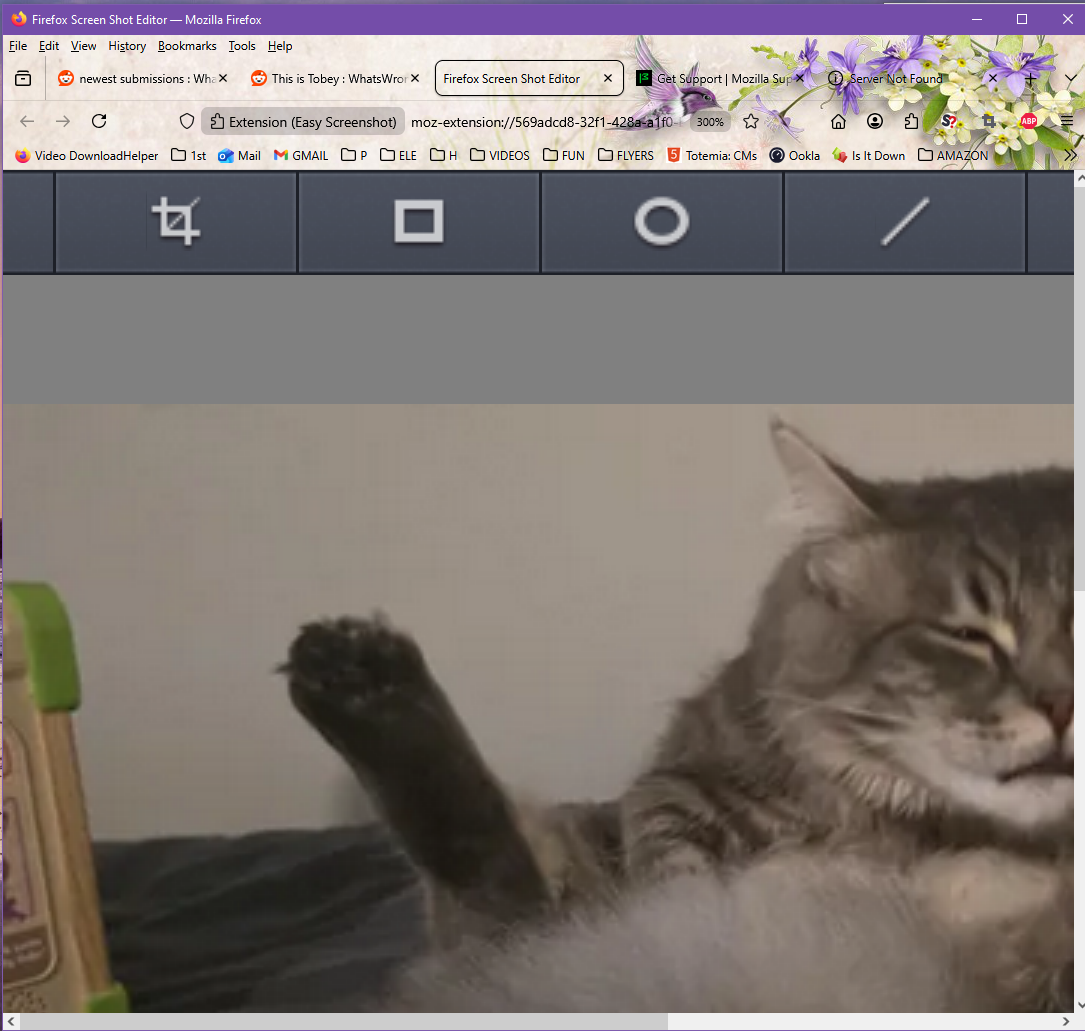
I have been using Easy Screenshot for years. Today I tried taking a screenshot and it opened a huge copy of the rectangular image I wanted to save in a new tab. Then there was no visible way to save the image. I used to get the option to save the image file in the same tab as the image I wanted to save. Took a screenshot and saved in Paint to show the contents of the Firefox window that image is huge and should have been 4 inches wide at most. Also the lack of how to save the image.
I'm wondering if this a because of the latest update. Firefox 147.0.1 X64 desktop WIN10 22h2 with ESU
When I tried reporting the problem on the add-on page the website it tried to connect to was not working so asking here for help.
Wubrane rozwězanje
Biography: Mozilla Online is an organization that operates in China and is a wholly owned subsidiary of the Mozilla Corporation. We distribute customized Firefox browser to users in China. Some of our extensions are publicly available on AMO, in the hope that mor
Yes, it is strange. The snipping tool in windows is far better IMHO than the screenshot tool offered by Mozilla. If no further questions, mark it as resolved and have a good day.
Toś to wótegrono w konteksće cytaś 👍 0Wšykne wótegrona (3)
The extension was last updated 3 years ago (Dec 27, 2022) https://addons.mozilla.org/en-US/firefox/addon/easyscreenshot/?utm_source=addons.mozilla.org&utm_medium=referral&utm_content=search Ping the dev team for an update. Any other questions? If not, mark it as resolved and have a nice day.
Thank you for that info jonzn4SUSE. Guess I will have to look for another easy way to take a screenshot in a browser window. But it is surprising given that the add-on was pushed by Firefox and that the publisher : Mozilla Online is an organization that operates in China and is a wholly owned subsidiary of the Mozilla Corporation.
Also could not reach IMDB today, maybe they will both work tomorrow. Have no idea how to ping anyone. Later trying to get it to work I held down the CTRL key and hit - about 10 times and it reverted to the way is used to look and work. No idea why that happened.
Wubrane rozwězanje
Biography: Mozilla Online is an organization that operates in China and is a wholly owned subsidiary of the Mozilla Corporation. We distribute customized Firefox browser to users in China. Some of our extensions are publicly available on AMO, in the hope that mor
Yes, it is strange. The snipping tool in windows is far better IMHO than the screenshot tool offered by Mozilla. If no further questions, mark it as resolved and have a good day.