Toś ta nitka jo se archiwěrowała.
Pšosym stajśo nowe pšašanje, joli trjebaśo pomoc.

Archiwěrowany
How do i permanently disable all AI on firefox

I constantly get pop ups for AI i don't want and the AI makes firefox slower. I don't see a use in AI integration with Firefox and I would like to disable it. How can i do this?
I constantly get pop ups for AI i don't want and the AI makes firefox slower. I don't see a use in AI integration with Firefox and I would like to disable it. How can i do this?
Wšykne wótegrona (2)
Hi
This support article should help you to turn off the AI chatbot feature in Firefox:
https://support.mozilla.org/en-US/kb/ai-chatbot
This article will help you turn off AI Enhanced Tab Groups:
https://support.mozilla.org/en-US/kb/how-use-ai-enhanced-tab-groups
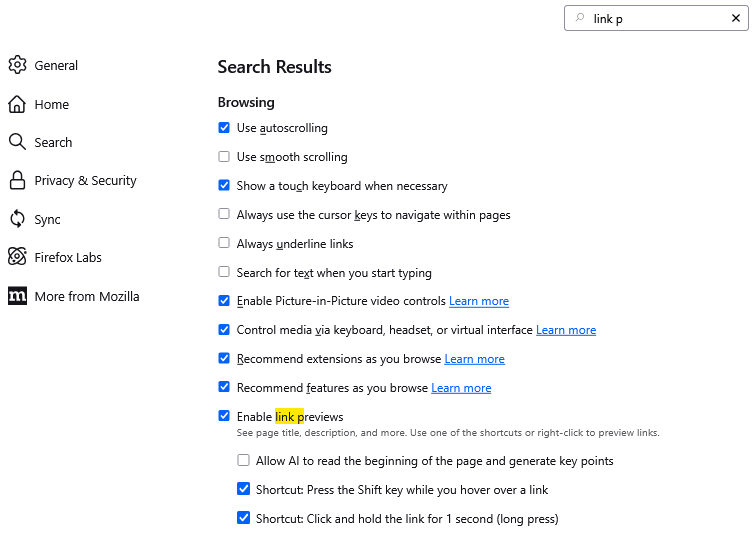
If you are noticing link previews when you mouse over links, you can turn those off on the Settings page, General panel, Browsing section (or use the tiny search box to pull it up as shown in the attached screenshot):