


Windows 10 reached EOS (end of support) on October 14, 2025. If you are on Windows 10, see this article.

Pomoc pśepytaś

Glědajśo se wobšudy pomocy. Njenapominajomy was nigda, telefonowy numer zawołaś, SMS pósłaś abo wósobinske informacije pśeraźiś. Pšosym dajśo suspektnu aktiwitu z pomocu nastajenja „Znjewužywanje k wěsći daś“ k wěsći.

Dalšne informacije
Toś ta nitka jo se archiwěrowała. Pšosym stajśo nowe pšašanje, joli trjebaśo pomoc.
Archiwěrowany

how do i remove the "finsih setup" in the tob right?

Agent virtuel wótegronjony
nonamed duck

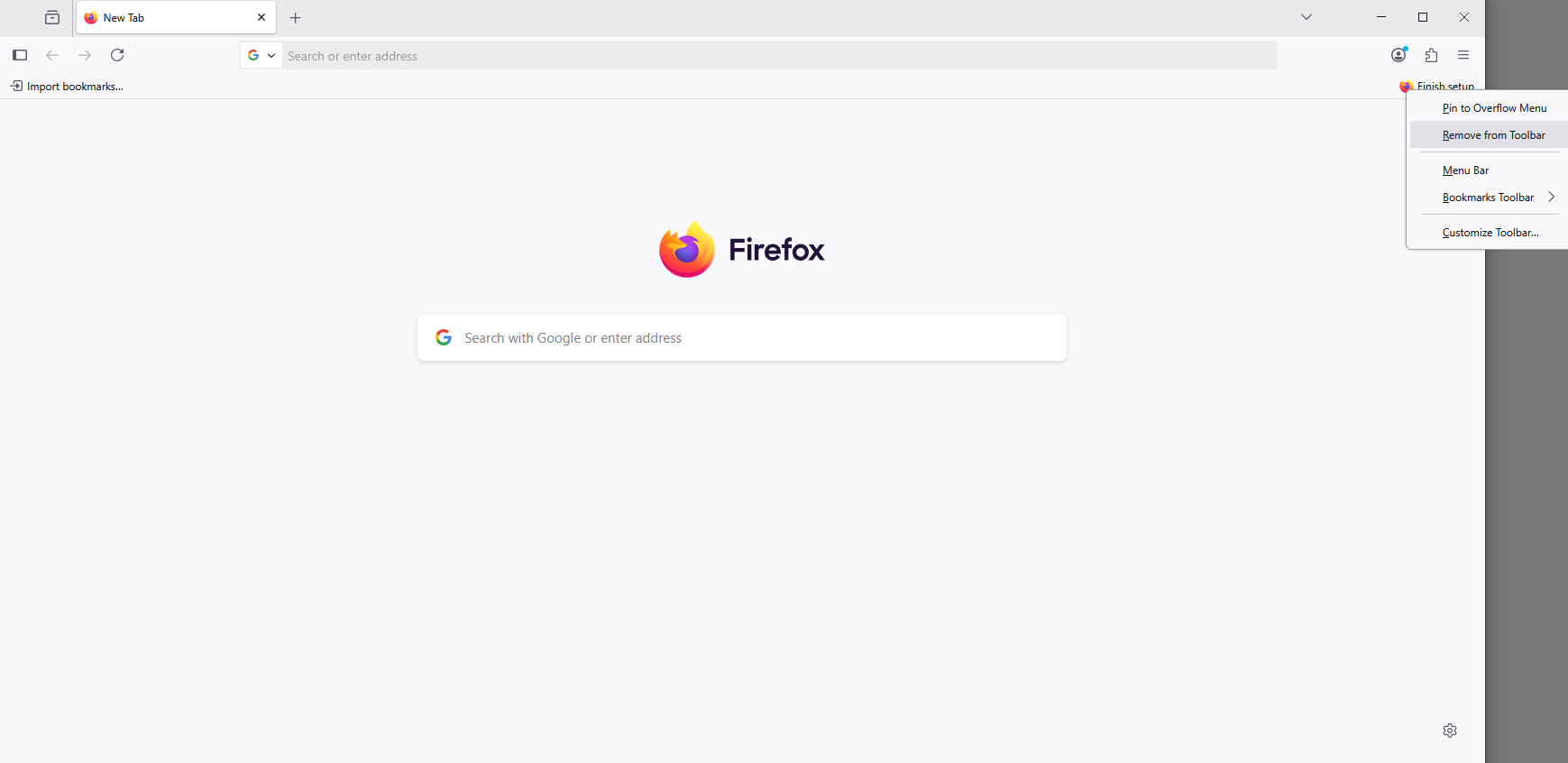
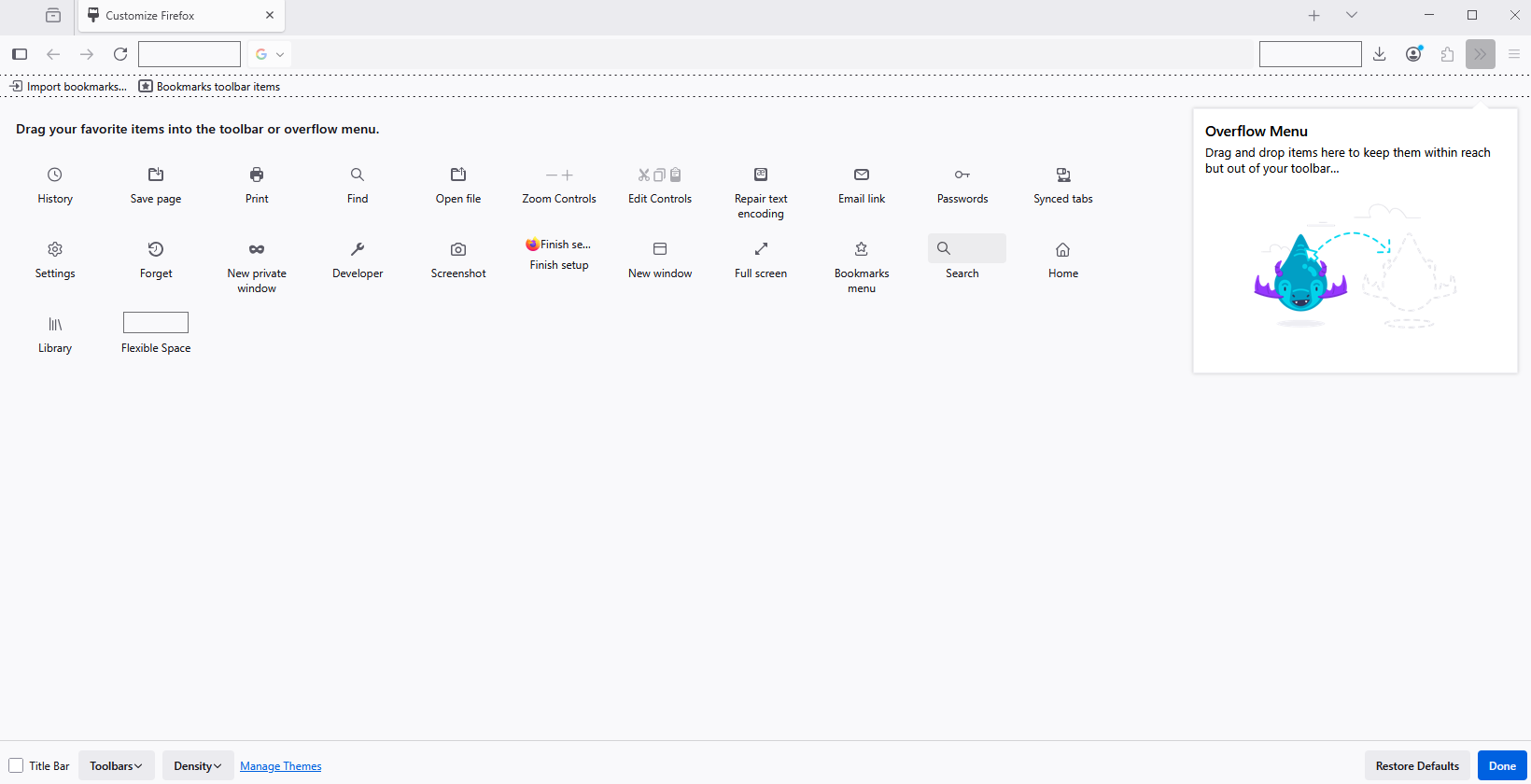
so in the top right there is "Finish setup", i have marked all things, beside "Import previous browser"... the problem is.... what previous browser?... it is a fresh installed system, i have no file to import, and for whatever reason i can not skip it, which doesn't make sense... cuz firefox works without those imports... so why do i get forced to import them... i do not have anything... the annyoing part it... when i click on it, firefox says something "couldn't find files"... which sould be a deead giveaway that i don't have any, it it just should move one... i tired to disable it in about:config, i tried to edit ~/.mozilla, did not work... i just have that super annyoing text at the top, where i have zero change of removing.... why don't you just add a "skip button"... is taht to much to ask?
so in the top right there is "Finish setup", i have marked all things, beside "Import previous browser"... the problem is.... what previous browser?... it is a fresh installed system, i have no file to import, and for whatever reason i can not skip it, which doesn't make sense... cuz firefox works without those imports... so why do i get forced to import them... i do not have anything... the annyoing part it... when i click on it, firefox says something "couldn't find files"... which sould be a deead giveaway that i don't have any, it it just should move one... i tired to disable it in about:config, i tried to edit ~/.mozilla, did not work... i just have that super annyoing text at the top, where i have zero change of removing.... why don't you just add a "skip button"... is taht to much to ask?

Wšykne wótegrona (1)

Hello

Have you tried, right-click on item and Remove from Toolbar.