


Whenever i open a tab it immediately crashes.

I'm asking this question on a different browser because Firefox cant load any websites.
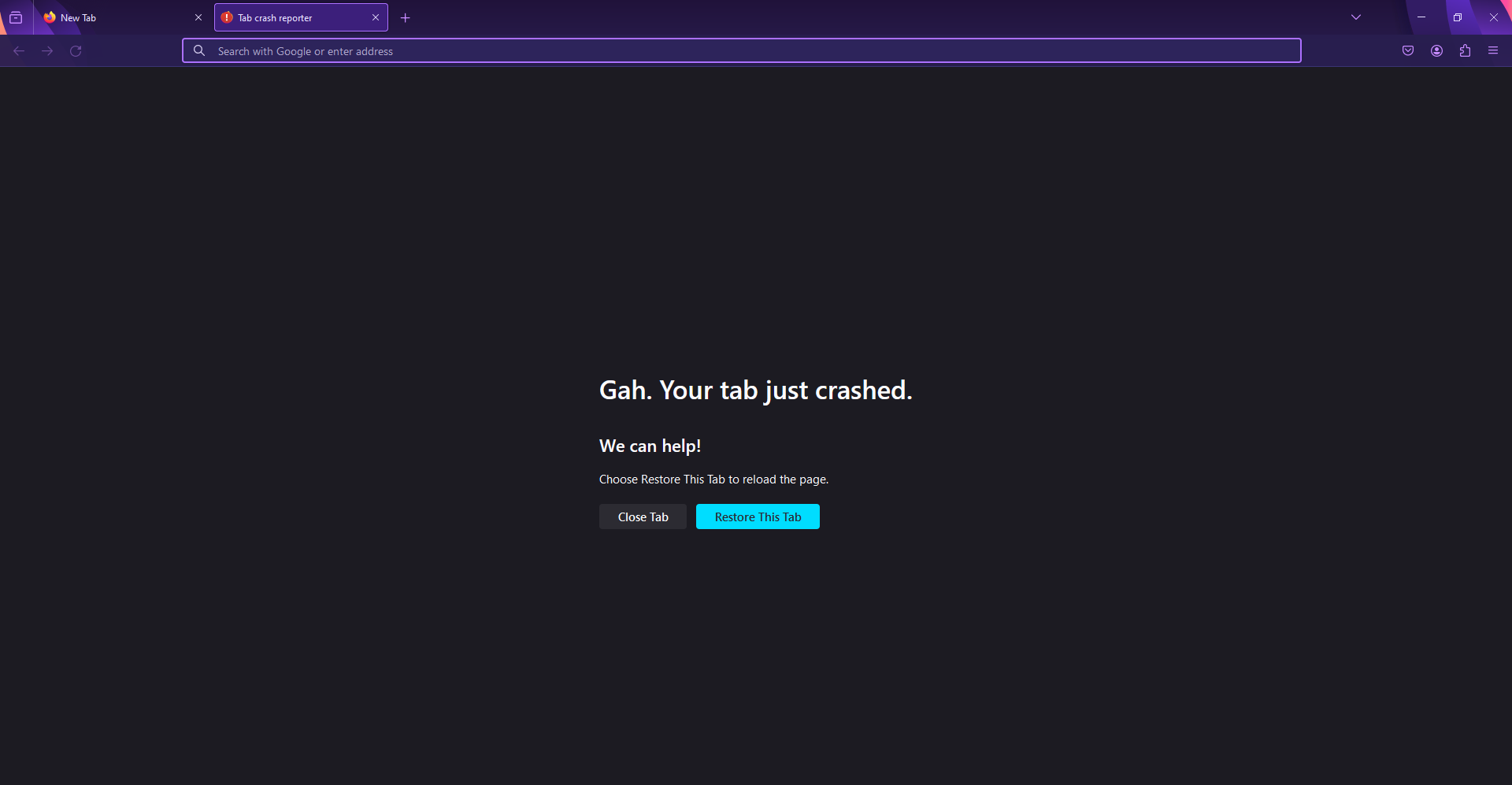
Basically whenever i open a new tab, it opens to a crashed tab. Gah. It cant even load google, or any website for that matter, not even the homepage for Firefox, its just a blank page with nothing on it, whenever i type something into the address bar and press enter it just disappears and does nothing. Browser settings work, but stuff like passwords dont, and i have most of my important passwords on firefox, so i cant log into runescape and stuff.
Can you help?
Wubrane rozwězanje
alright, redownloading visual studio c++ fixed the problem!
sorry for wasting your time ):
Toś to wótegrono w konteksće cytaś 👍 1Wšykne wótegrona (10)
We're sorry to hear that Firefox is crashing. In order to assist you better, please follow the steps below to provide us crash IDs to help us learn more about your crash.
The crash report is several pages of data. We need the report numbers to see the whole report.
- Enter about:crashes in the Firefox address bar and press Enter. A list of Submitted (and Unsubmitted, if any) Crash Reports will appear, similar to the one shown below.
- Copy the 5 most recent Submitted Report IDs that start with bp- and then go back to your forum question and paste those IDs into the "Post a Reply" box.
Note: If a recent Report ID does not start with bp- click on it to submit the report.
(Please don't take a screenshot of your crashes, just copy and paste the IDs. The below image is just an example of what your Firefox screen should look like.)

Thank you for your help!
More information and further troubleshooting steps can be found in the Troubleshoot Firefox crashes (closing or quitting unexpectedly) article.
Hello, unfortunately the about:crashes page doesnt work or load, if its loaded it gives the crashed tab message.
Hold down the Shift key while starting Firefox to get into Troubleshoot Mode and try to access about:crashes from there.
ive opened firefox in troubleshoot mode, and opened the about:crashes page successfully, though it just says "No crash reports have been submitted." and nothing else on the page.
Any help with this?
If it works in Troubleshoot Mode, try disabling hardware acceleration and disabling your extensions.
No dice, i tested with both off and nothing changed.
You can check the connection settings and check for possible issues with a Proxy or VPN service.
- Settings -> General -> Network: Connection -> Settings
If you do not need to use a Proxy to connect to internet, select "No Proxy" if "Use the system proxy settings" or one of the others do not work properly.
See also:
- https://support.mozilla.org/en-US/kb/connection-settings-firefox
- https://support.mozilla.org/en-US/kb/websites-dont-load-troubleshoot-and-fix-errors
Boot the computer into Windows Safe Mode with network support to see if that has effect.
- https://www.bleepingcomputer.com/tuto.../how-to-start-windows-in-safe-mode/
- https://www.digitalcitizen.life/4-ways-boot-safe-mode-windows-10/
You can create a new profile as a quick test to see if your current profile is causing the problem.
See "Creating a profile":
If the new profile works, you can transfer files from a previously used profile to the new profile, but be careful not to copy corrupted files to avoid carrying over problems.
well ive thinked about it for a bit and i just need my passwords (and maybe other data), if i can get them then i can uninstall and reinstall firefox, if thats possible. new profile doesnt work, no proxy doesnt work, its a crashing problem, not a internet problem, when i open a tab it only opens to a "Gah. Your tab just crashed." message, if im trying to go to the firefox homepage, it opens to a completely blank page.
update: I have the password files, and also the bookmarks, browsing history, and download history, so i should be able to uninstall and reinstall firefox.
and at the same time, it could be a missing vcomp140.dll file problem, which i didnt do anything, i guess the file just randomly commited suicide, i cant even play quake.
Wubrane rozwězanje
alright, redownloading visual studio c++ fixed the problem!
sorry for wasting your time ):