


Sync Now missing

Hello,
I just got a new Macbook Air and I am trying to sync my bookmarks and preference etc., from my current Macbook Pro. I read the help articles and one thing I cannot find is a "Sync Now" option on the Air. It is not under the menu icon list. I signed out of the Pro and back in. The user and PW are the same on both laptops. Hoping you can help.
Julie
Wšykne wótegrona (2)

It's in a few places. see screenshots Post screenshots of what you're seeing if it's not there. The 3rd screenshot shows tabs on other devices and versions of Firefox with the same account.


Wót jonzn4SUSE změnjony
If you are logged in to the Sync account, then you should see your username (email address) at the top of the "3-bar" Firefox menu button drop-down list instead of Sign In. If you click this email address, then you should get a panel that includes a Sync Now button. If you hover Sync Now, then you should see a tooltip that shows the last time a sync has been done.
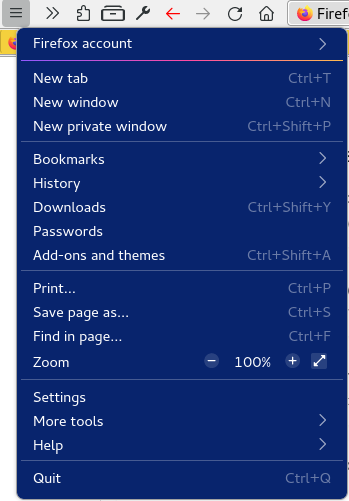
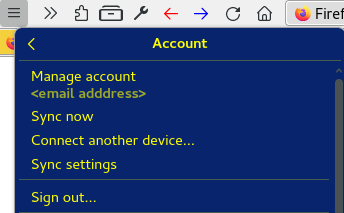
Wót cor-el změnjony