


Firefox loads Google site and youtube slow.

So I've been having this issue with Firefox loading anything to do with Google.com or Youtube running slow to load. all other pages work fine with no issues. I've turned off all addons and themes and the same things happen. I've turned off hardware acceleration and reset Firefox but I still see delays with these two sites. Anyone have a possible solution?
Wšykne wótegrona (5)
No issues for me. see screenshot What is your DNS setup. Here is mine. Are you on a laptop or desktop? Lan or WiFi?
Have you cleared your browser cache? https://support.mozilla.org/en-US/kb/how-clear-firefox-cache
Edition Windows 11 Pro Insider Preview Version 22H2 Installed on 30-Sep-22 OS build 25211.1010 Experience Windows Feature Experience Pack 1000.25211.1010.0
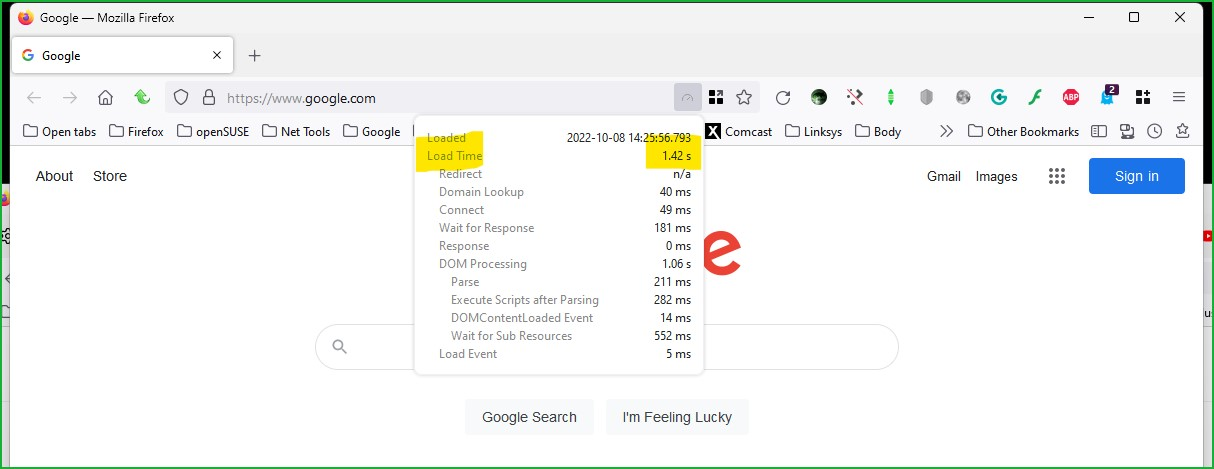

Wót jonzn4SUSE změnjony
Double posted
Wót TemporalAgt změnjony
It’s a desktop running wifi. I pull my dns from the router. All the other browsers work fine just not Firefox. Other PCs running Firefox work fine on the same network. Yes I have cleared the cache. I think I also tried 8.8.8.8 as a dns too.
This could be a problem with the TLS 1.3 Early Data feature also known as Zero Round Trip Time Resumption (0rtt). You can try to set security.tls.enable_0rtt_data = false on the about:config page to disable this feature until this is fixed by Google or Mozilla to see if that helps.
See also:
- /questions/1376015 Issue with most Google sites on Firefox v100 64bit
Well I tried the security TLS setting however that did not solve the problem unfortunately.