


Images and text in some websites does not load correctly- looks garbled or wrong color
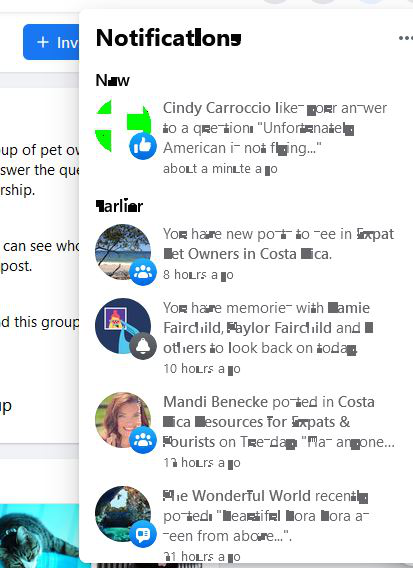
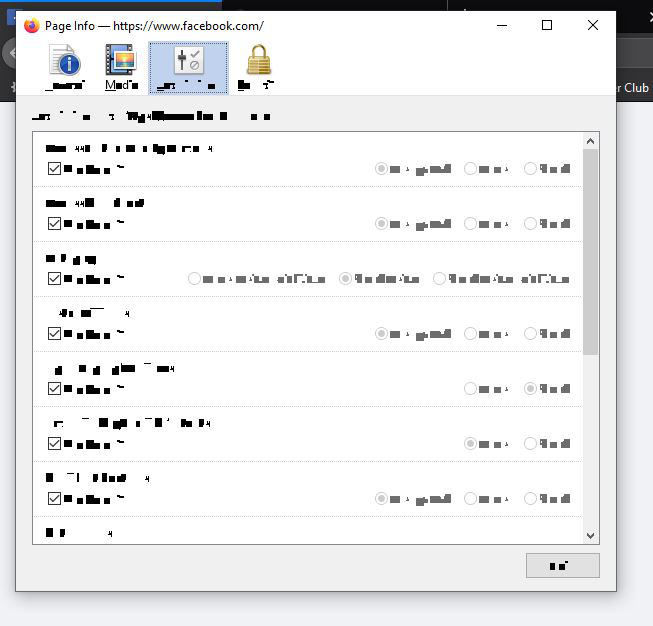
Some websites including facebook (which is the one I notice it most on) and blogs don't load images or text correctly. At first some images, not all, would have yellow or green stripes going vertically through the images. Then things got worse and got yellow and green pixels. Now it is getting to the point where text is also looking like gibberish. This isn't everywhere, just on some pictures and some text. i do not have the same problem using other browsers. I do not have the problem all of the time. I have refreshed firefox. I have uninstalled and re-installed firefox. I have deleted cookies, etc. Nothing seems to help. This has been happening on and off for a long time but is progressively getting worse.

Wubrane rozwězanje
Refer to this article linked from the other one: https://support.mozilla.org/en-US/kb/troubleshoot-extensions-themes-to-fix-problems
Wšykne wótegrona (5)
Does the problem occur in safe mode? https://support.mozilla.org/en-US/kb/troubleshoot-firefox-issues-using-safe-mode A feature which may be relevant is hardware acceleration.
It appears that the problem goes away with safe mode. Thank you for this suggestion! Now that I know this, how do I find out what I have to do to fix the problem in regular mode?
Wubrane rozwězanje
Refer to this article linked from the other one: https://support.mozilla.org/en-US/kb/troubleshoot-extensions-themes-to-fix-problems
You can try to disable hardware acceleration in Firefox.
- Options/Preferences -> General: Performance
remove checkmark: [ ] "Use recommended performance settings"
remove checkmark: [ ] "Use hardware acceleration when available" - https://support.mozilla.org/en-US/kb/performance-settings
Close and restart Firefox after modifying the setting for changes to take effect.
You can check if there is an update for your graphics display driver and check for hardware acceleration related issues.
Thank you both so much for your assistance, this appears to have fixed my problem. I appreciate your time and patience.