


Firefox doesn't drop videocard usage after closing youtube

Hello. So, as the question says, Firefox doesn't drop GPU usage and GPU core frequency (but it drops GPU memory frequency). I tried the other browsers (Chrome, Opera, Edge) and it's fine. I have AMD RX560 graphic card with the latest drivers and I also tried previous versions
Wót giindur změnjony
Wubrane rozwězanje
Hmm, I turned off "Use reccomended perfomance settings" in Perfomance, while still using hardware acceleration and everything became fine. Now my GPU doesn't load on 100% in YouTube videos.
UPD: The problem came back so I decided to turn off hardware acceleration.
Wót giindur změnjony
Wšykne wótegrona (12)
Similar to chrome Firefox caches pages and leaves them in memory and they're still using resources go to settings and disable whatever is causing that.
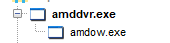
I don't think I get your explanation. What settings? Also, usage & frequency doesn't drop even when I close Firefox. The only thing that helps is restarting the "amddvr.exe" process
@giindur, what are you doing that the GPU is stuck?
Wót WestEnd změnjony
@WestEnd, well, nothing. I just open random video on YouTube, then videocard usage and frequency goes up (everything similar to Chrome or other browsers because I use hardware rendering), but when I close video — usage and frequency doesn't drop in Firefox (specifically videocard's core frequency, because GPU memory frequency drops as normal)

Reboot the computer. Then,
Start Firefox in Safe Mode {web link} by holding down the <Shift> (Mac=Options) key, and then starting Firefox.
A small dialog should appear. Click Start In Safe Mode (not Refresh). Is the problem still there?
It worked, but only once. I guess I should do this shenanigans every time, that's sad. I can also reload this process (screenshot below), but this is not the solution. Anyway, thanks for helping
amddvr.exe is part of AMD ReLive and developed by Advanced Micro Devices
Try removing and re-installing the program using the current installer.
I didn't install AMD ReLive. It might be AMD driver's fault generally.
Only other thing I would say is to get the lasted GPU driver and uninstall and clean out the old GPU drivers and delete that folder as well and reinstall the new GPU and see if that doesn't fix the stuck GPU.
I've uninstalled drivers with Driver Display Uninstaler, then tried the newest one and nope, didn't help.
Wubrane rozwězanje
Hmm, I turned off "Use reccomended perfomance settings" in Perfomance, while still using hardware acceleration and everything became fine. Now my GPU doesn't load on 100% in YouTube videos.
UPD: The problem came back so I decided to turn off hardware acceleration.
Wót giindur změnjony
That was very good work. Well done. Please flag your last post as Solved Problem so others will know.
If you need hardware acceleration, use it.