


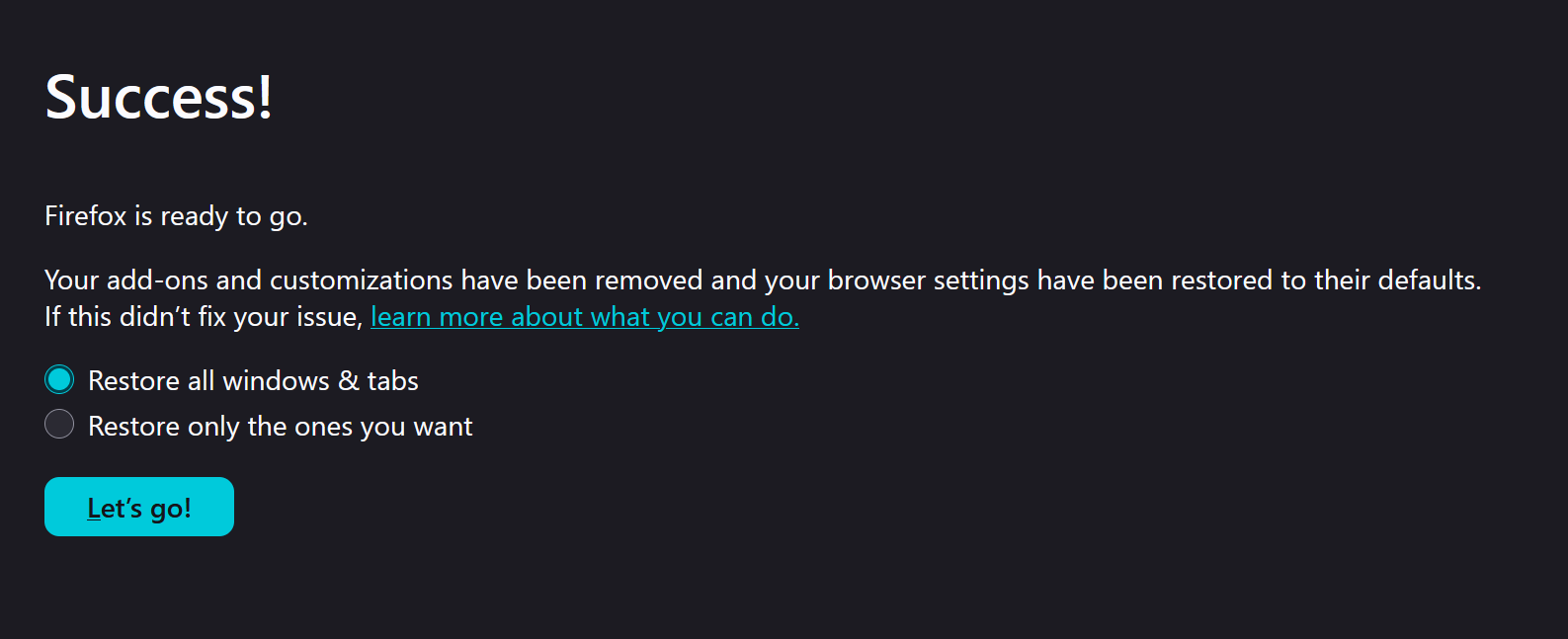
Why do I see this when FireFox starts
I had problem with a certain website, did trouble shooting mode and refreshed FireFox. Website works now but I keep seeing this when FIreFox starts. I set FireFox starts with default Firefox Home. Any suggestion how to correct this nuisance?
Ausgewählte Lösung
The problem fixed by installing Firefox fresh. What I did was deleting the following folders after uninstall and before reinstall. Note: you have to turn on "show Hidden Items" in File Explorer to see the AppData folder
C:\Program Files\Mozilla Firefox\ C:\Users\UserName\AppData\Local\Mozilla\Firefox\ C:\Users\UserName\AppData\Roaming\Mozilla\Firefox\ I also found an "older firefox data" on my Desktop. I deleted it too. Reboot and then install FireFox again.
Thank you for all your inputs.
Alle Antworten (7)

I think you are still in troubleshooting mode. You can try to restart your computer: https://support.mozilla.org/en-US/kb/firefox-stuck-troubleshoot-mode
Thanks, wxie, the procedure didn't work in my case. I even uninstalled FireFox and reinstalled it, yet still facing the same problem, Looks like there is some configuration settings stayed behind and reinstallation picked it up again. Do you aware of a clean uninstall procedure? Appreciate

Hi.
Did you try . . 1. Uninstall via Windows Settings > Apps 2. [Restart] Windows, do not use [Shut down] the later keeps data of personal settings 3. Go to https://www.firefox.com/en-GB/download/windows/ or equivalent localised
Do not reinstall any download you have etc.
Just to understand the issue — no matter which option of the two you select and press "Let's go", you still get to this same screen after the next restart?
yes; and I stopped selecting the option and move on as if it is the start up home page
amoun said
Hi. Did you try . . 1. Uninstall via Windows Settings > Apps 2. [Restart] Windows, do not use [Shut down] the later keeps data of personal settings 3. Go to https://www.firefox.com/en-GB/download/windows/ or equivalent localised Do not reinstall any download you have etc.
Done it. AI said I have to delete some profile information after uninstall firefox. I am attempting it soon. I will post the result as soon as I could.
Thank you very much, guys.
Ausgewählte Lösung
The problem fixed by installing Firefox fresh. What I did was deleting the following folders after uninstall and before reinstall. Note: you have to turn on "show Hidden Items" in File Explorer to see the AppData folder
C:\Program Files\Mozilla Firefox\ C:\Users\UserName\AppData\Local\Mozilla\Firefox\ C:\Users\UserName\AppData\Roaming\Mozilla\Firefox\ I also found an "older firefox data" on my Desktop. I deleted it too. Reboot and then install FireFox again.
Thank you for all your inputs.