


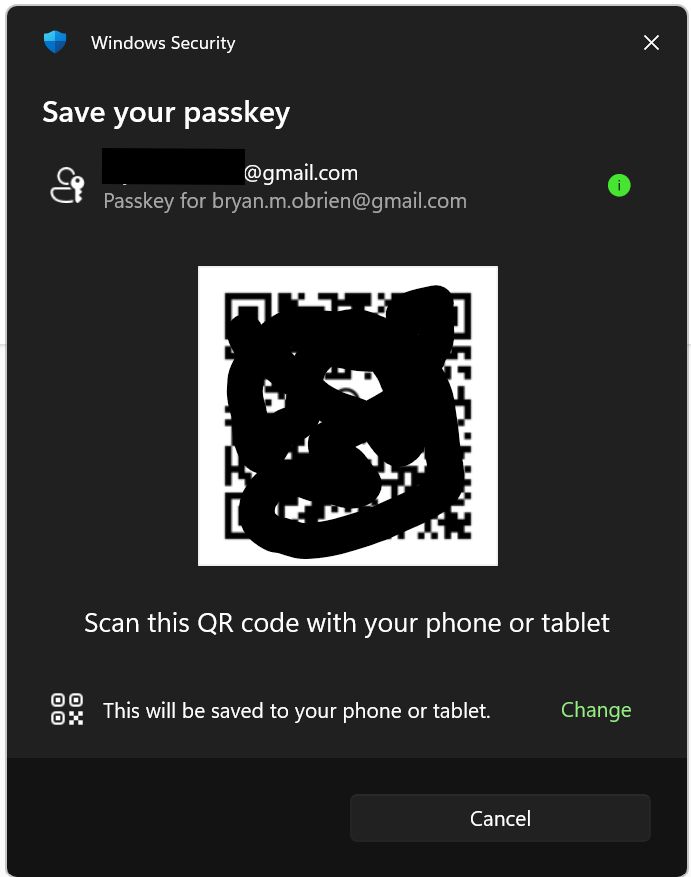
When creating my passkey, Mozilla insists on using my old email address

Windows 11 Pro Mozilla Firefox 152.0.4 (64-bit)
When creating a passkey for my Mozilla account, the Windows Security passkey program insists on using my old gmail.com address instead of my new protonmail.com address.
How can I purge Mozilla records of my gmail address and use my protonmail address?
Many thanks
Alle Antworten (3)
Ausgewählte Lösung
Hi,
Looks like you're dealing with a Mozilla account issue. We have direct one-to-one support for Mozilla accounts (which is different from a peer-to-peer support forum like this one).
Please submit a new ticket from this page so our support agent can assist you further.

I have the same problem. Plus, it insists on using Apple's PASSWORDS app when I want to use a 3rd party one -- which works fine on other sites (the 3rd party password manager is configured properly and auto pops up on other sites to ask me to save passkeys).
MCH said
I have the same problem. Plus, it insists on using Apple's PASSWORDS app when I want to use a 3rd party one -- which works fine on other sites (the 3rd party password manager is configured properly and auto pops up on other sites to ask me to save passkeys).
Hey MCH, I would advice that you also open a ticket following the instructions above to ensure that you can get the support you need.