


Profile management

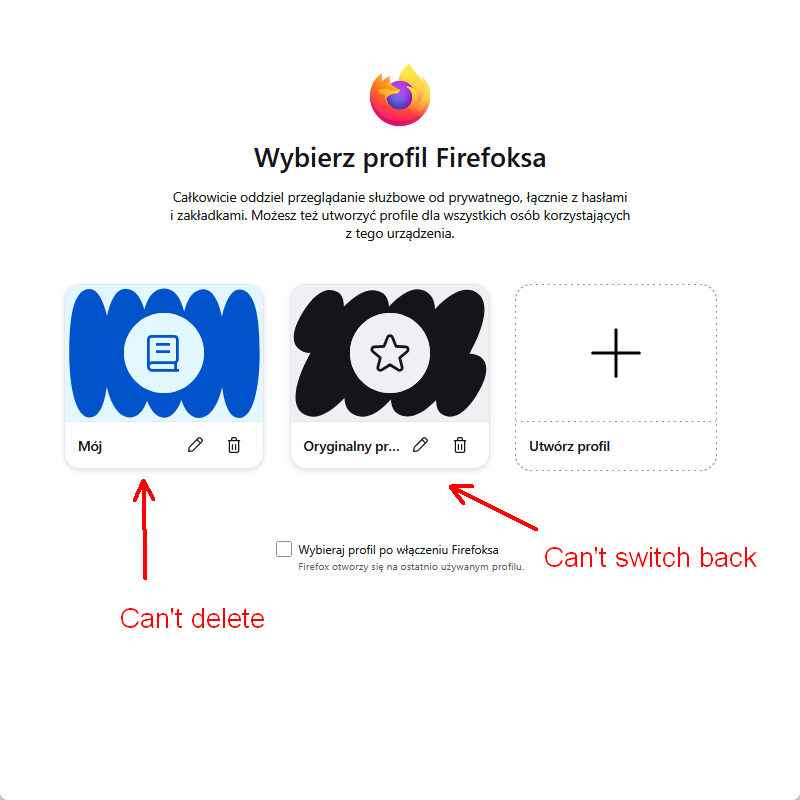
Hello I got a pop up or it was new tab informing about new firefox functions. It was about profile creation and management. Now i have two profiles and cant switch back to my old one. I cant seem to be able to delete new profile to return to my old one.
Alle Antworten (3)

I experimented with this profiles feature a while ago but since I realised syncing multiple profiles resulted in the bookmarks homogenising across all profiles (exactly what I didn't want) I went back to just one profile.
First, when you have multiple profiles you can't delete the default profile. When you create a second profile, Firefox automatically makes that the default profile. This would be why you can't delete that profile you now don't want. Go to your other profile as in your screenshot and edit it to make it the default. Then you can delete the other profile and just have one profile.
Editing doesn't work either. Sync is a no go option for me since it once messed everyting on my browser.

In "manage profiles" I see where to delete the extra profile that was created and I don't want. Thanks to Cetaseus1. my question is does deleting a profile delete all the bookmarks? there is an info box that warns that bookmarks will be deleted including my 30,000+ bookmarks that were rolled over to this unwanted profile that just appeared. My intent is to have one remaining profile and all my bookmarks. I am hesitant to delete a profile and loose all those bookmarks. I won't delete until Mozilla assures me that I won't lose the bookmarks in the other profile. Thanks.