


Missing bookmark menu button

I'm upgraded to Win 11 Pro from Win 10 Pro. I noticed that the Bookmark menu button is gone, seemingly replaced by a Bookmark Bar. For me that's not a good thing. How can I get the menu button for Bookmarks back?
I'm upgraded to Win 11 Pro from Win 10 Pro. I noticed that the Bookmark menu button is gone, seemingly replaced by a Bookmark Bar. For me that's not a good thing. How can I get the menu button for Bookmarks back?
Alle Antworten (1)
Hi,
If you can't find your Bookmark menu button in Firefox, try adding the Bookmarks Menu icon to your Bookmarks Toolbar
- Click the menu button
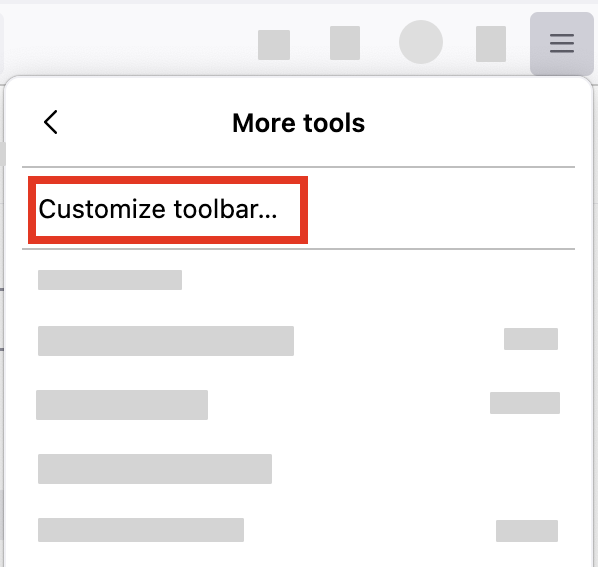
 , select "More tools" and click "Customize toolbar…"
- A special tab will open which allows you to drag and drop items in or out of the overflow menu and the toolbar.
-
- Drag the Bookmarks menu
 item to the toolbar.
- Click the Done button.
Let us know if this solves the problem.
- For other ways to customize Firefox, see Customize Firefox controls, buttons and toolbars.
- To learn more about Firefox bookmarks, see Bookmarks in Firefox.