


Firefox's translate selection no longer automatically detecting selected text after I played around in the dialog.

I was previously successfully using the translate selection with the translate dialog automatically detecting the language of the selected text. Then, with that dialog open, I tried changing the from/to language - you know, just messing around - and now it refuses to automatically detect the language. It is now stuck on Tranlate to French. I've checked my settings page and my default language is English. Where is it getting the idea I'm French? Annoying af.
How can I get the automatic language selection to English as it previously was?
NOTE: As I was composing this request, I visited the Amazon store - as that's where I use the feature most - and noticed it's probably the tool itself that's broken recently as it was getting it right all the time before but now it's hit or miss. Again, annoying af especially because I've come to rely on this a lot. Please fix.
Ausgewählte Lösung
Hello
An test, carried out.
Maybe, according to the translations log, for information purposes. https://connect.mozilla.org/t5/discussions/feedback-regarding-the-translate-feature-on-ff/m-p/102185/highlight/true#M39741
Try 1 - Go to Configuration Editor for Firefox https://support.mozilla.org/en-US/kb/about-config-editor-firefox 2 - Enter a search term browser.translations.mostRecentTargetLanguages and click on the Reset button.
Diese Antwort im Kontext lesen 👍 0Alle Antworten (2)
Ausgewählte Lösung
Hello
An test, carried out.
Maybe, according to the translations log, for information purposes. https://connect.mozilla.org/t5/discussions/feedback-regarding-the-translate-feature-on-ff/m-p/102185/highlight/true#M39741
Try 1 - Go to Configuration Editor for Firefox https://support.mozilla.org/en-US/kb/about-config-editor-firefox 2 - Enter a search term browser.translations.mostRecentTargetLanguages and click on the Reset button.
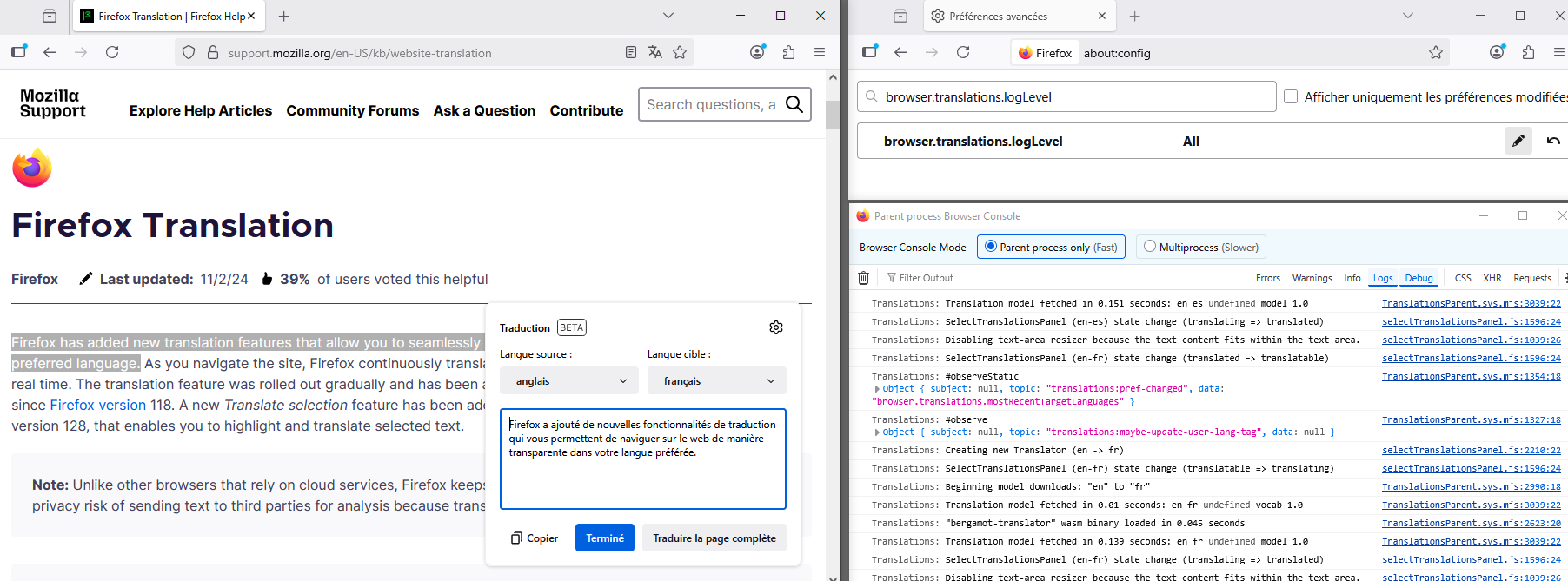
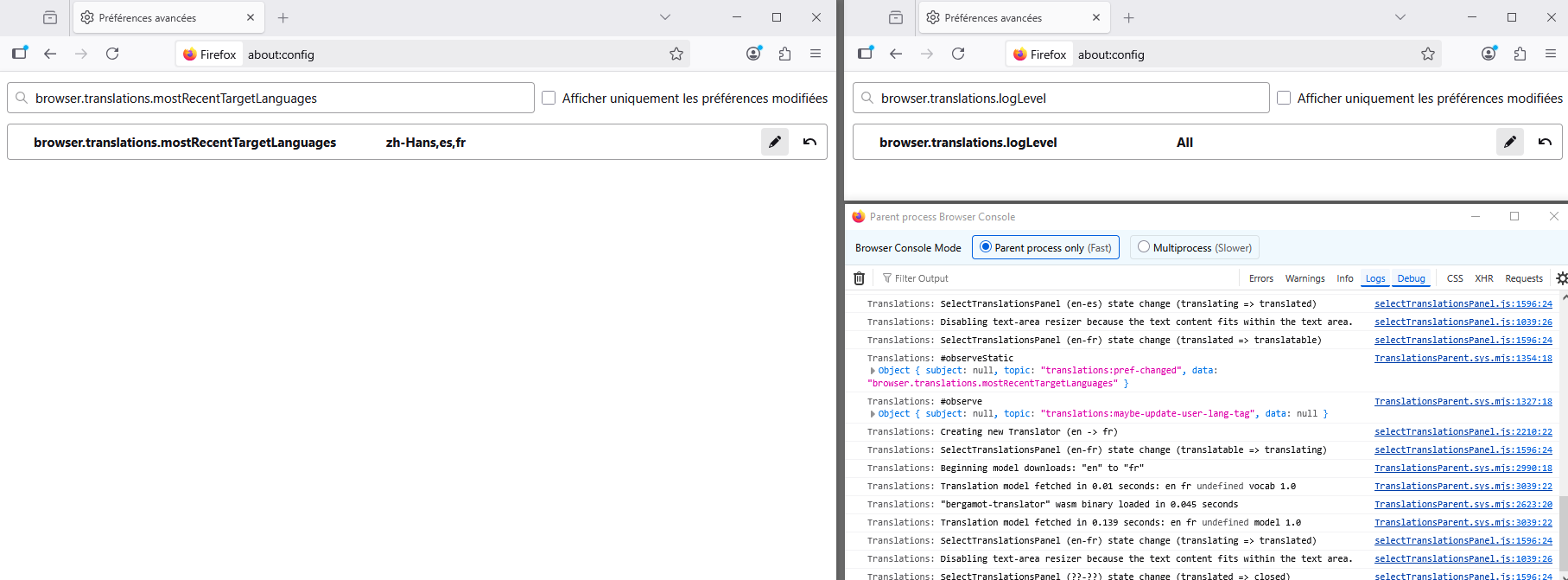
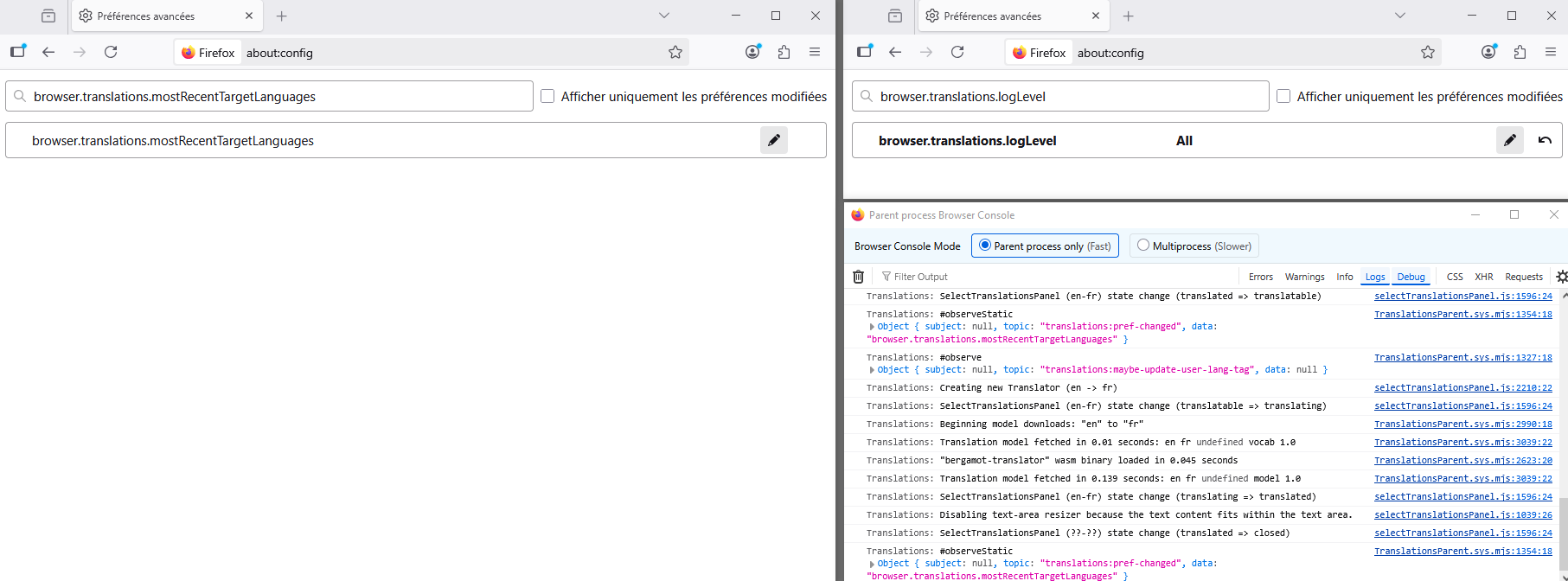
Thank you so much for this fast response. I found mine had `fr,en` and I've reset it back to empty.
Will this clearing option be exposed in the settings page one the tool is out of BETA? It would be really handy. Even better would be to expose that on the translation dialogue itself.
Any idea if my tinkering with it cause the issue to start with? If yes, I'll just refrain from tinkering so I don't have to keep going to the config page.
