


show the address in the location bar firefox

Latest update changed it so that URLs are not shown in the address bar unless a button is clicked. How to restore URLs being shown by default?
Please note: below question is similar but not the same. https://support.mozilla.org/en-US/questions/1493782


Alle Antworten (1)
Hello
Note :
Add the Search bar to your Firefox toolbar https://support.mozilla.org/en-US/kb/add-search-bar-firefox-toolbar
If, you drag the Search bar into the toolbar The option, Show search terms in the address bar on results pages, does not appear.
If, you drag the Search bar out of the toolbar The option, Show search terms in the address bar on results pages, appear.
You can test, drag the Search bar into the toolbar, and see.
Below: Show search terms in the address bar on results pages, you can remove the check mark.
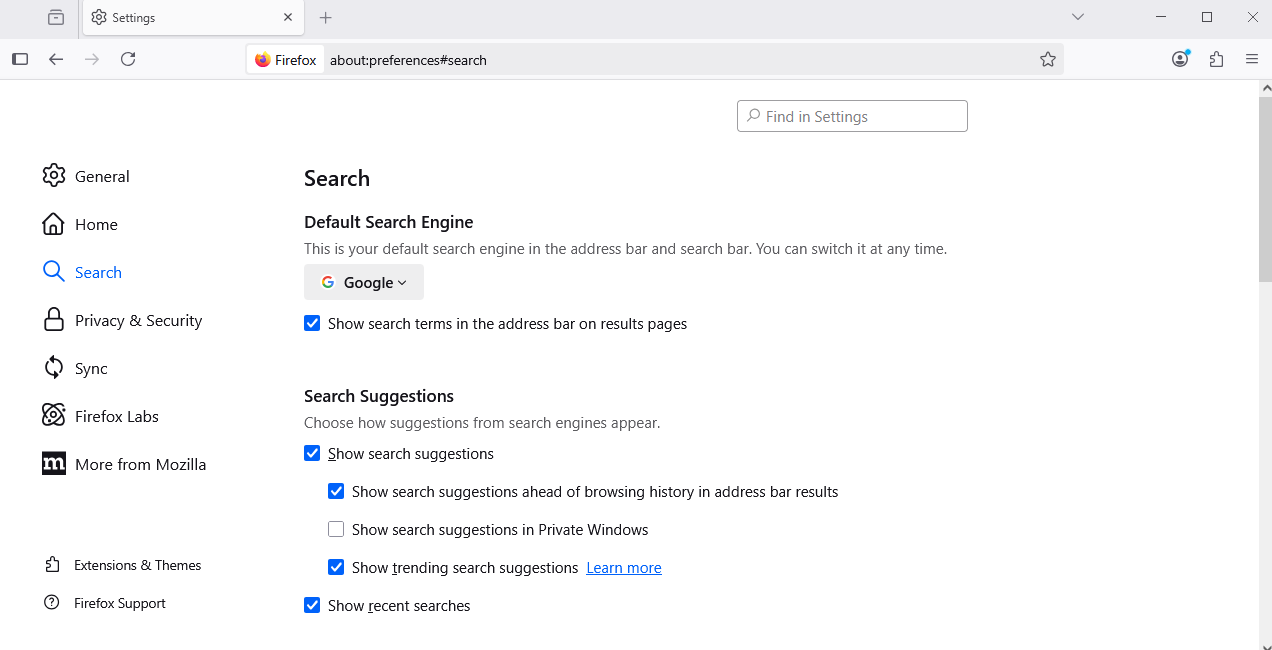
Geändert am von Agent virtuel