


Duplicate tabs list if set for side listing versus top row ( for wide screen monitor setup)

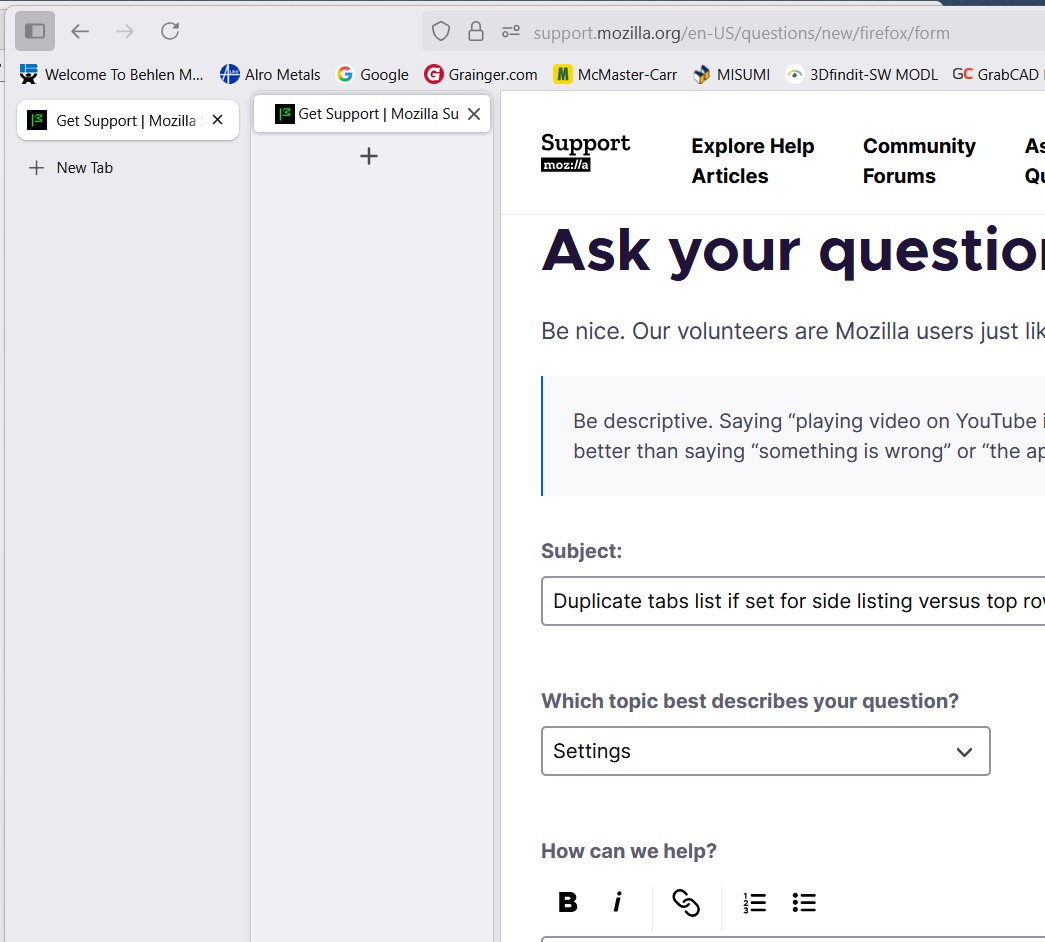
I do not see a setting to remove the redundant tab listing. This takes up about 2" in a vertical column of the screen. I want the RH list removed. See attached.
I do not see a setting to remove the redundant tab listing. This takes up about 2" in a vertical column of the screen. I want the RH list removed. See attached.
Ausgewählte Lösung
I found the issue. I had to click on the "Tree Style Tab" button above the lower LH set of buttons for settings, to turn it off. Selected unintentionally.
Diese Antwort im Kontext lesen 👍 0Alle Antworten (1)
Ausgewählte Lösung
I found the issue. I had to click on the "Tree Style Tab" button above the lower LH set of buttons for settings, to turn it off. Selected unintentionally.