


Japanese characters do not render under some circumstances

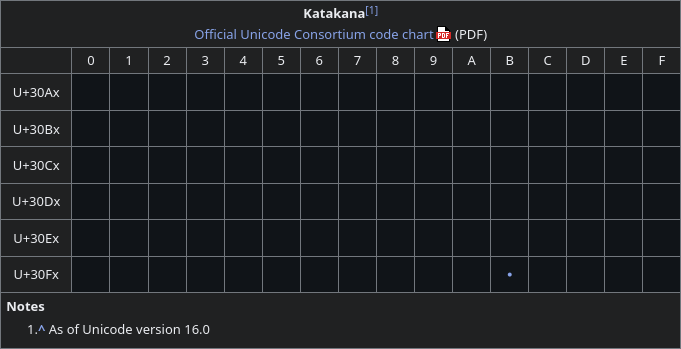
Japanese characters usually do not render.
I can reproduce this issue by:
- going to the Wikipedia page for the katakana Unicode block.
- going to any YouTube comment with Japanese text.
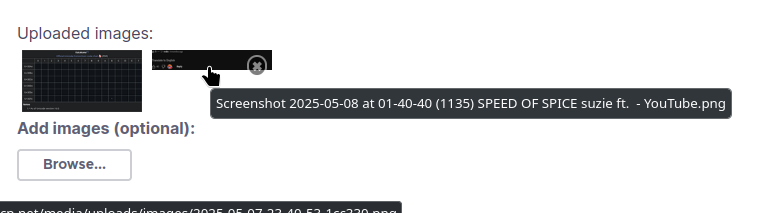
- hovering over the screenshot of the YouTube comment so that the tooltip containing the name of the file is shown.
On YouTube the text renders only if 1.27916663885116563rem <= font-size <= 1.92083328962326036rem. Increasing `gfx.font_rendering.fontconfig.max_generic_substitutions` from 3 to 99 allows some punctuation to render and makes the text take up horizontal space. Further increase of the value to 999 causes the interpunct to render in the Wikipedia page.



Ausgewählte Lösung
I believe this was caused by missing fonts. I did not originally realize this as I expected fonts to be supplied by the server, and programs usually display a "missing character" character when no available fonts have a character, which did not occur here.
I resolved this by changing my system configuration as follows: nix``` fonts = {
 packages = with pkgs; [
   google-fonts
 ];
}; ```
Alle Antworten (3)
When I hover over the link to the Wikipedia page for the interpunct the %E3%83%BB does not render.

My problem may be the same. Titles of Japanese youtube videos show garbage characters and the comments are garbage characters, too.
I use macOS 15.5 and Firefox 140.0.4 (aarch64). The main language of macOS is English. I don't log in to Youtube.
Ausgewählte Lösung
I believe this was caused by missing fonts. I did not originally realize this as I expected fonts to be supplied by the server, and programs usually display a "missing character" character when no available fonts have a character, which did not occur here.
I resolved this by changing my system configuration as follows: nix``` fonts = {
 packages = with pkgs; [
   google-fonts
 ];
}; ```