


Firefox keep redirecting localhost to www or www.localhost:8000
Hi, I'm using Firefox 85.0.2(64-bit) Windows 10
While I'm testing local testing for website, whenever I typed/entered localhost OR localhost:8000 Firefox keep redirecting/guesing subdomain for it(which="www"). Made my testing messed up.
There's same issue on https://support.mozilla.org/en-US/questions/1216065 None of those work.
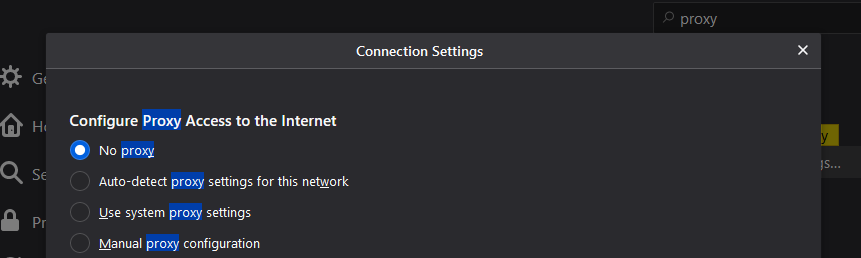
set: browser.fixup.alternate.enabled to false or Connection Settings with No proxy
Please, stop. Chrome and Edge behave normally. This site need darkmode :/

Ausgewählte Lösung
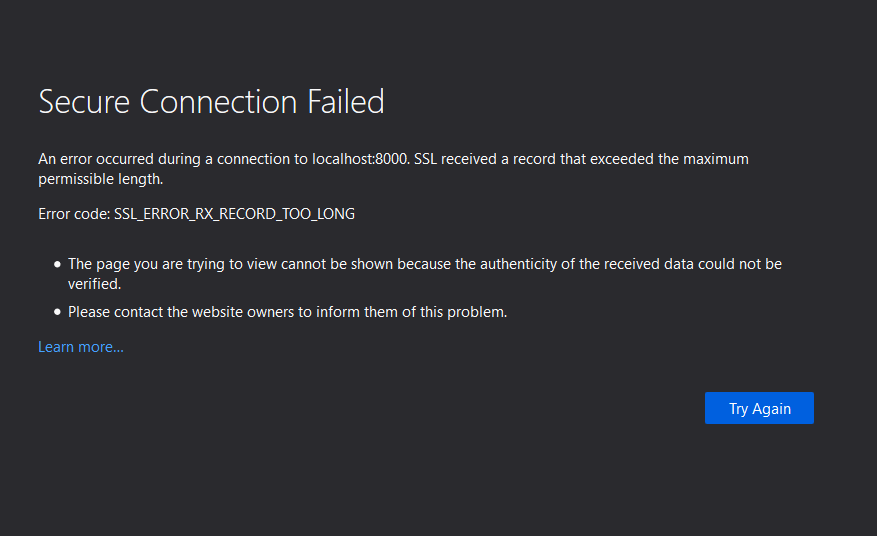
Using `https://localhost:8000` resulting secure connection failed. *fig 1 Using `http://localhost:8000` is keep kicking the subdomain to `www.localhost:8000` ___ The problem in local development is: - when we create a cookie to some test domain, this one need a trick (ref: https://developer.mozilla.org/en-US/docs/web/api/document/cookie )
By adding ";domain=" + someVar; to the document.cookie with .localhost or localhost will make no sense for the browser.
___ So to solve this just add/change mapping of IP addresses to host names in the entry, handled with DNS
``` 127.0.0.1 admin.localhost.com 127.0.0.1 contact.localhost.com 127.0.0.1 docs.localhost.com 127.0.0.1 link.localhost.com 127.0.0.1 www.localhost.com ```
now if myVar is localhost.com or .localhost.xyz will make sense for the browser. ___ This file located: - Windows 10: C:\Windows\System32\drivers\etc *filename will be host - Debian 10: root:/etc/ *filename will be host
Idk how it's behave on Mac, been a years not touching that os for environment testing.
___
Anyway, thank you for the response. Cheers.
Alle Antworten (4)
Does the full URL still work normally?
Sorry, if it's not a secure site, that would be:
If you use HTTP-Only then try to disable this feature if you can't disable HTTPS via the drop down that opens if you click the padlock icon in the location bar.
Ausgewählte Lösung
Using `https://localhost:8000` resulting secure connection failed. *fig 1 Using `http://localhost:8000` is keep kicking the subdomain to `www.localhost:8000` ___ The problem in local development is: - when we create a cookie to some test domain, this one need a trick (ref: https://developer.mozilla.org/en-US/docs/web/api/document/cookie )
By adding ";domain=" + someVar; to the document.cookie with .localhost or localhost will make no sense for the browser.
___ So to solve this just add/change mapping of IP addresses to host names in the entry, handled with DNS
``` 127.0.0.1 admin.localhost.com 127.0.0.1 contact.localhost.com 127.0.0.1 docs.localhost.com 127.0.0.1 link.localhost.com 127.0.0.1 www.localhost.com ```
now if myVar is localhost.com or .localhost.xyz will make sense for the browser. ___ This file located: - Windows 10: C:\Windows\System32\drivers\etc *filename will be host - Debian 10: root:/etc/ *filename will be host
Idk how it's behave on Mac, been a years not touching that os for environment testing.
___
Anyway, thank you for the response. Cheers.