


Can't complete installation on new Windows 11 laptop: What is my "email account password"?

I downloaded Thunderbird on my new Windows 11 laptop and began setup by entering my full name and email address ([redacted]@utexas.edu, operated by Gmail). The next screen asks for my "email account password." I entered my Google password that allows me to access my email at Gmail (https://mail.google.com/mail/u/0/#inbox). But "Authentication failed," and I am stuck! I cannot finish installing Thunderbird. I have used Thunderbird for many years on my prior laptop (Windows 10).
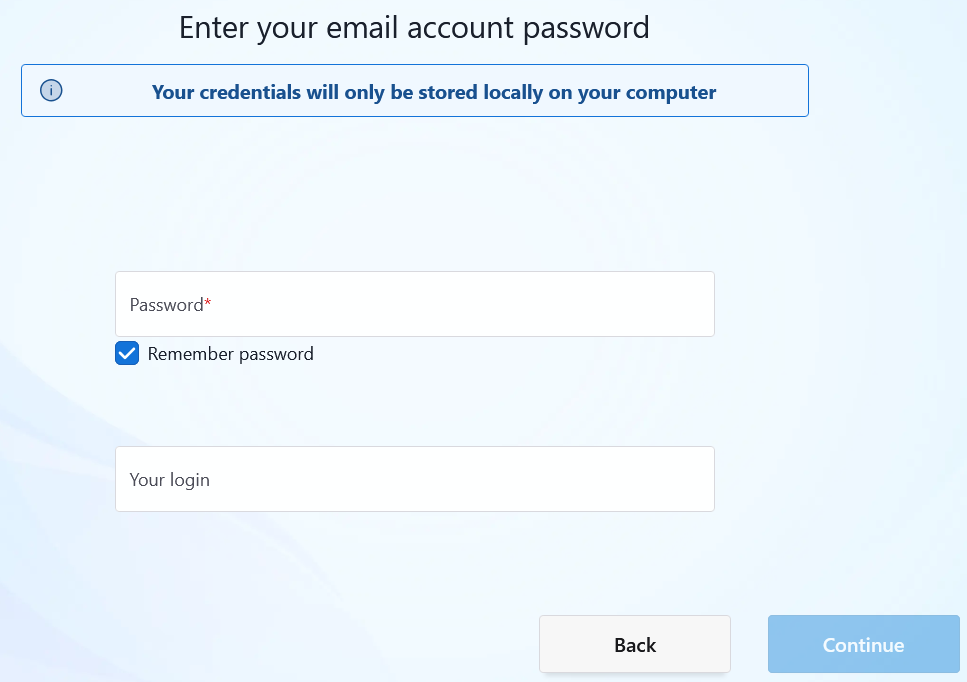
Ændret af christ1 den
Alle svar (1)
I have not idea why you posted an image of a blank screen, but I think I am with the issue as Google required oauth authentication not your password.
But I looked at the utexas web and they are talking exclusively office365. https://tech.utexas.edu/initiatives/official-student-email so I am now wondering if you are conflating the provider from the past with newer requirements. I think I am now confused. Could you please clarify.