


VPN not appearing in Firefox for Android 154.0.1 August 2026

I'd like to try out the built-in VPN, but can't find it. I've seen many older posts about this, but nothing recent. It's now August of 2026.
I'm using Firefox 154.0.1 on Android 16. I'm in the United States.
I'm logged into my browser with my Firefox account. I know it's working as I can open browser tabs between my mobile device and other devices using my account.
I'm not seeing the built-in VPN feature.
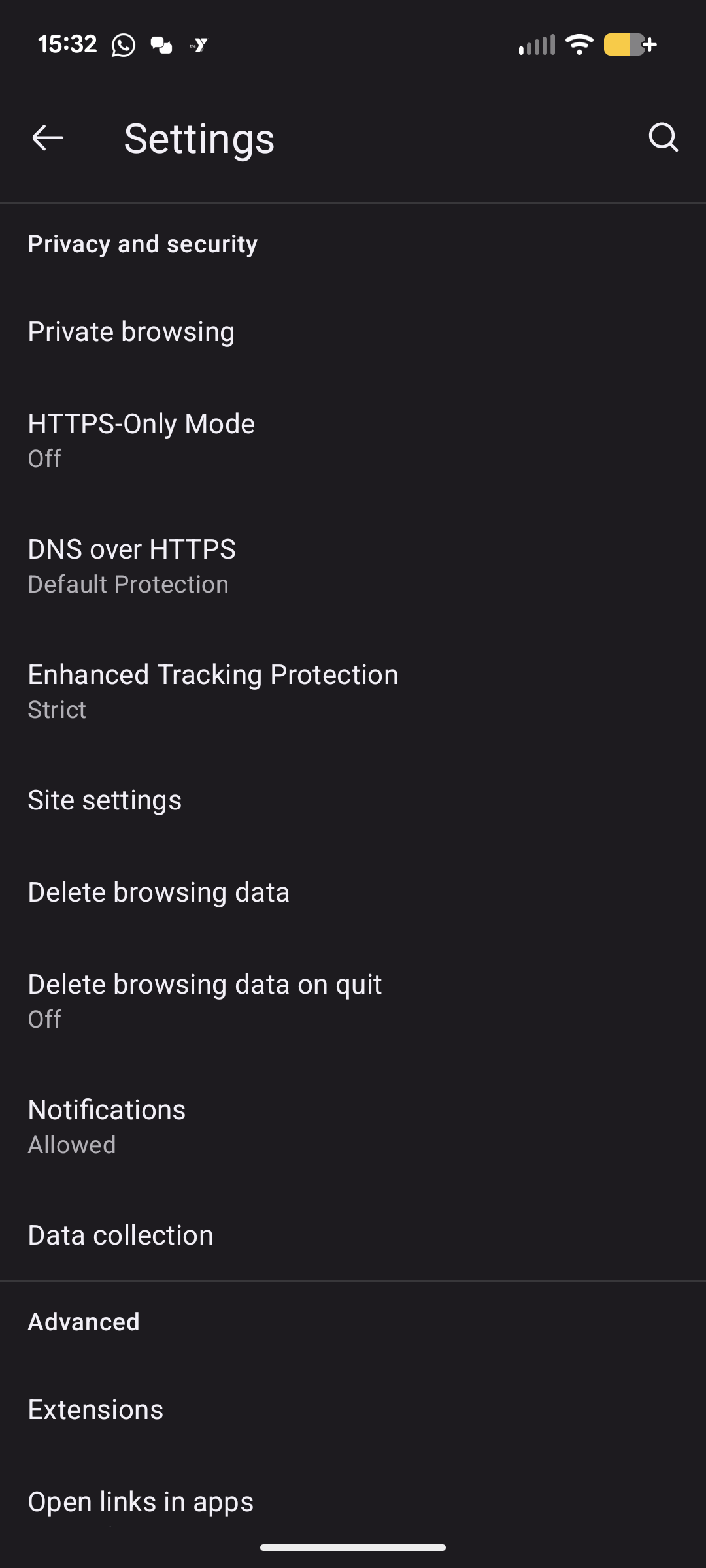
"VPN" does not appear in Settings as described in https://support.mozilla.org/en-US/kb/mobile-android-vpn
By comparison, attached is a screenshot of what I have in Settings > Privacy and Security.
Any guidance?
Valgt løsning
From Use built-in VPN in Firefox for Android — "This feature is experimental and is being introduced to the Firefox user base through a progressive rollout. It may not yet be available to all users. Additionally, remote improvements must be enabled."
Alle svar (4)
Hi Seth
I took do not have it yet. As far as I am aware, it is being rolled out very gradually, but hopefully we should both have it very soon.
I’m having the same issue on Firefox for Android. I’m signed in and running the latest version, but the VPN option is completely missing from Settings. It would be helpful to know if the feature has been removed, rolled out gradually, or is currently unavailable on Android 16.
Valgt løsning
From Use built-in VPN in Firefox for Android — "This feature is experimental and is being introduced to the Firefox user base through a progressive rollout. It may not yet be available to all users. Additionally, remote improvements must be enabled."
Just an FYI for those reading this thread - in my case I realized I hadn't enabled remote improvements. Turned it on, restarted my browser and immediately got the "try out VPN" UI