


connects to AOL server, but nothing happen. [was 153 won't work, how to go back to version that does?]

The latest update doesn't work with AOL access. The moronic Edge pop-off log-in window doesn't accept my user name. How do I revert to a version that works?
Ændret af Wayne Mery den

Valgt løsning
Make sure cookies are enabled in Thunderbird. Don't use a VPN when attempting to authenticate. Don't run a local web server on your computer, or any other service listening on TCP port 80.
Alle svar (9)
Well, it now connects to server, but nothing happens. I cannot retrieve my mail now that this "update" has happened.
So you successfully logged in?
And what do you see in the bottom of the THunderbird Window, in the status bar? (a screen shot would be great)
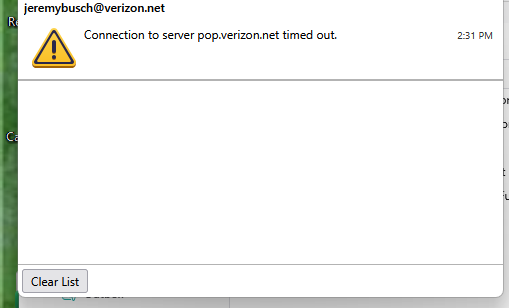
It tries to do something with the Verizon server and then gives me a yellow ! triangle and this:
Connection to server pop.verizon.net timed out.
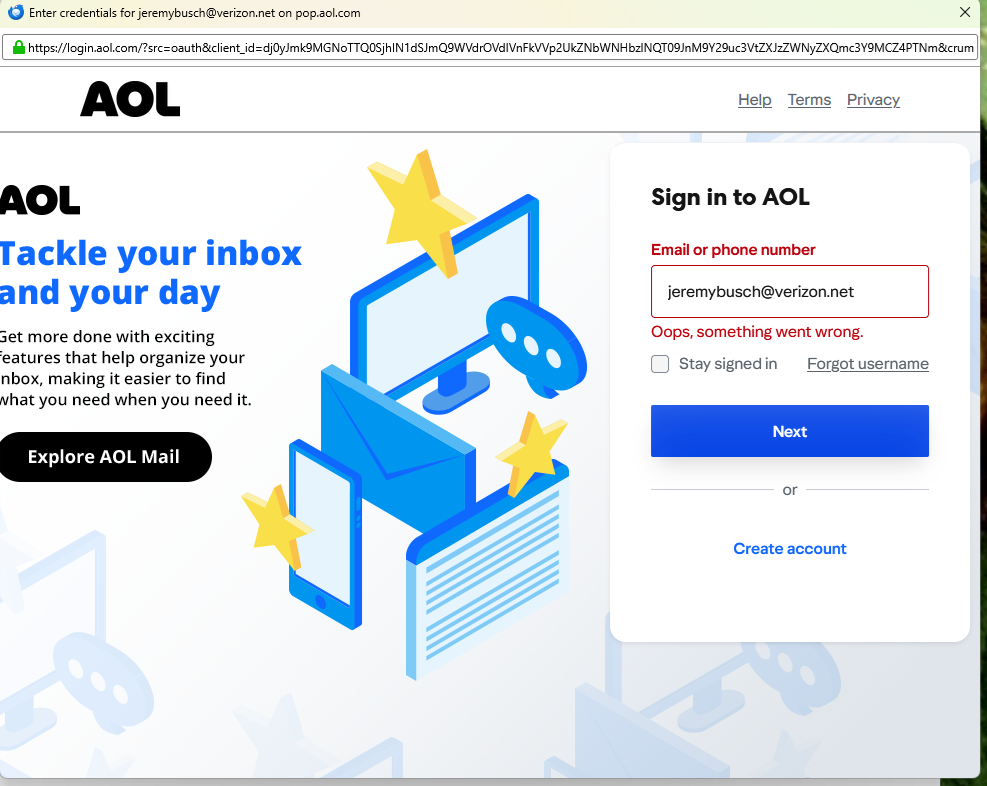
The AOL server is a pop-off log-in window that gives me nothing but "Oops, something went wrong".
(The screen-shot I did comes out illegible when converted to a picture.)
The screen-shot I did comes out illegible when converted to a picture.
See https://support.mozilla.org/kb/how-do-i-create-screenshot-my-problem
This is the message I get.
This is as far as AOL's server lets me get.
Valgt løsning
Make sure cookies are enabled in Thunderbird. Don't use a VPN when attempting to authenticate. Don't run a local web server on your computer, or any other service listening on TCP port 80.
Thank you, that seems to have done the trick. I still don't get why an update should make what works stop working, though. I hope I remember it for the next time they do this to me..