I want to disable tab text balloons
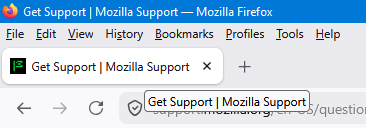
In Firefox 152.0.5 under Windows 10, when I hover the mouse pointer over a tab, a balloon pops up showing the text that is on the tab. I find this extremely annoying as I can read what is on the tab. I have searched on the Mozilla site, and I have searched with Google, all to no avail. How can I disable those redundant popup balloons?
Alle svar (7)
I had trouble inserting a cropped screenshot, so I'll try again.
Ændret af Dale H. Cook den

Dale, if you go to Tools menu > Settings and search in the edit box for "Show an image preview when you hover on a tab" is this option checked? If so, then you could try unchecking it and see if that stops the pop-ups.
I can't find anything resembling "Show an image preview" anywhere in the settings for 152.0.5. Searching for "Show an image" in settings has 0 results.
Dale, sorry, I should have said to not include the quotes. Instead try searching Settings for: Show an image preview when you hover on a tab
Alternatively, go to the "Tabs and browsing" section and then look for this setting under "Tabs".
Ændret af TechHorse den
I did not include the quotes when searching. The only thing relevant under Tabs is "Show tab previews in the Windows taskbar," and that has been unchecked for years.
Dale, not sure why that option isn't there. Sorry, hopefully someone else knows how to either make it appear, or an alternative method for stopping the pop-ups.
Hello
A subject https://www.camp-firefox.de/forum/thema/140810-aktiver-tab
To see, Show an image preview when you hover on a tab Please, check, the preference, browser.tabs.hoverPreview.enabled, default value, true
1 - Go to configuration editor https://support.mozilla.org/en-US/kb/about-config-editor-firefox 2 - Enter a search term browser.tabs.hoverPreview.enabled Double-click on the preference to set its value
https://www.camp-firefox.de/forum/thema/140810-aktiver-tab/?postID=1292196#post1292196 Supplementary without changing the config entry
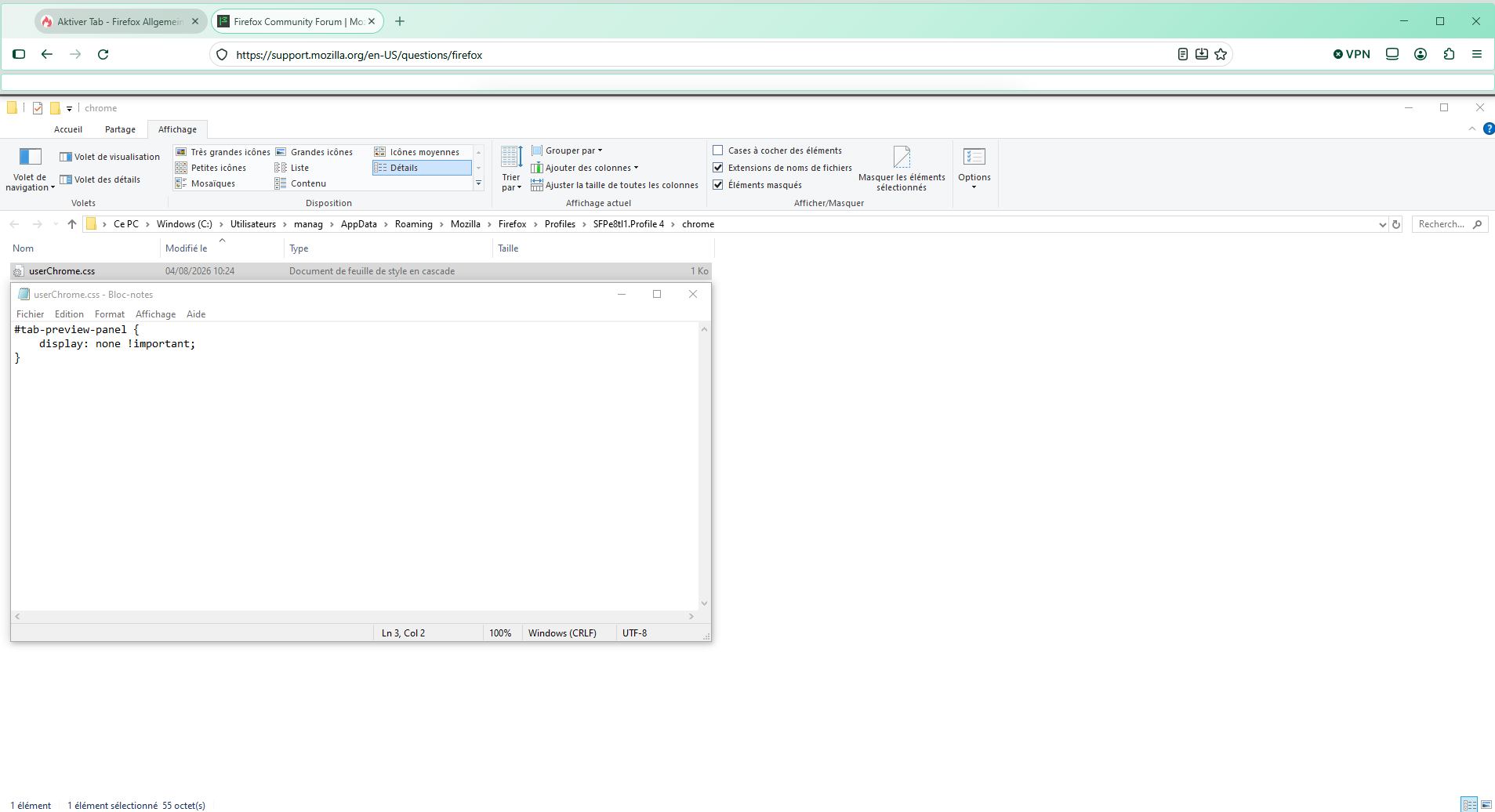
Below, a test with the help of userChrome.css
#tab-preview-panel { display: none !important; }