trouble creating an identity

I am trying to add a new identity, I already have 3, so perhaps there is a limit? I have created the identity under manage identities with no problems. However, the new identity does not appear in Thunderbird, where the others are. The address is not recognized, and does not receive emails. I feel like I have missed a fundamental step but have followed the help instructions & cannot see what I am doing wrong. Ive checked and the program is up to date. I hope someone can offer advice thanks Anne
Alle svar (6)

Hi Anne.
I have used more than three identities. I am not aware of a limit. Any identity that you create should be in the same place as the others on that account. Have you tried more than once?
Receiving messages at an address requires either that a catch-all option be set on the server or that an alias matching the identity be on the server.
I use only identities that match an alias on the server.
There seem to be other ways of using identities that I do not understand completely. Maybe other people can offer help.
Hi Rick, thanks for replying. Yes I have tried multiple times -also restarting pc etc. I have never added any extensions - my program is completely as set up from initial download.
When I set up this problematic new identity I copied exactly what I had done for the others, that are working correctly. So I'm totally baffled. I read another thread today about problems choosing an id when sending an email... that gave me an idea to try. So I tried creating a new email choosing the new ( unsuccessful) id and sending it to my main email address - that worked fine. So I tried replying to the new id. Nope. The error message received was error occurred recipient address rejected unknown user.
Can anyone else offer any help please?
I have created the identity under manage identities with no problems. However, the new identity does not appear in Thunderbird, where the others are.
You create it in the same way that you created the others, in "Manage identities", and it gets created, but it does not appear in the list of identities? How do you know that it was created? Where does it appear?
I wrote:
Receiving messages at an address requires either that a catch-all option be set on the server or that an alias matching the identity be on the server.
Do you have a catch-all option set on the server? Are you using aliases on the server that match the identities on Thunderbird?
Who is your e-mail service provider?
Sorry Rick my tech knowledge is very limited. I thought Thunderbird was my email server.
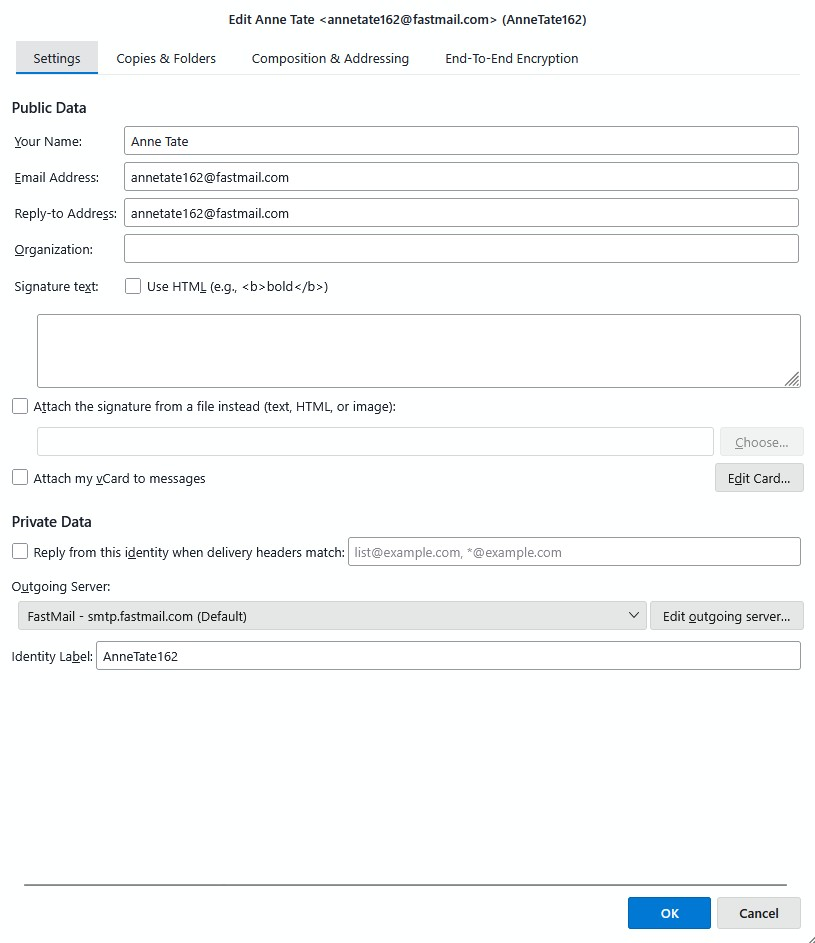
The new identity appears under the 'manage identities' option under settings. It's there and all the settings look the same format as the others that work correctly. The new identity address also showed up when I composed a new email & used the drop down option that allows you to choose which identity the email is coming from.
I am using aliases that match (as far as I can tell). You have given me a clue though... the outgoing server is smtp.fastmail.com & that must be correct because I created the outgoing mail under the new id & it was received correctly at a different address. So I wondered if the incoming server address is incorrect.
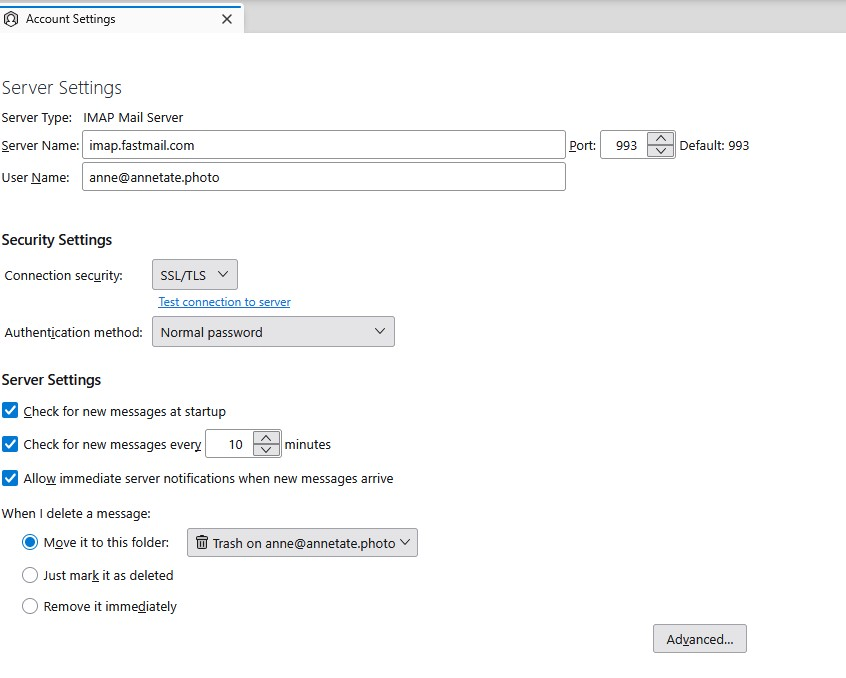
I have gone into the server settings for my default Thunderbird/Fastmail account & can see the incoming server is showing as "imap.fast.mail.com". That must be correct because everything works. I cannot find the place that shows the incoming server details for the new identity. Although, why would Thunderbird auto populate an incorrect setting?
I'm sorry for being dumb but I do not know how to activate a catch all option. I do not recall ever seeing that. If it was important to do it, then why isn't it in the process window for creating a new identity? I guess that argument could also be applied for the incoming server details.
I have attached a couple of screen prints - one is the manage identities window where you create the new identity . The other is the server settings for my default email.
Thank you so much for helping me - i am very very grateful. Anne
Hi Anne,
Thunderbird is an e-mail client. It sends and receives messages to and from a server at your e-mail service provider. Your e-mail service provider is Fastmail.
Fastmail controls the sending and receiving of messages. You may try to send a message from Thunderbird but it does not get sent because Fastmail stops it. Likewise, you don't receive every message that is sent to your account because Fastmail blocks the receipt of some of them. It's the server that's in control. That's where your e-mail account is. Thunderbird is just a way to access that account.
Before Fastmail can receive messages in your account, it must recognize a valid "to" address of yours in the header of the message. If there is no valid e-mail address, Fastmail rejects the message.
There are two ways to get Fastmail to accept messages sent to you at an address that is different from your main address:
- Set the catch-all option at Fastmail. Then you will receive all messages sent to your domain regardless of what address was used. I have never done this because I don't need it and I fear that it would allow more spam through.
- Set up an alias at Fastmail. Only after that should you create an identity in Thunderbird that matches that alias.
Similarly, to send a message from/through your account at Fastmail, Fastmail must recognize a valid "from" address of yours in the header of the message that you are trying to send. Aliases provide valid addresses from which you can send messages.
You said that you are using aliases that match some of your identities. Did you create those aliases at Fastmail? Or are you calling something else "aliases"?
Suggestion: Start with Fastmail. Create the aliases that you want. Use them in the web interface of Fastmail or in a Fastmail app. Send test messages to yourself. You will see that you can send and receive with the aliases. Then go to Thunderbird and create identities that match those aliases. You will then be able to send and receive through Thunderbird without having to use Fastmail webmail or a Fastmail app.
The problem almost certainly does not lie in your incoming and outgoing server settings unless you changed those settings for just the identity that is not doing what you want. The problem probably lies in the absence of an alias at Fastmail that matches that identity.
I have created scores of aliases at Fastmail. Some are short-lived. I create identities in Thunderbird only for the aliases that I use most often.
By the way, the combination of a custom domain, which you have, and wise use of aliases can reduce spam very much. Fastmail has another tool that can help, but it requires technical knowledge to use.
Gosh Rick - thank you for being so patient. Your last reply explained a lot!
No, i did not change anything re incoming or outgoing server settings. Coz I don't know what I'm doing I'm very cautious. Like you, I use these separate addresses as filters. Definitely don't want to use catch all.
I started at Suggestion: & followed meticulously.
So where I am at now... is that a new alias has been created in Fastmail, also a new identity to match it in Thunderbird.
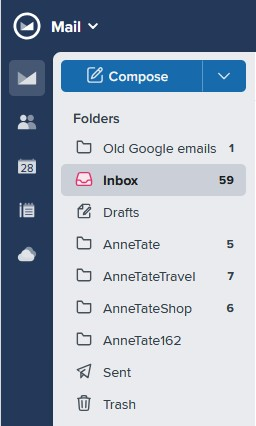
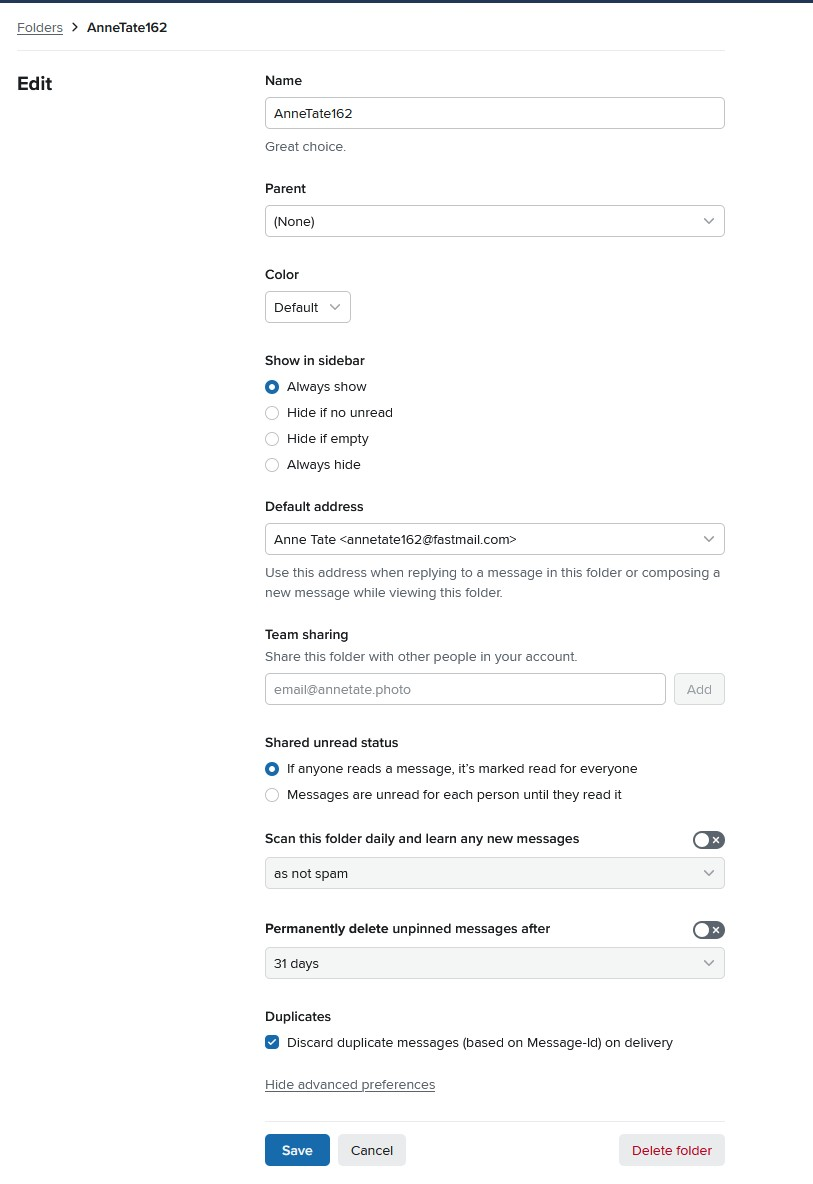
Tester emails are being sent & received ok. But the received email is being scooped into the main email address. I worked out that I need to create a folder & link it to the new alias address & Ive done that
But I seem to be missing something, as emails are not filtering into the new folder but continuing into the main account folder. Ive been searching trying to fix this without bothering you further but Ive failed. Any tips to fix that? A