


Windows 10 reached EOS (end of support) on October 14, 2025. If you are on Windows 10, see this article.

Søg i Support

Avoid support scams. We will never ask you to call or text a phone number or share personal information. Please report suspicious activity using the “Report Abuse” option.

Læs mere
Åben

I can't interact with sutterhealth.org

Meghan E. replied
Meghan E.

I'm running Firefox 152. When I try to interact with chat bot at https://www.sutterhealth.org/contact-us it says to "Update Permissions". Their tech support said to clear cookies and cache or use Google Chrome. I cleared cookies and data. Their Chat bot still says to "Update Permissions".

I need to help to find out what is causing this block. Thank you!
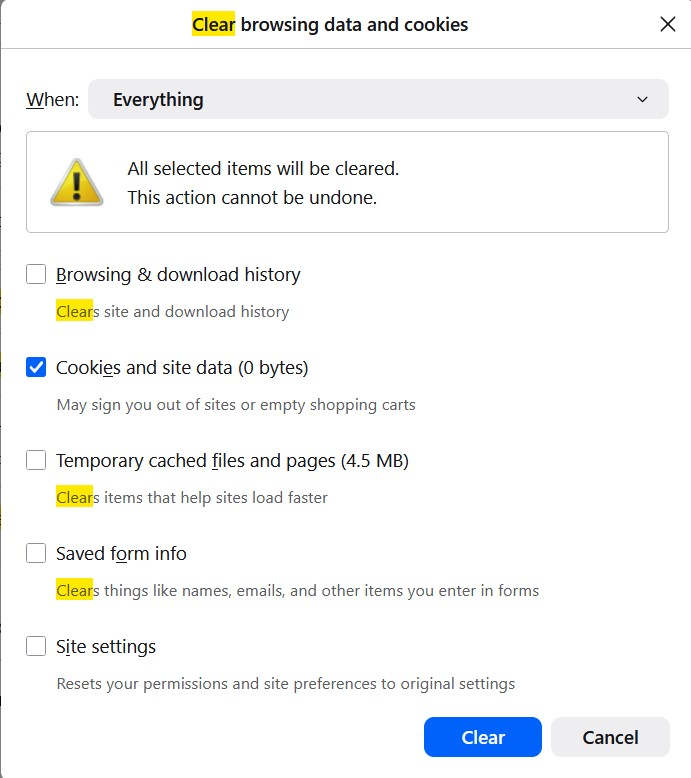
I'm running Firefox 152. When I try to interact with chat bot at https://www.sutterhealth.org/contact-us it says to "Update Permissions". Their tech support said to clear cookies and cache or use Google Chrome. I cleared cookies and data. Their Chat bot still says to "Update Permissions". I need to help to find out what is causing this block. Thank you!
Vedhæftede skærmbilleder

Alle svar (2)

Hi,

I've just checked that out, and it seems that "Update permissions" refers to their own cookie dialog, where you need to allow "Chatbot Technology" (everything else can be disabled). Doing that and clicking "Confirm my choices" let me access the chatbot. Does that work for you?

Ændret af Denys den

First, thank you for investigating! Is "Chatbot Technology" a Firefox setting? I'm not sure where you found this setting. Thank you again!

Stil et spørgsmål

Du skal logge ind på din konto for at svare på et indlæg. Start et nyt spørgsmål, hvis du ikke har en konto endnu.