


My TB Inbox no longer displays the date and time of incoming emails.

My Thunderbird Inbox details included Date and Time for each incoming email but I have somehow stopped that - how do I reset it to display this information? Attached is a screen shot of the top of the display.

Alle svar (4)
Valgt løsning
Right click on the subject heading... or anything on that line really. Select the items you like from the menu.
Thanks for your prompt reply to my post but I had tried that and in the drop down list both "date" and "size" are ticked but neither show. (Tried to get an image copy of that but as son as I click on the copy app the drop-down list disappears).

serley said
I had tried that and in the drop down list both "date" and "size" are ticked but neither show.
The following steps might be helpful: "Settings" > "Appearance" > "Table View Options" section > Untick "Allow horizontal scroll".
Please see the attached image.
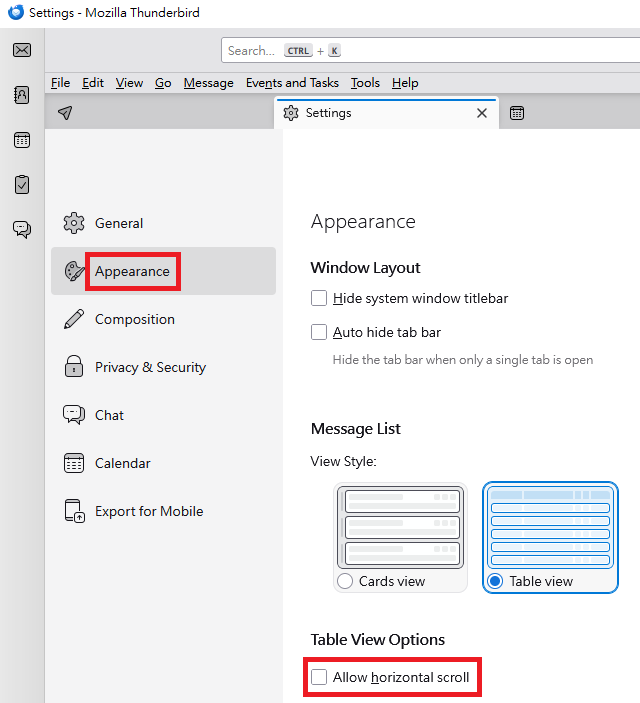
Unticking Horizontal scroll" worked thanks very much - I would never have linked that!