


There isn't a vpn icon for me to setup the vpn in firefox

I want to setup the VPN in firefox but the instructions refer to the VPN icon which is not visible to me. When I try to add it to the toolbar the instructions say to click more tools from the menu at the top right, but there isn't a selection called more tools.
Alle svar (7)
The Firefox built-in VPN is offered in stages to users in the U.S., U.K., Germany and France, as mentioned in the Firefox 149 release notes. It is also offered to users in Canada, starting in Firefox version 150. It is not available to everyone, even if you are in one of these locales.
If the built-in VPN is available, you would see a VPN icon in the top-right corner of the toolbar, that opens a prompt to turn on the VPN. You would also need to sign in to a Mozilla account. For more infomation, see the Use built-in VPN in Firefox article.
If you wish, you can post your feedback about the Firefox built-in VPN to the Mozilla Connect thread.

I have version 150.0.2 and I am in the US and there is no VPN icon.
bigmarine1066 said
I have version 150.0.2 and I am in the US and there is no VPN icon.
you have to wait until it is available to you
Hello
About, Manage remote improvements settings in Firefox https://support.mozilla.org/en-US/kb/remote-improvements
Allow Firefox to improve features, performance, and stability between updates
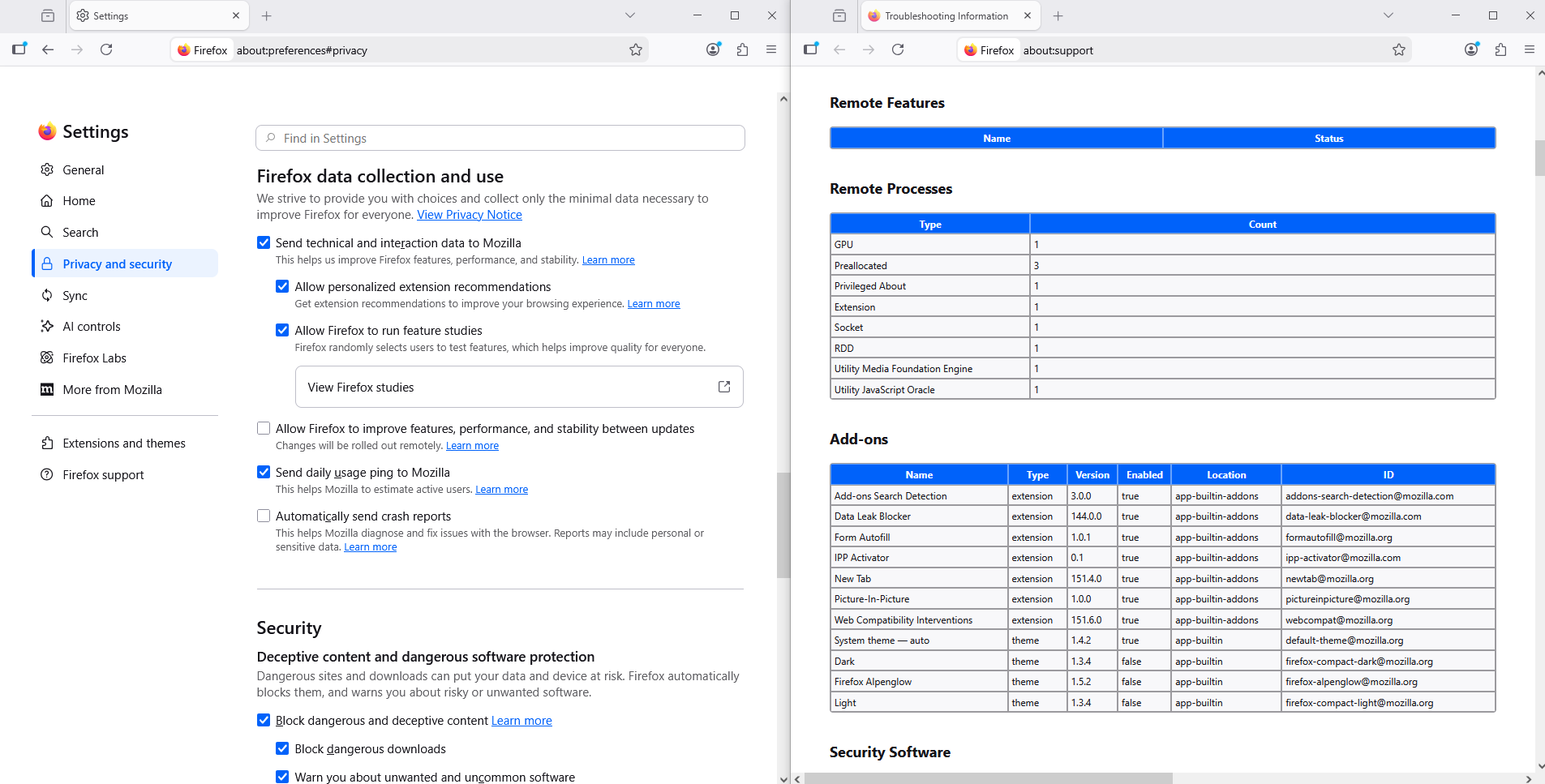
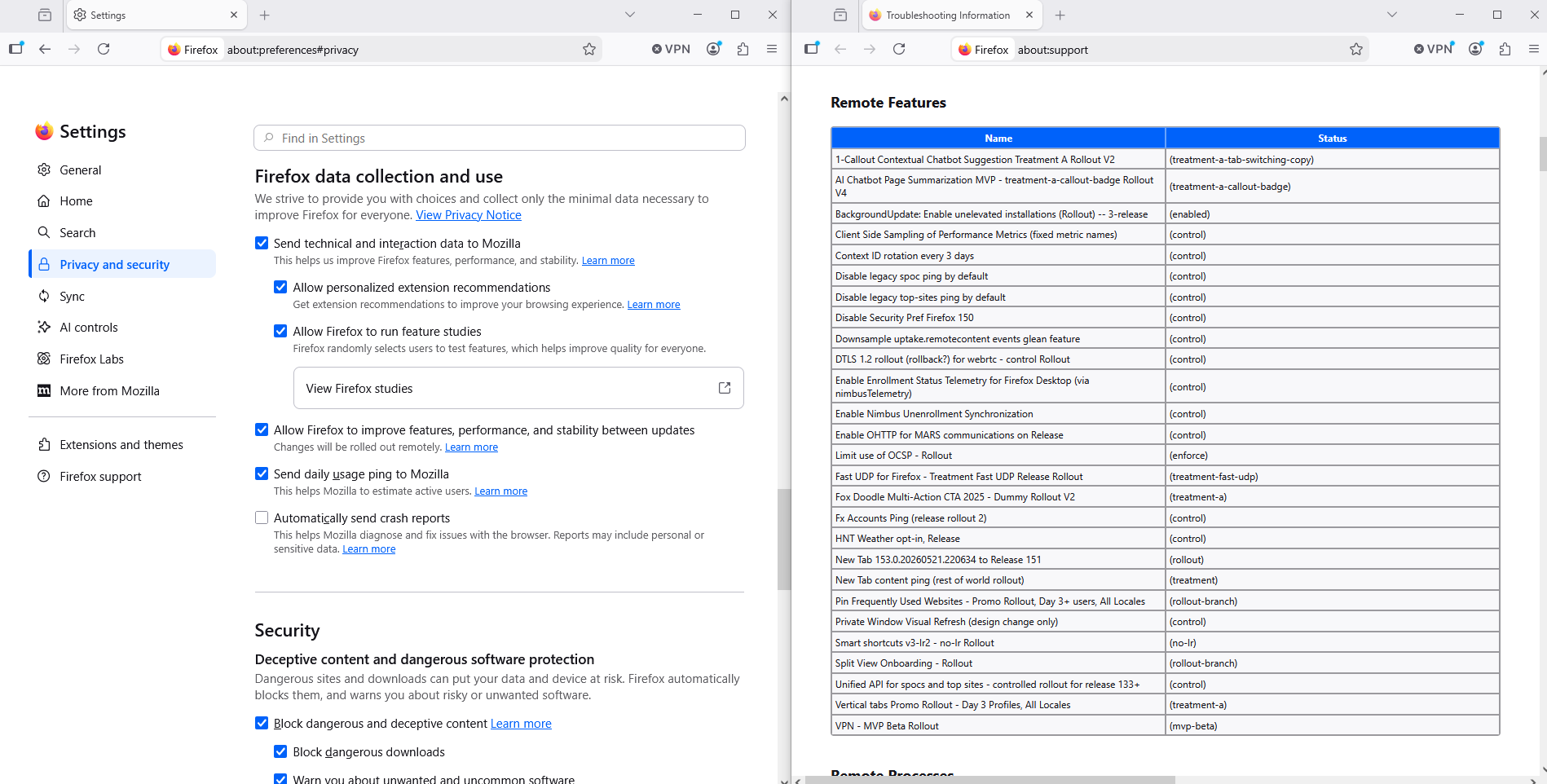

I had the same problem.
My best guess is that I was offered the free Firefox VPN several times months ago and turned down the offer once or more. Doing so removed the icon, which looks like this: https://assets-prod.sumo.prod.webservices.mozgcp.net/media/uploads/images/2026-06-18-14-10-03-40bade.png
It is fairly hard to miss if it is in the toolbar. The toolbar appears to the right of the URL address bar just below the row of browser tabs at the top of the Firefox browser window on my Windows 10 workstation.
I was able to customize my toolbar customize my toolbar to add it back.
I hope that helps you.

Ændret af oneskywalker49 den
oneskywalker49 said
My best guess is that I was offered the free Firefox VPN several times months ago and turned down the offer once or more. Doing so removed the icon, which looks like this:
Mozilla refers to it as built-in VPN in desktop Firefox as "Firefox VPN" implies it is a standalone app when Mozilla has the standalone subscription based Mozilla VPN app.
https://support.mozilla.org/en-US/kb/built-in-vpn https://support.mozilla.org/en-US/kb/unable-find-built-vpn-firefox
Moderator James removed my earlier post and the information it provided showing what the VPN icon looks like on the Firefox toolbar and saying that I was able to customize my toolbar to add the VPN icon back into my Firefox toolbar.
I hope this is helpful to others.
Ændret af oneskywalker49 den