


Can't install FF150.0 on WIN10 Pro 22H2 with 7zip mistake "can't find file"

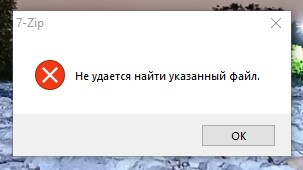
Dear Sirs! I've been trying to install FF in several ways. Using installer.exe and setup150.exe. I started these files from same disk as the system (C), Temp folder empty and unlocked for read\write, located where it should be C-user-appdata-local-temp. I started files as administrator. Each time the setup fails with system notice like on the picture attached. It says "can not find specified file"
My notebook is very old, but it runs Win 10 OK, Chrome is OK also
Intel(R) Core(TM)2 Duo CPU P8400 @ 2.26GHz 2.27 GHz 4,00 Gb SSD 224 GB SSD P4-240 Mobile Intel(R) 4 Series Express Chipset Family (Microsoft Corporation - WDDM 1.1) (64 MB) x64 system
Please help!
Alle svar (3)
Hi,
First try the Firefox Offline Installer
and if that fails, i suggest to use the Firefox ESR (Extended Support Release) version 115, which is the last version to support older CPU.
George, thanks for trying to help. Yes, I tried offline installer and Firefox ESR before and both did not help. Maybe some problem with my Win10. But I found a solution. I have another old PC with same Win10 Pro running. There is FF installed and running fine. So I copied folders "Mozilla Firefox" from C-program files and "Mozilla Maintenance Service" from C-program files (x86) and just dropped them to the corresponding folders on С of my notebook. Looks like a stupid thing to do but it worked! Then I just hit "firefox.exe" from C-program files and BINGO! It works OK