


How do I finish my setup?

I have finished my setup. But it keeps saying "finish setup" in the upper right corner of the browser. I have completed all the steps. I want to sync this desktop to my mozilla account. What do I do?
Alle svar (4)

This answer was generated by AI. Please verify critical information.
The persistent "finish setup" message usually means the initial sync process hasn't fully completed or verified your account on that specific device.
1. First, double-check that you are signed into the correct Firefox Account by clicking the menu button (three lines) and looking at the "Sync and save data" section at the bottom. 2. If you are signed in, click on that "finish setup" button. It may open a tab asking you to confirm your email or complete a final step like setting up sync encryption. 3. Try forcing a manual sync: go to Settings > Sync > click the "Sync now" button. Sometimes this clears the notification. 4. If it persists, sign out of your Firefox Account completely (in Settings > Sync > Disconnect), restart the browser, and sign back in. This often forces the setup wizard to run correctly and connect your desktop.
Sorry if this answer didn't help you.

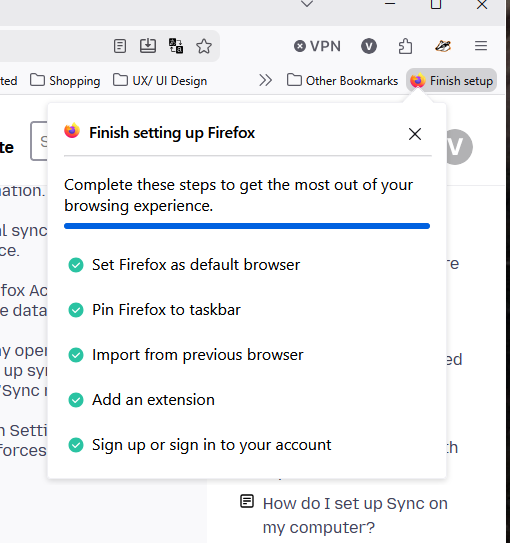
I've tried all of the steps that WhatABee gave and none of them work. I still have "Finish Setup" appearing in the top corner and when I click on it, everything is checked off as being completed. So, something is definitely messed up with the installation process in Firefox. Hopefully, it can be rectified soon.
Hello
A space for users to give product feedback https://support.mozilla.org/en-US/kb/what-mozilla-connect
Apparently, a similar discussion https://connect.mozilla.org/t5/discussions/weird-to-be-asked-for-things-ff-is-already-granted/td-p/124615
Ændret af Agent virtuel den
If you have completed all the steps and just want to hide the button, you can right click on it and remove it.