


Can't customize my home page.
Hello Mozilla support team,I am facing some issues. I saved about 15-20 URL and pined them on my home page but from 2 days before i couldn't see anything on my home page. please ,help me to solve this problem,,,,i have some important URL's there.I also add a screenshot of my home page . So, kindly help me on this occasion.
Hello
Mozilla support team,I am facing some issues. I saved about 15-20 URL and pined them on my home page but from 2 days before i couldn't see anything on my home page.
please ,help me to solve this problem,,,,i have some important URL's there.I also add a screenshot of my home page . So, kindly help me on this occasion.
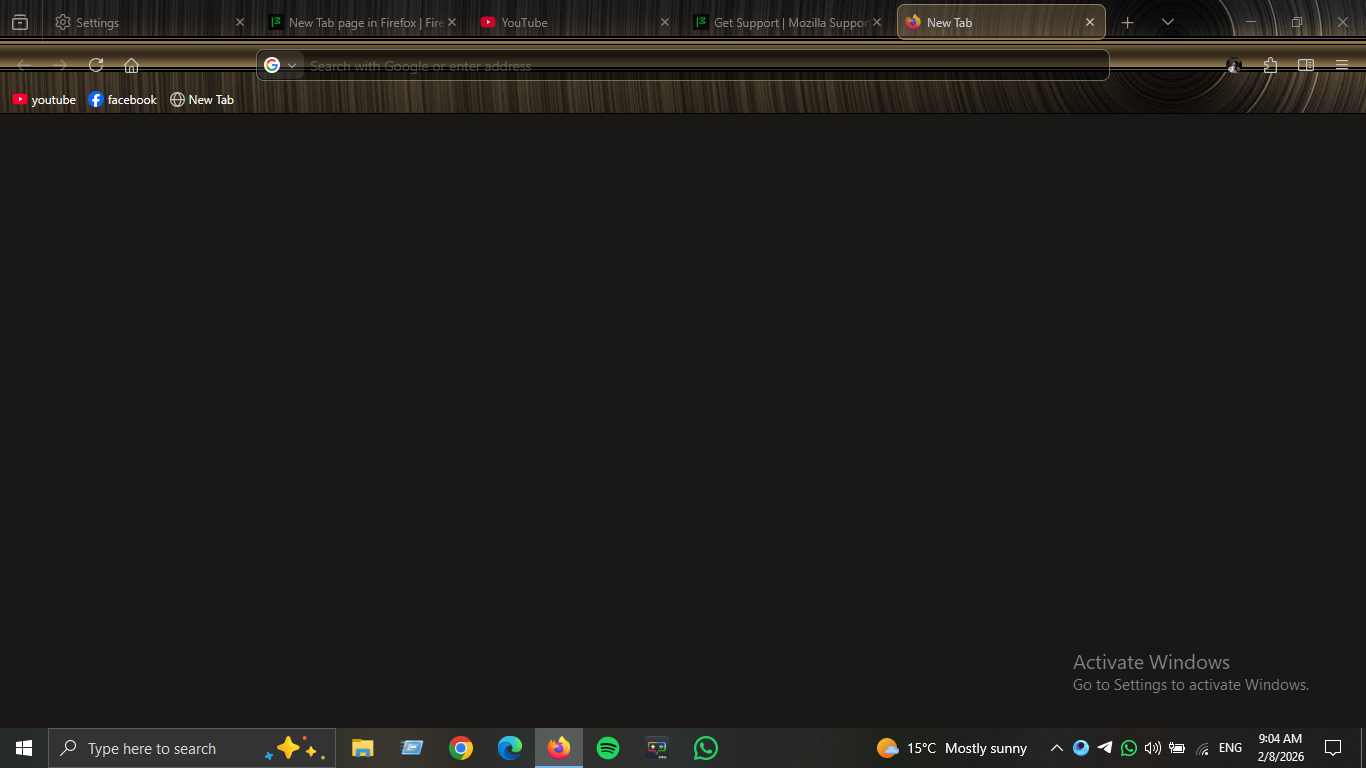
Alle svar (1)
Hello,
To have homepage customization, follow these steps : (Fix via settings menu)
- Click the three-line menu icon in the top right corner and select Settings.
- Click Home in the left-hand panel.
- Under "Homepage and new windows," change the dropdown to Custom URLs and type your desired website.
- If you have the desired website open in a tab, you can click "Use Current Pages" to set it quickly.
To restore homepage tiles, or pinned URL's, you can try this :
- Check Homepage Settings: Go to Settings > Home and ensure "Shortcuts" is enabled under the New Windows and Tabs section.
- Unblock Sites: If specific tiles are missing, open a new tab, hover over a shortcut, click the three-dot menu, and ensure they aren't blocked.
- Troubleshoot Mode: Open Menu > Help > Troubleshoot Mode. If the shortcuts reappear, the issue is likely a problematic extension.
To prevent this from happening again, make sure to not :
- Clear history
- Force shutdowns
If you would like more support to keep pinned tabs and other misc stuff, use extensions.