


Lost profile

I do not understand how profiles work, and hence don't know how to fix my problem. I had a problem with my printer connection, and tried to solve it by rolling back my Linux O/S, (using Timeshift) to a date prior to the printer not connecting. (It didn't help.) But what it *did* do was to screw up my TB, which when I tried to open it, after the roll-back, complained that the TB profile was "newer", and I needed to create a new one. I did this, but then found that all my old emails had disappeared and it had started a complete new collection of emails, and all the mail folders had disappeared . I went back to the data backups from prior to the rollback, (using Cronopete), and was able to find the TB profile (and 5 years' worth of old emails) in the .Thunderbird folder in the Home directory. And I have pursued the profile manager in TB, and located the profile from before my roll-back. But I can't figure out how to recover this old one. I have a button "Set as Default", (I hesitated to commit to this - should I?), and another for "Launch Profile". But when I click on this last, it drops right back into the requirement to create a new profile. I already have one new profile, (which was created when I tried to sign on to TB after the roll-back.) I can't see much point in making yet another one. And I don't really understand how the data are stored in the profile in any case. (emails seem to be in a Mail folder, but are scattered about in a whole series of sub-folders and files within the Mail folder). And some of the numbered "profiles" seem to refer to things other than Thuderbird, (they lack any folder named "Mail".)
Valgt løsning
There is no need to go back to Cronopetre backups; all the files are in the .Thunderbird directory, (as laid out above), in the main computer. It is not clear to me what you are referring to when you talk of "the 57G.default", but your direction to the "about:profiles" in T-B proved to be the missing bit. I followed this, and brought up a number of profiles including the r0ozv5yg.default-esr, which I had previously identified as holding all the old mails. Turned out that it had also been accumulating mails since the rollback, so I have a full and complete record in this one folder. Now I stumbled on where I was going wrong: I clicked on the "launch" button, and found that this brought up all the records. Then I clicked on the "Set as Default" button for this profile. This brought up a new button, labelled something like "Save as New Profile". No! Doing this only creates yet another profile, on top of the 6 I had already accumulated. Don't Save anything; simply close T-B. When you re-open it, it will open in the profile you were using, with no change in file name or structure, and everything is back to the way it was before the whole sequence began. The trick is simply in knowing that you need to close and restart T-B after making changes. Bingo! All is back as it should be. I am deeply grateful to you for getting me through this. (Now, if only I can resolve the problem with the printer which precipitated this whole thing, I will be able to put it all behind me.)
Læs dette svar i sammenhæng 👍 0Alle svar (7)
Here are suggested steps to restore a profile that works:
- click help>troubleshootinginformationroll to 'profile folder' and click 'open folder'
- exit thunderbird - you should now be in the profile.
- now, paste contents of your old profile, overlaying contents of profile.
- if there is a compatibilitie.ini file, delete it
- restart thunderbird
I am terribly sorry, but I am unable to follow your instructions. I get as far as clicking on "Profile Directory". This brings up a file bt2p7ny9.default-release-2. This is in fact the profile which got created 10 days ago, after I rolled back my O/S, and has been delivering my mail for the past 10 days. There are no other choices displayed.
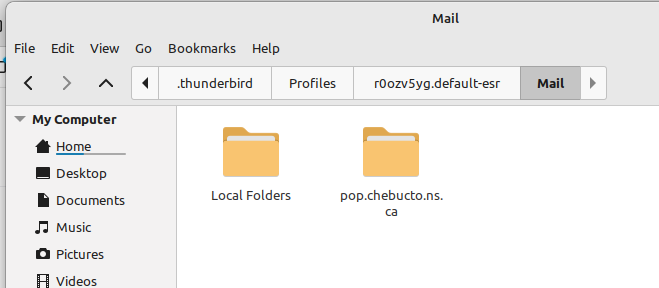
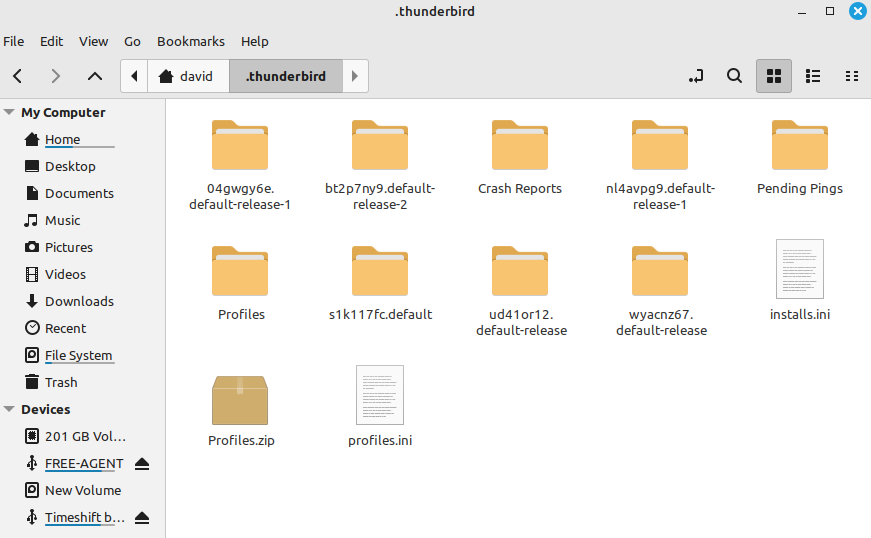
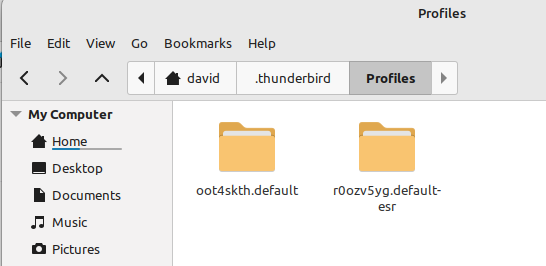
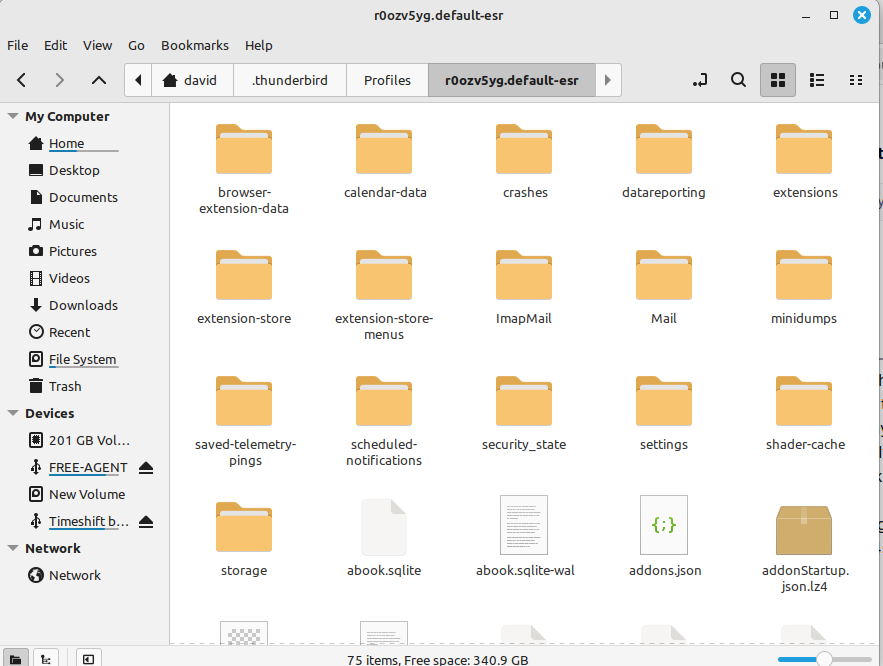
Going into the .Thunderbird directory, (Home/David/.Thunderbird), I get 5 more files labelled "xxxxxxxxx.default-release", two of which have "Mail" folders within them, (but none of them have anything more than recent emails). But in addition to these 5 "default release" folders, (at the .Thunderbird level), there is a folder "Profiles", and within *this* there are 2 folders: oot4skth.default and r0ozv5yg.default-esr. The first of these does not have any folder called "Mail". The second one is the gold: in the Mail folder there are two folders: "Local Folders" and "pop.chebucto.ns.ca". The first of these contains all the emails accumulated over years, divided into the folders in my TB install, and the second looks to be the contents of the inbox at the time when my system went south. What I am trying to do is get these two folders in the .Thunderbird/Profiles folder to be the current default profile, OR move the contents of the folders under the Profiles folder into the current default profile.
In step 3, I was referring to the profile you recovered from the Cronopete backup. If it works, you could paste the contents to overlay the other profile, unless there is content in that profile you want to keep. You posted many words, but we do best in assisting when you give as much detail on the files and folders. Maybe it will help if you list the various profiles and what you want from each. thank you. Once you establish a profile of choice, message folders from the others can be readily copied in.
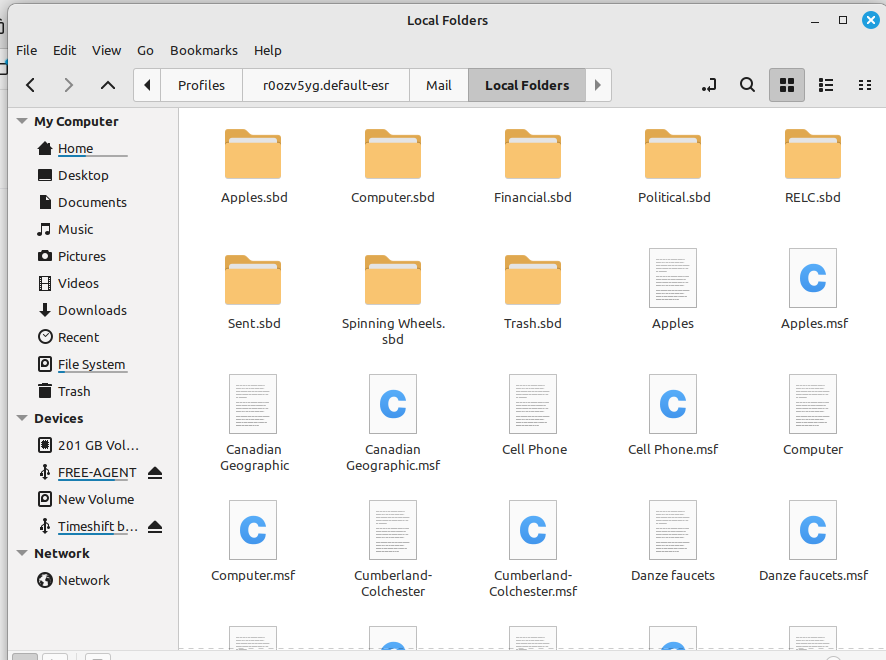
I think I understand the concept of replacing the currently active profile with a different one, by simply dropping the old one on top of the current one. What is not clear to me is how to do this. Tell me whether these images help. The first one is the files under Home/David/.Thunderbird. The bt2p7ny9.default-release-2 folder is what is currently being used by TB as its profile. The five other xxxxxxxxx.default release folders consist of 2 containing Mail folders, (with recent emails), and 3 which do not. (I do not know what these folders do, and have not asked.) Now you will note on this first screen also, a folder named "Profiles". Moving to this folder, (so we are now down at Home/David/.Thunderbird/Profiles), we get the second image. The oot4skth.default folder has no Mail folder in it. But the r0ozv5yg.default-esr has a number of folders, including one labelled Mail. (Third image). Within this folder there are two folders: Local Folders and pop.chebucto.ns.ca. (Fourth image). The Local Folders contains all the old emails, divided by the folder structure within the T-B program, (the menu which displays down the left side of the screen) (the 5'th image)(Is there any point in asking why some of these are folders, and others simple files...?); the other one is named after my email provider, and looks to hold the contents of the Inbox at the time the connection got broken. Have I provided you with what you need to direct me as to what I need to do, to get T-B hitched back up to my email as it was before I rolled things back? As I say, I do not understand the workings of T-B, but it would seem to me that T-B simply has a pointer to its currently active profile, and what I need to do is simply update that pointer to the r0ozv5yg.default-esr, rather than its current bt2p7ny9.default-release-2. But it appears that my innocent analysis is much more simplistic than the actuality. If I were to copy the entire contents of r0ozv5yg.default-esr, and simply paste them onto bt2p7ny9.default-release-2, would that resolve my issue?? Or what should I be doing? (And I am sorry if I come across as excessively wordy. Are the screen shots of File structure any better? Some other format? Any other things I can do? It is frustrating: I can see the old messages in raw form in the files, but I cannot get at them using T-B, (which holds the means of displaying them). But I am most grateful to you for your patient guidance, even if I am not explaining myself properly.
First, figure out which profile has useful content. You mentioned one you recovered with Cronopete as having five years of mail. Does that contain most of what is lost? If so, what is lost? if a profile has names you recognize and the names do not appear in other profiles, then those are folders to recover. write down their names and addresses for later. if you see names you recognize, but they appear in multiple profiles, compare dates of last updates and write their names and locations as well. The 57g.default appears as a possible profile to use.
In thunderbird, you could click help>troubleshootinginformation, scroll to 'profiles' click 'about:profiles' and then click the 'launch' button on the 57g.default to see if it works. Your comment about simply changing the pointer is EXACTLY how thunderbird works.
Valgt løsning
There is no need to go back to Cronopetre backups; all the files are in the .Thunderbird directory, (as laid out above), in the main computer. It is not clear to me what you are referring to when you talk of "the 57G.default", but your direction to the "about:profiles" in T-B proved to be the missing bit. I followed this, and brought up a number of profiles including the r0ozv5yg.default-esr, which I had previously identified as holding all the old mails. Turned out that it had also been accumulating mails since the rollback, so I have a full and complete record in this one folder. Now I stumbled on where I was going wrong: I clicked on the "launch" button, and found that this brought up all the records. Then I clicked on the "Set as Default" button for this profile. This brought up a new button, labelled something like "Save as New Profile". No! Doing this only creates yet another profile, on top of the 6 I had already accumulated. Don't Save anything; simply close T-B. When you re-open it, it will open in the profile you were using, with no change in file name or structure, and everything is back to the way it was before the whole sequence began. The trick is simply in knowing that you need to close and restart T-B after making changes. Bingo! All is back as it should be. I am deeply grateful to you for getting me through this. (Now, if only I can resolve the problem with the printer which precipitated this whole thing, I will be able to put it all behind me.)