


Windows 10 reached EOS (end of support) on October 14, 2025. For more information, see this article.

Søg i Support

Avoid support scams. We will never ask you to call or text a phone number or share personal information. Please report suspicious activity using the “Report Abuse” option.

Læs mere

site ne fonctionne pas.

  • 2 svar
  • 0 har dette problem
  • 2 visninger
  • Seneste svar af DG26B

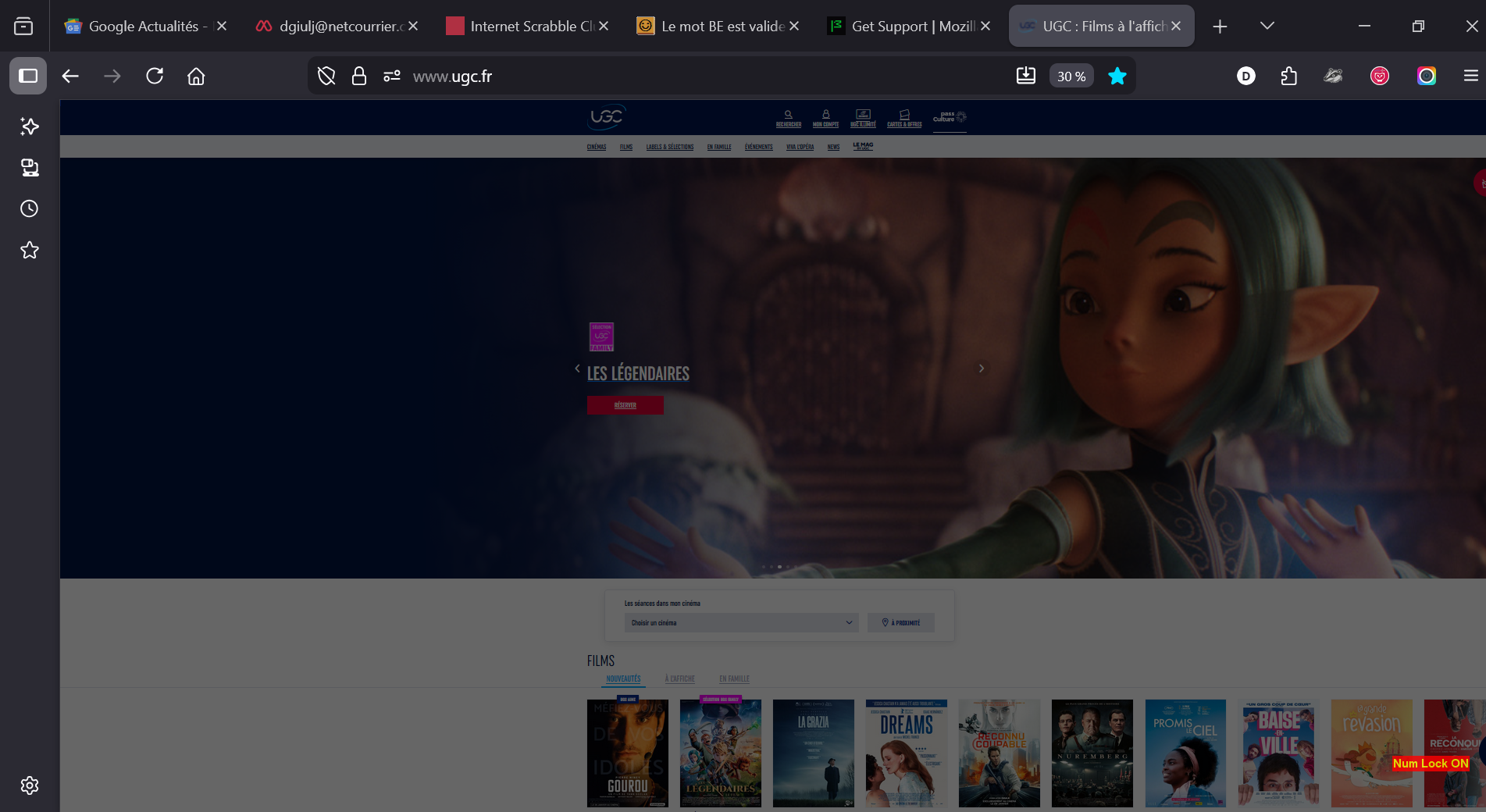
When I access the website of UGC ( https://www.ugc.fr/ ) the access page opens up but immediately freezes: the screen luminosity decreases and the pointer cease to function: I cannot acces any of the options: select movies on show, select cinema programmes or schedule, open my UGC account to reserve performances ... Nothing works ... I have tried to reduceprotecton, etc as sugested on Forum and other suggestions: nothing works. I have no problem at all when I open the same website with Opera or with Microsoft Edge ... Why it does not work under Firefox puzzles me. Can you do something about it ? I use Firefox as my defaut internet access without problems for everything else ! This is really strange and most annoying. Thanks for your help.

When I access the website of UGC ( https://www.ugc.fr/ ) the access page opens up but immediately freezes: the screen luminosity decreases and the pointer cease to function: I cannot acces any of the options: select movies on show, select cinema programmes or schedule, open my UGC account to reserve performances ... Nothing works ... I have tried to reduceprotecton, etc as sugested on Forum and other suggestions: nothing works. I have no problem at all when I open the same website with Opera or with Microsoft Edge ... Why it does not work under Firefox puzzles me. Can you do something about it ? I use Firefox as my defaut internet access without problems for everything else ! This is really strange and most annoying. Thanks for your help.
Vedhæftede skærmbilleder

Valgt løsning

Does it happen with Firefox in Troubleshoot Mode? https://support.mozilla.org/en-US/kb/diagnose-firefox-issues-using-troubleshoot-mode#search

Are you running security software besides MS Defender? Windows home or pro?

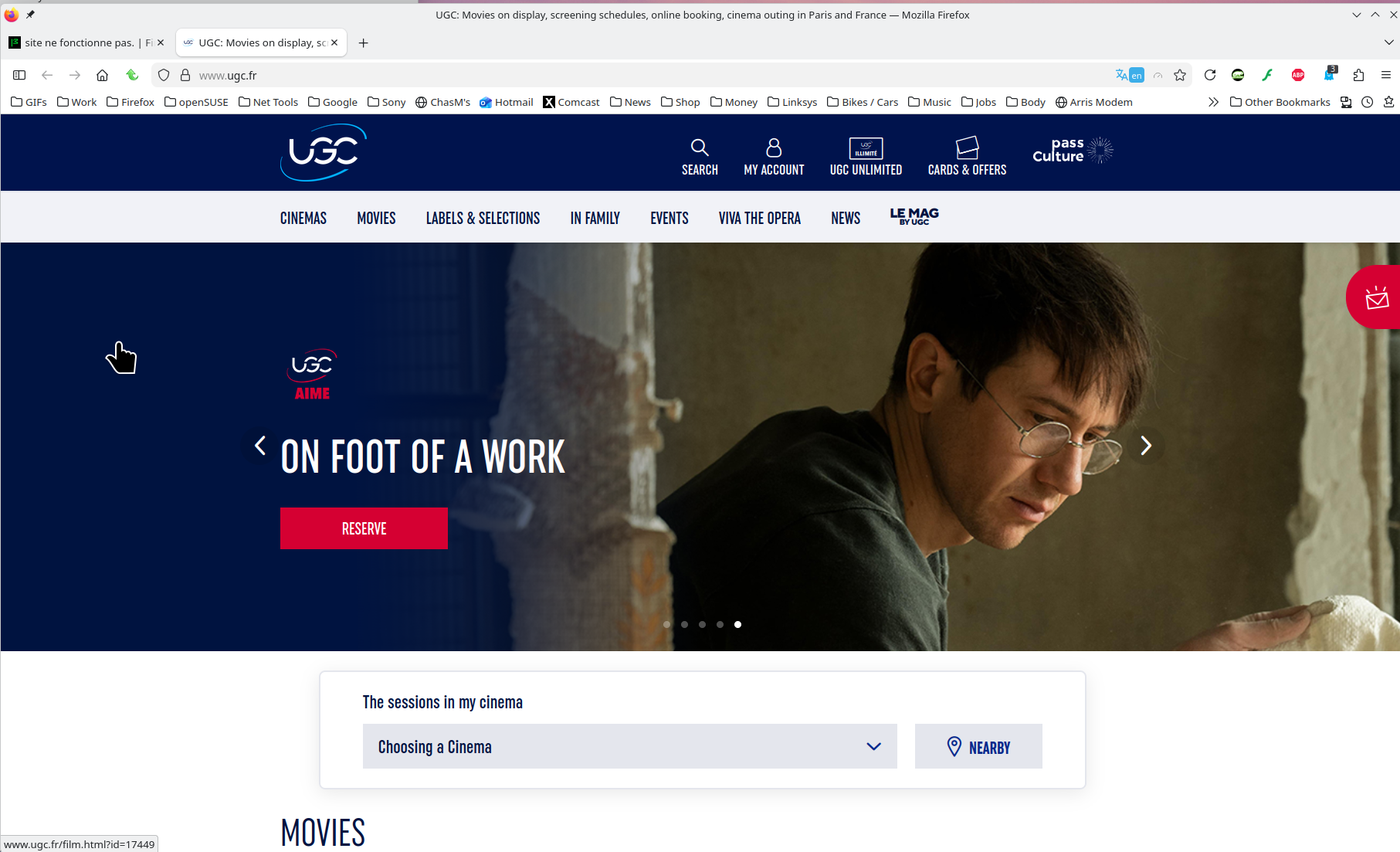
No issues for me. see screenshot
Læs dette svar i sammenhæng 👍 0

Alle svar (2)

Valgt løsning

Does it happen with Firefox in Troubleshoot Mode? https://support.mozilla.org/en-US/kb/diagnose-firefox-issues-using-troubleshoot-mode#search

Are you running security software besides MS Defender? Windows home or pro?

No issues for me. see screenshot

Thanks a lot for the suggestion: it was indeed linked to an active extension that I have been able to identify in troubleshoot mode. (recommended performance + accelerated graphics mode options) . Probably too heavy for my old PC They are now turned off and the UGC site works normally.

Best regards and tahnks a lot for your help ! DG

Stil et spørgsmål

Du skal logge ind på din konto for at svare på et indlæg. Start et nyt spørgsmål, hvis du ikke har en konto endnu.