


Preview of threaded message pane background color is different from individual message pane background color
When using Thunderbird 140 I am able to setup the background color of the message pane for individual messages. However when the messages are threaded, the message pane shows a preview of all of the threaded messages together in the message pane with a different background color than individual messages.
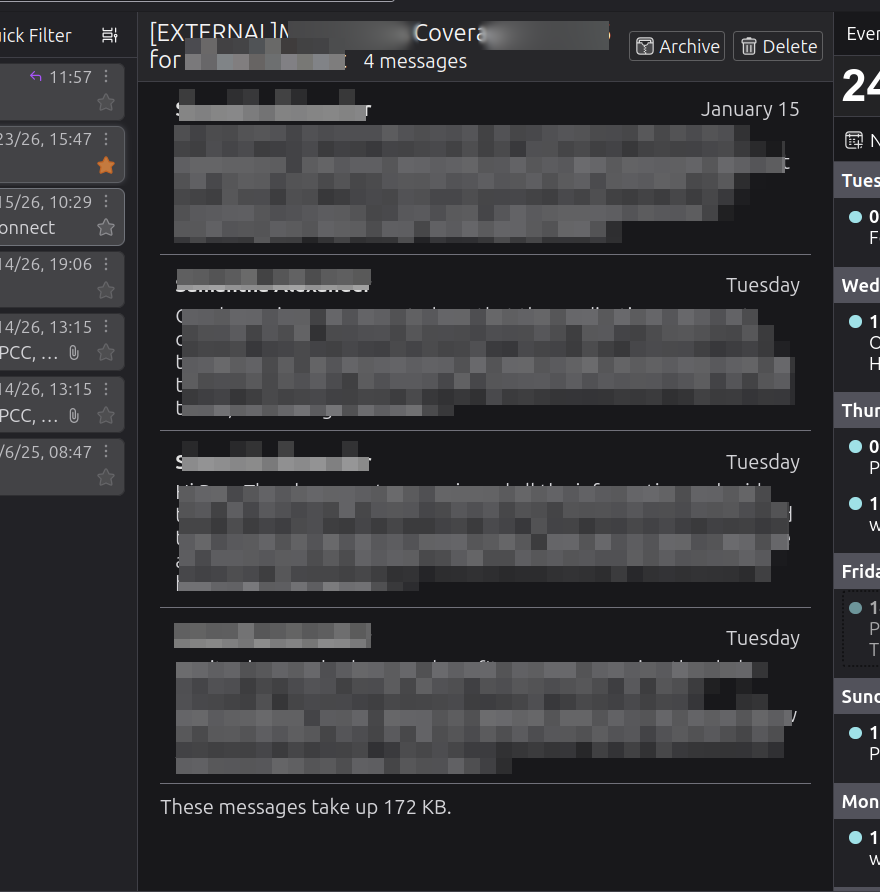
Valgt løsning
Message Pane area when there are several messages selected or contents of a thread.
It depends upon what you want to see. Please note: this area (Message Pane) is not just showing only the contents of a selected collapsed thread. If you select various unrelated emails then you see the same view - so ask yourself - do you want those separate messages to look like separated emails - in other words - like the Message List in Card View OR do you not mind the entire area having same background.
If you want each message to have it's own background thus meaning they are clearly seen as separate messages. The use the code already supplied. But I'll repeat below just for clarity - and as a reminder this is the 'userContent.css' file and Thunderbird must be exited first before altering the file.
/* MessagePane - multi-selected items - Background colour*/
#multiMessageBrowser,
#messageList {
& > li {
background-color: #222226 !important;
}
}
If you want to change entire Message Pane background, so all emails have a merged background.
/* MessagePane - multi-selected items - total Background colour*/
#multiMessageBrowser,
#content {
background-color: #222226 !important;
}
Læs dette svar i sammenhæng 👍 1
Alle svar (11)
The background color of threaded messages preview in message pane is now #18181b and the color in individual messages is the custom one I set of #222226. I want the color of the preview of threaded messages to match individual ones.
Try this in your 'userChrome.css' file
/* Thread pane Card view general background colour  */

#threadTree[rows="thread-card"] .card-container {
    background-color: #222226 !important;
}
I updated my userChrome.css file with that and it did not result in any changes.
Ah...my mistake - that code changes the background of emails listed in the Card View.
You are talking about the 'Message Pane' area
That code needs to be a file called 'userContent.css'.
Before you update any 'userChrome.css' or 'userContent.css' file, you must Exit Thunderbird first otherwise nothing will work.
Open Notepad - a simple text editor
Copy the following code shown between lines below
/* MessagePane - multi-selected items - Background colour*/
#multiMessageBrowser,
#messageList {
& > li {
background-color: #222226 !important;
}
}
Paste it into Notepad Save file name as 'userContent.css' - Note the spelling Save in the 'chrome' folder - same place as the 'userChrome.css' file. Start Thunderbird.
I updated userContent.css as you described and it does change the tree message color however the main background color of that message pane for all messages in the tree remains unchanged.

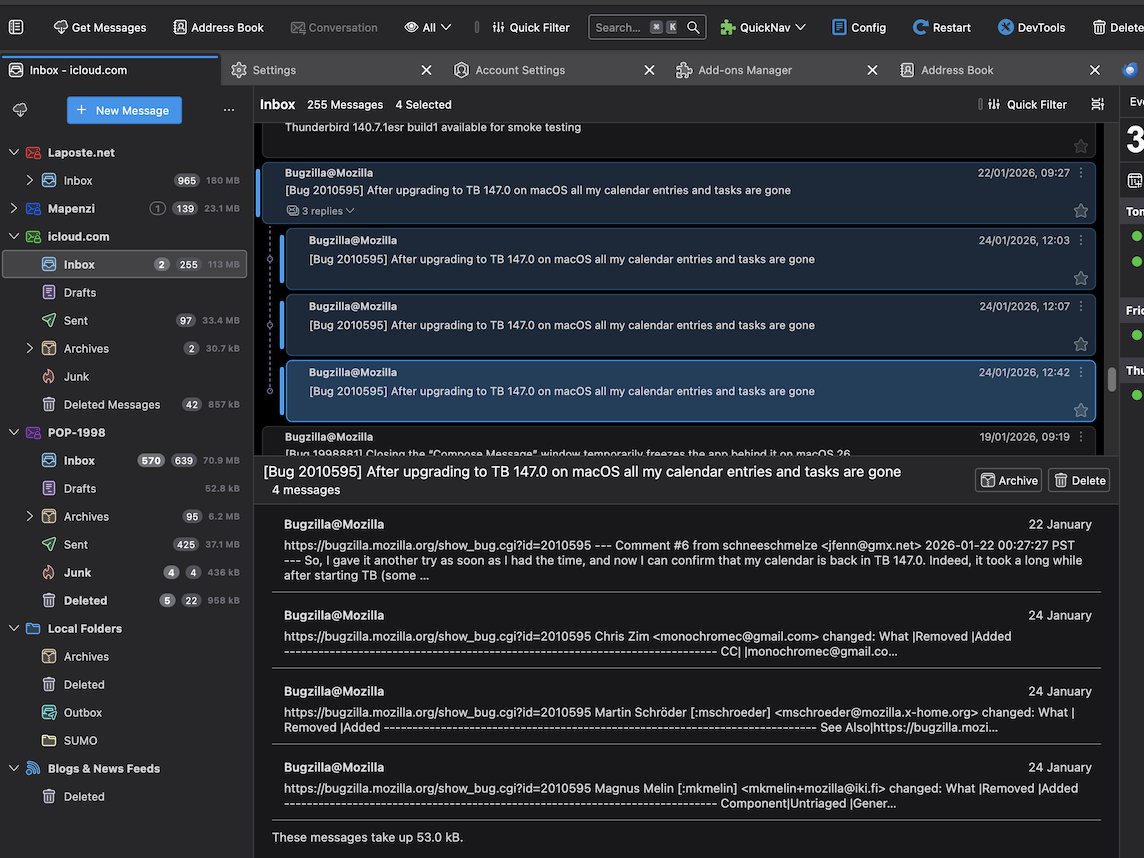
The attached image shows how a threaded conversation looks like in my TB 140.7.1esr (macOS) profile using Cards view in Dark theme, without any CSS codes. I don't understand which area in the thread pane or the message pane PercussionGuy33 wants to customise/colorise ....
Ændret af Mapenzi den
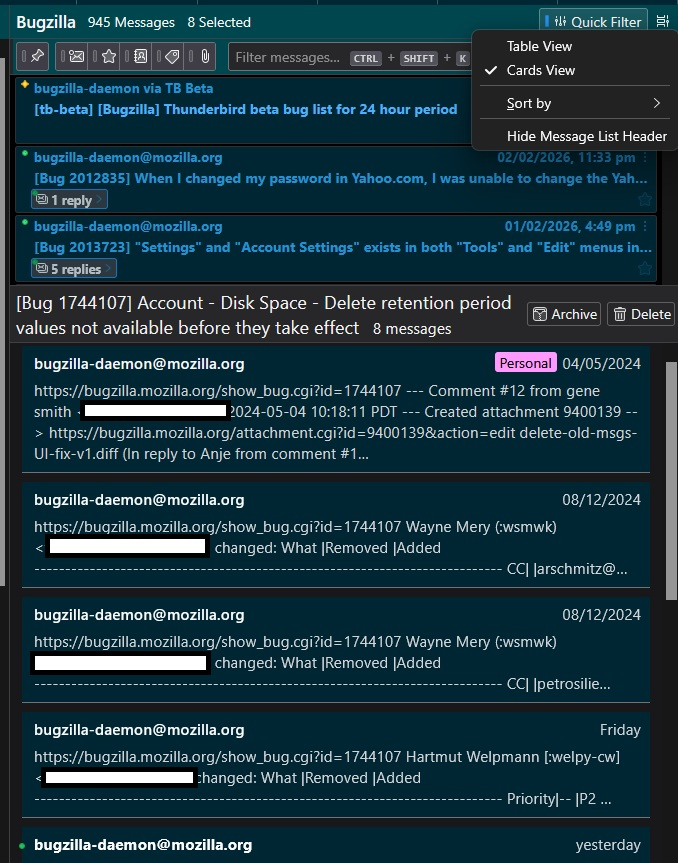
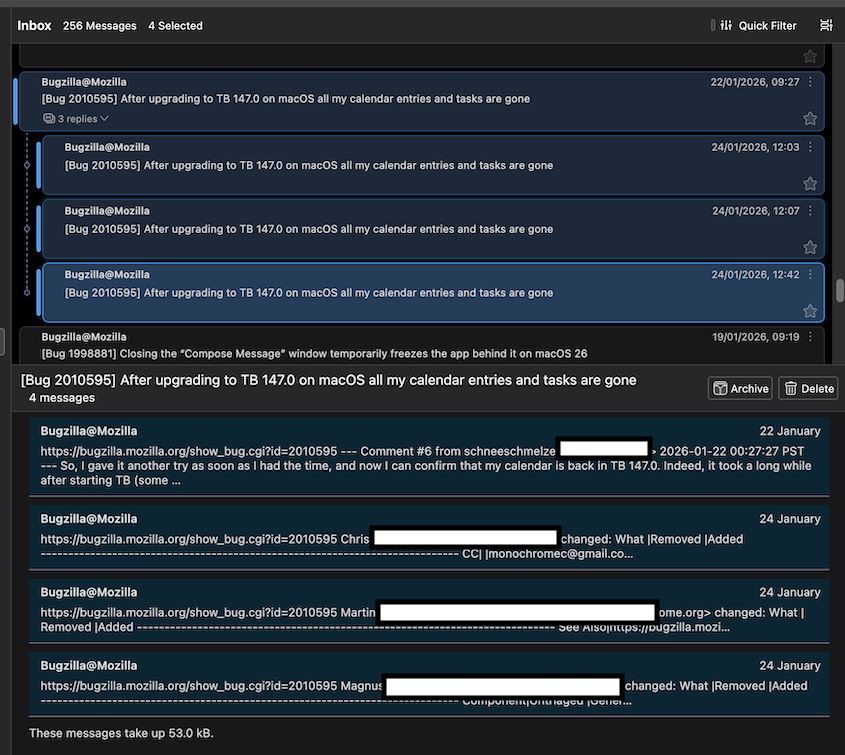
The two codes I supplied - the first in 'userChrome.css' and the second in 'userContent.css' alter what I see. Now I used a different background colour #002633 because it fits with my overall design. But the image below shows what it does.
I do not typically use 'Cards View', as I prefer 'Table view'. However, the image does show the Cards View option.
re: I updated userContent.css as you described and it does change the tree message color however the main background color of that message pane for all messages in the tree remains unchanged.
Your first image shows the Cards View with each individual message background a paler grey tone and the main background darker, so each email is emphasized and the request was to see the same in Message Pane when there are more than one selected message. The code does precisely that - it changes the background of each message section so matching the same result as the Message Card View List as per your request " I want the color of the preview of threaded messages to match individual ones."
I think the result looks quite smart.
Ændret af Toad-Hall den
Toad-Hall said
Now I used a different background colour #002633 because it fits with my overall design. But the image below shows what it does.
I can confirm that your background colour #002633 also works in my userContent.css file (new image) on a Mac
Ændret af Mapenzi den
Valgt løsning
Message Pane area when there are several messages selected or contents of a thread.
It depends upon what you want to see. Please note: this area (Message Pane) is not just showing only the contents of a selected collapsed thread. If you select various unrelated emails then you see the same view - so ask yourself - do you want those separate messages to look like separated emails - in other words - like the Message List in Card View OR do you not mind the entire area having same background.
If you want each message to have it's own background thus meaning they are clearly seen as separate messages. The use the code already supplied. But I'll repeat below just for clarity - and as a reminder this is the 'userContent.css' file and Thunderbird must be exited first before altering the file.
/* MessagePane - multi-selected items - Background colour*/
#multiMessageBrowser,
#messageList {
& > li {
background-color: #222226 !important;
}
}
If you want to change entire Message Pane background, so all emails have a merged background.
/* MessagePane - multi-selected items - total Background colour*/
#multiMessageBrowser,
#content {
background-color: #222226 !important;
}
Ændret af Toad-Hall den
For anyone else who reads this question, you can choose your prefered colour - use the code supplied and alter the bit after the # with the correct set of numbers for your colour choice.
But even if you replaced the '#numbers' with a simple word like 'blue', it would still alter the colour but using the '#number' offers more control.