


How to modify userContent.css or UserChrome.css to alter background color except for images, link text
I have TB setup to allow customstylesheets with userChrome and userContent.css files generated. I have userChrome setup to my liking. Now I want to modify the userContent.css file so that I can set the background color of almost all elements is #222226 except for email text, hyperlinks, and imbedded images. I have this setup now in userContent.css:
body { background-color: #222226 !important; }
{ color: white !important; /* Changes font color to white for all content */ }
This changes most elements the way I want but it also flips the color of other HTML content, embedded images for signatures and other html content so its inverted to unreadable white content with white text. Is there a way to set it up so that HTML content and images are not inverted?
TB version 140 Debian Edition on Linux Mint Cinnamon 22.3
Valgt løsning
Without knowing your CSS code it's difficult to help. Did you test my code in your userChrome.css file or your userContent.css file? It won't work in a userContent.css file!
Læs dette svar i sammenhæng 👍 0Alle svar (7)
Edit: I should update that I resolved the inversion issue with HTML, Images and links by toggling the dark mode icon to off. However now there is a thin black border around the message pane: https://imgur.com/a/JqwkUqB
How do I change the color of that border around the top, bottom and sides of the message?

PercussionGuy33 said
Edit: I should update that I resolved the inversion issue with HTML, Images and links by toggling the dark mode icon to off. However now there is a thin black border around the message pane: https://imgur.com/a/JqwkUqB How do I change the color of that border around the top, bottom and sides of the message?
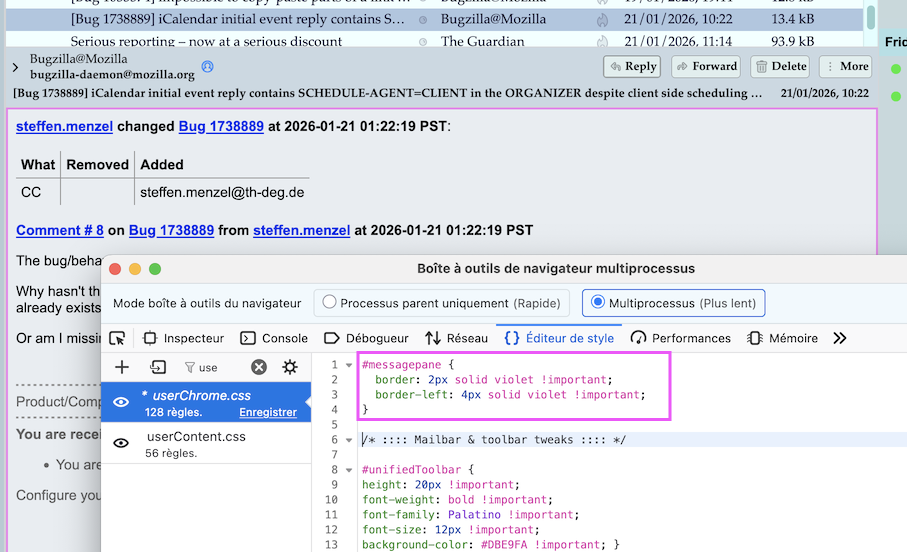
Your image ist almost uninterpretable. Is this a message pane? Suppose you show your message pane then try this CSS code in you userChrome.css file:
#messagepane {
 border: 2px solid violet !important;
 border-left: 4px solid violet !important;
}
Replace violet with your preferred border color. It works for me in classic view with system theme but I'm on a Mac (see image)
Valgt løsning
Without knowing your CSS code it's difficult to help. Did you test my code in your userChrome.css file or your userContent.css file? It won't work in a userContent.css file!
Ændret af Mapenzi den
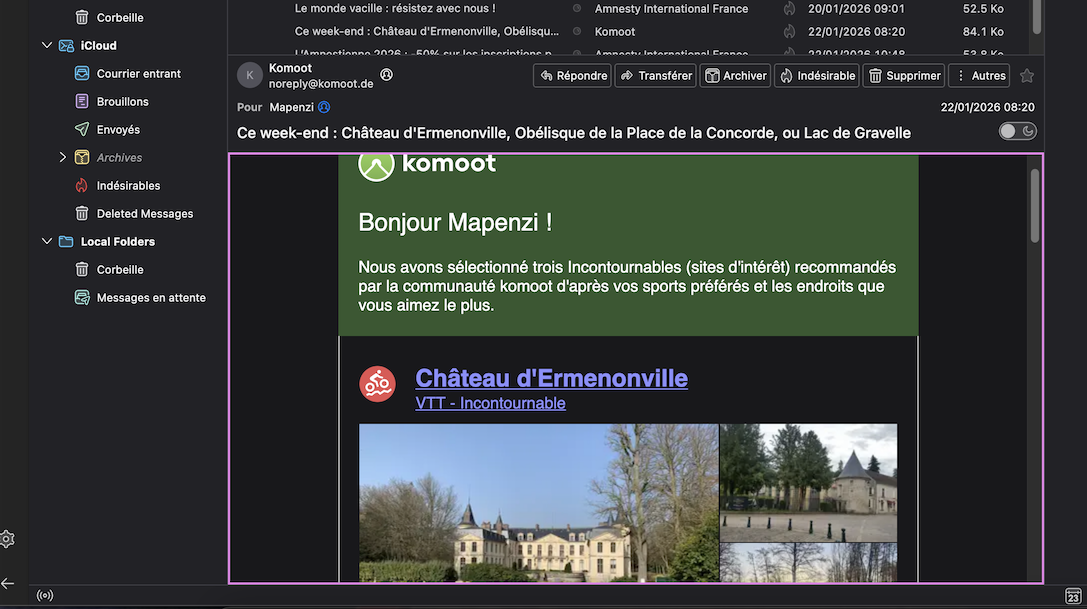
Here is a screen shot from a profile using the dark theme with your userChrome.css file plus my CSS code
#messagepane {
border: 2px solid violet !important;
}
As my image shows the message pane gets violet borders on top, bottom, right and left side. So it works for me! I wonder why you use a CSS code to get black background colors when the dark theme does the same without writing CSS codes in a userChrome.css file ....
Ændret af Mapenzi den
I have been able to setup Thunderbird use the Dark Reader extension on the message window pane with the color I want for a single message. I noticed now there is only different color when I have a message thread selected in the middle column and then the preview of the threaded messages in the message colomn is a different color than the normal message pane.
Ændret af PercussionGuy33 den