


Thunderbird Cannot Send Email

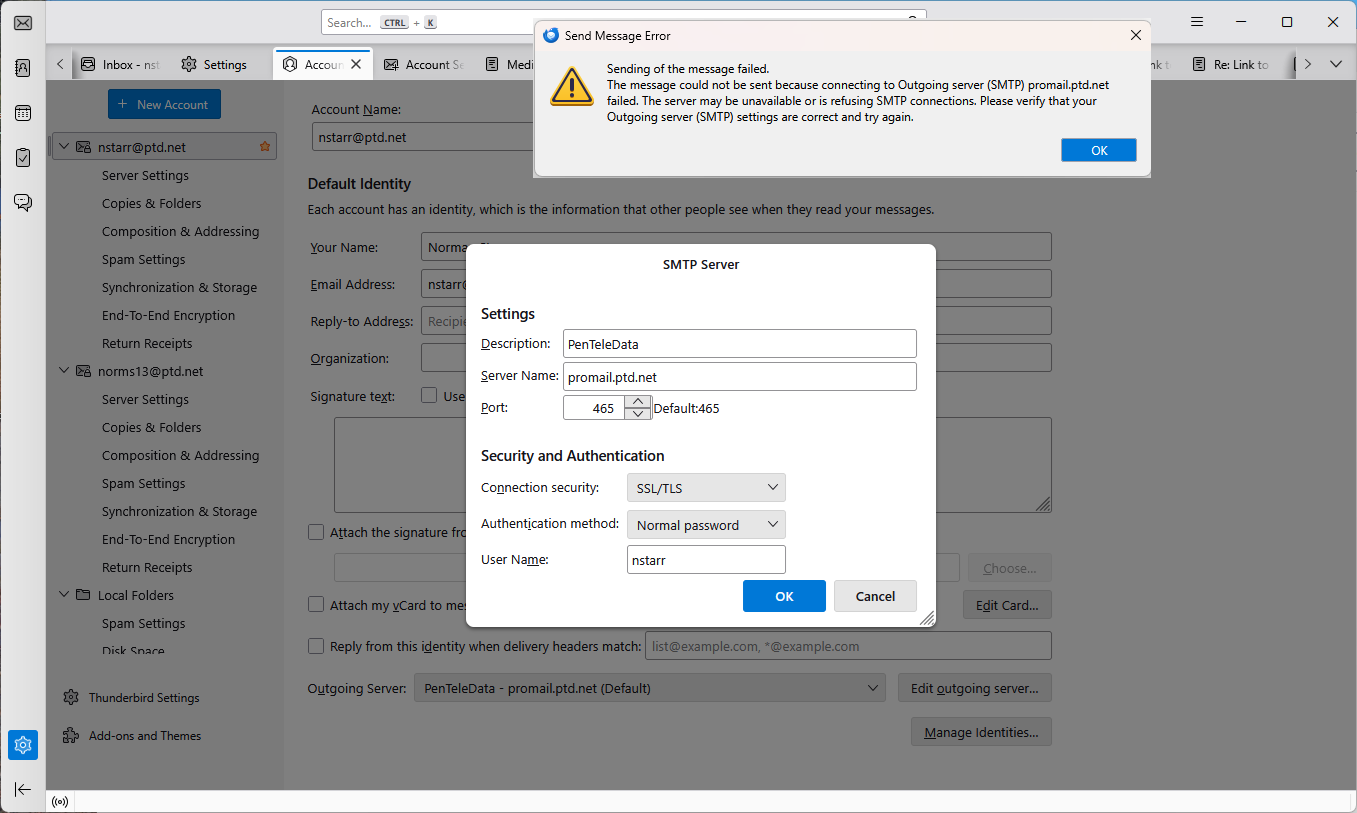
I can receive, but not send, emails using Thunderbird on my PC. I believe this problem began when Thunderbird was updated on 1/13/26. I have no problems sending email on my tablet.
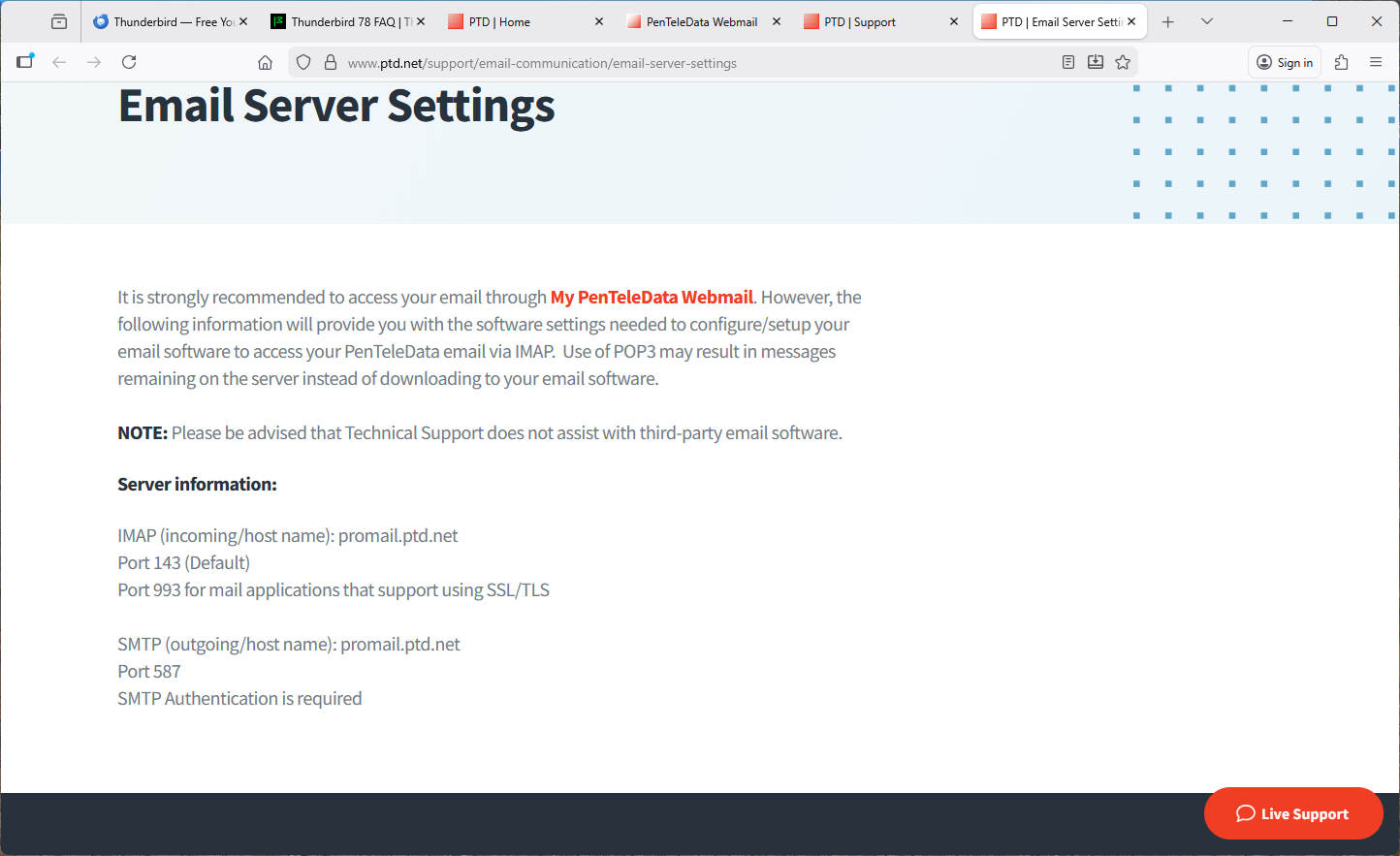
My service provide does not support TLS 1.2, so I tried changing security.tls.version.min to 1. This did not help.
The attached shows the error message and my SMTP settings (1st image) and my service provider's email server settings. I tried changing the SMTP port to 587, but this resulted in a time out error.
Any help is appreciated, Norm
Valgt løsning
They recommend port 587 for the outgoing, but don't state if the security is STARTTLS or None. If it's None, the authentication would be 'password, transmitted insecurely'. Also, the User Name might be the full address instead of just the part before @.
A timeout can also be caused by AV scanning of outgoing mail. To test, temporarily remove (not disable) the AV, unless it's Windows Security.
Læs dette svar i sammenhæng 👍 1Alle svar (3)
Valgt løsning
They recommend port 587 for the outgoing, but don't state if the security is STARTTLS or None. If it's None, the authentication would be 'password, transmitted insecurely'. Also, the User Name might be the full address instead of just the part before @.
A timeout can also be caused by AV scanning of outgoing mail. To test, temporarily remove (not disable) the AV, unless it's Windows Security.
Ændret af sfhowes den
I changed the security to STARTTLS, which changed the default port to 587. This fixed the problem.
Note: I changed security.tls.version.min back to 3 and am still able to send email, even though my service provider says they do not support TLS 1.2.
Thanks, Norm
