


Windows 10 reached EOS (end of support) on October 14, 2025. If you are on Windows 10, see this article.

Søg i Support

Avoid support scams. We will never ask you to call or text a phone number or share personal information. Please report suspicious activity using the “Report Abuse” option.

Læs mere

Assistance Required: Disabling Picture-in-Picture Feature

  • 3 svar
  • 0 har dette problem
  • 59 visninger
  • Seneste svar af TyDraniu

Good afternon,

I am writing to request assistance in disabling the Picture-in-Picture (PiP) feature on my browser. Despite my best efforts over the past few days to disable this option through the settings, it continues to activate when I listen to music on YouTube.

Each time I navigate away from the YouTube tab, the Picture-in-Picture window appears and persists across all my other tabs, which is quite distracting and impedes my ability to work.

Closing the PiP window pauses the music, which is not ideal for my experience.

I am looking for guidance on how to effectively deactivate this feature, as the settings adjustments I have made do not seem to take effect.

Any help you can provide to resolve this issue would be greatly appreciated.

Thank you for your attention to this matter.

Good afternon, I am writing to request assistance in disabling the Picture-in-Picture (PiP) feature on my browser. Despite my best efforts over the past few days to disable this option through the settings, it continues to activate when I listen to music on YouTube. Each time I navigate away from the YouTube tab, the Picture-in-Picture window appears and persists across all my other tabs, which is quite distracting and impedes my ability to work. Closing the PiP window pauses the music, which is not ideal for my experience. I am looking for guidance on how to effectively deactivate this feature, as the settings adjustments I have made do not seem to take effect. Any help you can provide to resolve this issue would be greatly appreciated. Thank you for your attention to this matter.

Alle svar (3)

info9299 said

Thank you for your attention to this matter.

Go to Settings and turn off Keep playing videos in Picture-in-Picture when switching tabs.

Thank you for not invading Greenland.
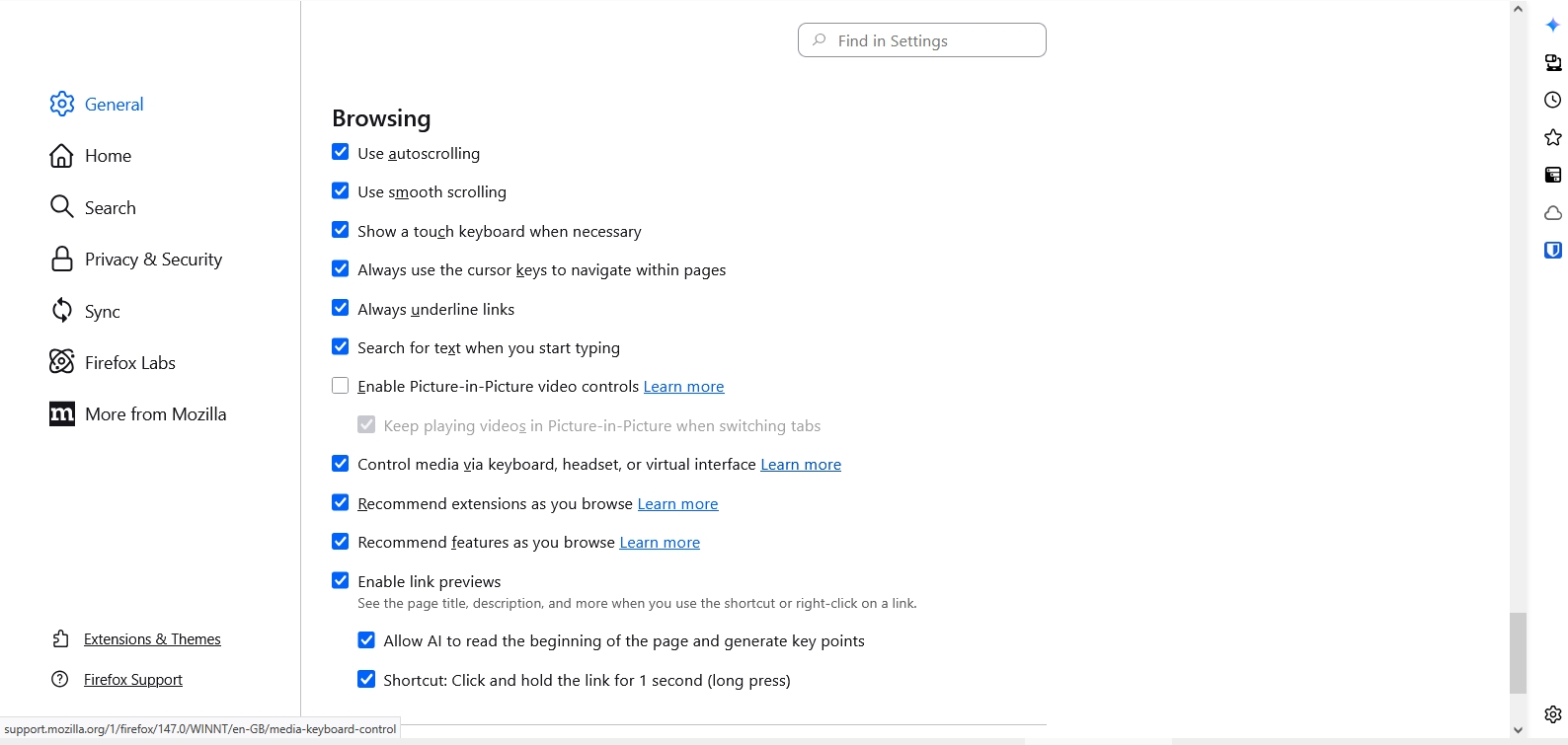
Done this already and its not working. has no effect whatsoever.

But it's enabled right now. Turn on an option above it, you'll be able to deactivate this one.

Stil et spørgsmål

Du skal logge ind på din konto for at svare på et indlæg. Start et nyt spørgsmål, hvis du ikke har en konto endnu.