sync problems
I can not get all my bookmarks, history, etc to sync
Alle svar (2)

JMFS said
I can not get all my bookmarks, history, etc to sync
What are you looking at? What other device are you syncing with? What OS? What version of Firefox?
Sync info... FYI... Firefox Sync IS NOT A DATA BACKUP SERVICE https://support.mozilla.org/en-US/kb/how-do-i-set-sync-my-computer https://support.mozilla.org/en-US/kb/how-do-i-choose-what-information-sync-firefox https://www.mozilla.org/en-US/firefox/features/sync/ https://hacks.mozilla.org/2018/11/firefox-sync-privacy/ Sync is not a backup tool but it is a good sync/transfer/move tool https://support.mozilla.org/en-US/forums/contributors/707681
Ændret af jonzn4SUSE den
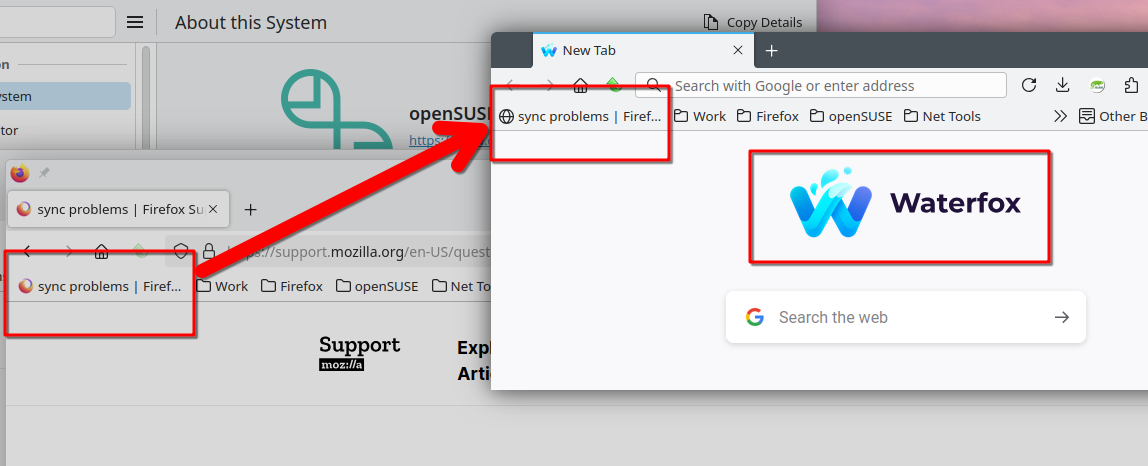
I bookmarked this page, then went to Waterfox and hit sync now in the settings, and the bookmark appeared in Waterfox. see screenshot