


Private browsing window appearing in taskbar

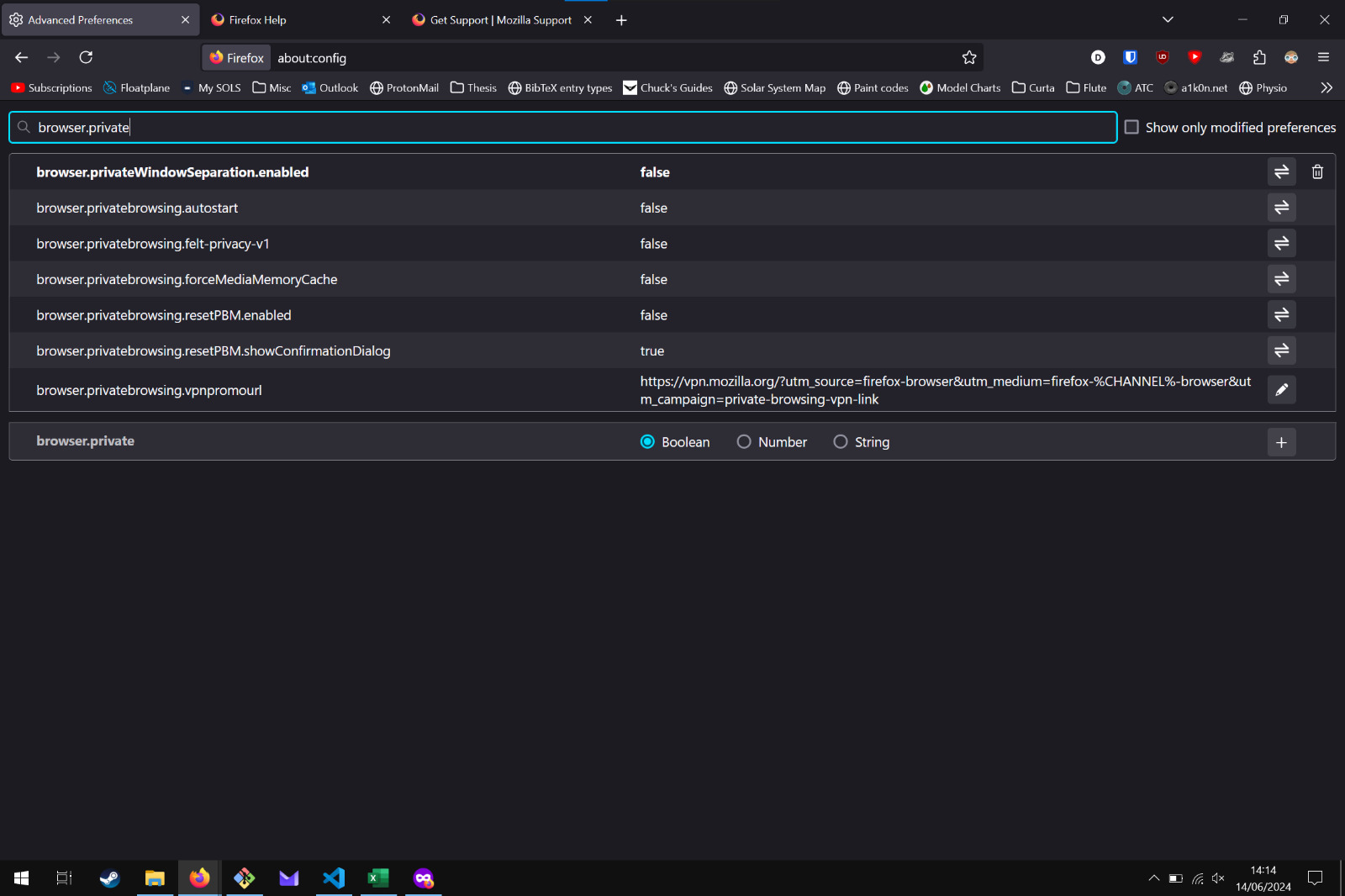
The icon for private browsing has recently re-appeared on my taskbar despite having browser.privateWindowSeparation.enabled set to false in about:config.
I've had this setting configured ever since the update which completely changed the appearance/behavior or private browsing and it has worked correctly up until today (14/06/24).
Is there a new setting that I have to adjust in order to "merge" the windows together as I'm not a fan of having the private browsing icon on my taskbar.
The icon for private browsing has recently re-appeared on my taskbar despite having '''browser.privateWindowSeparation.enabled''' set to false in '''about:config'''.
I've had this setting configured ever since the update which completely changed the appearance/behavior or private browsing and it has worked correctly up until today (14/06/24).
Is there a new setting that I have to adjust in order to "merge" the windows together as I'm not a fan of having the private browsing icon on my taskbar.
Valgt løsning
This option has been removed by mistake, it will be restored soon.
Læs dette svar i sammenhæng 👍 2Alle svar (1)
Valgt løsning
This option has been removed by mistake, it will be restored soon.