

Denne tråd blev arkiveret.
Stil et nyt spørgsmål, hvis du har brug for hjælp.

Løst
Arkiveret
Cannot Send Messages
When I try to send a message from my Thunderbird POP Server account I get:
“Sending of the message failed. The message could not be sent because the connection to Outgoing server (SMTP) webmail.digitalspaceportal.net timed out. Try again.”
Try again never works
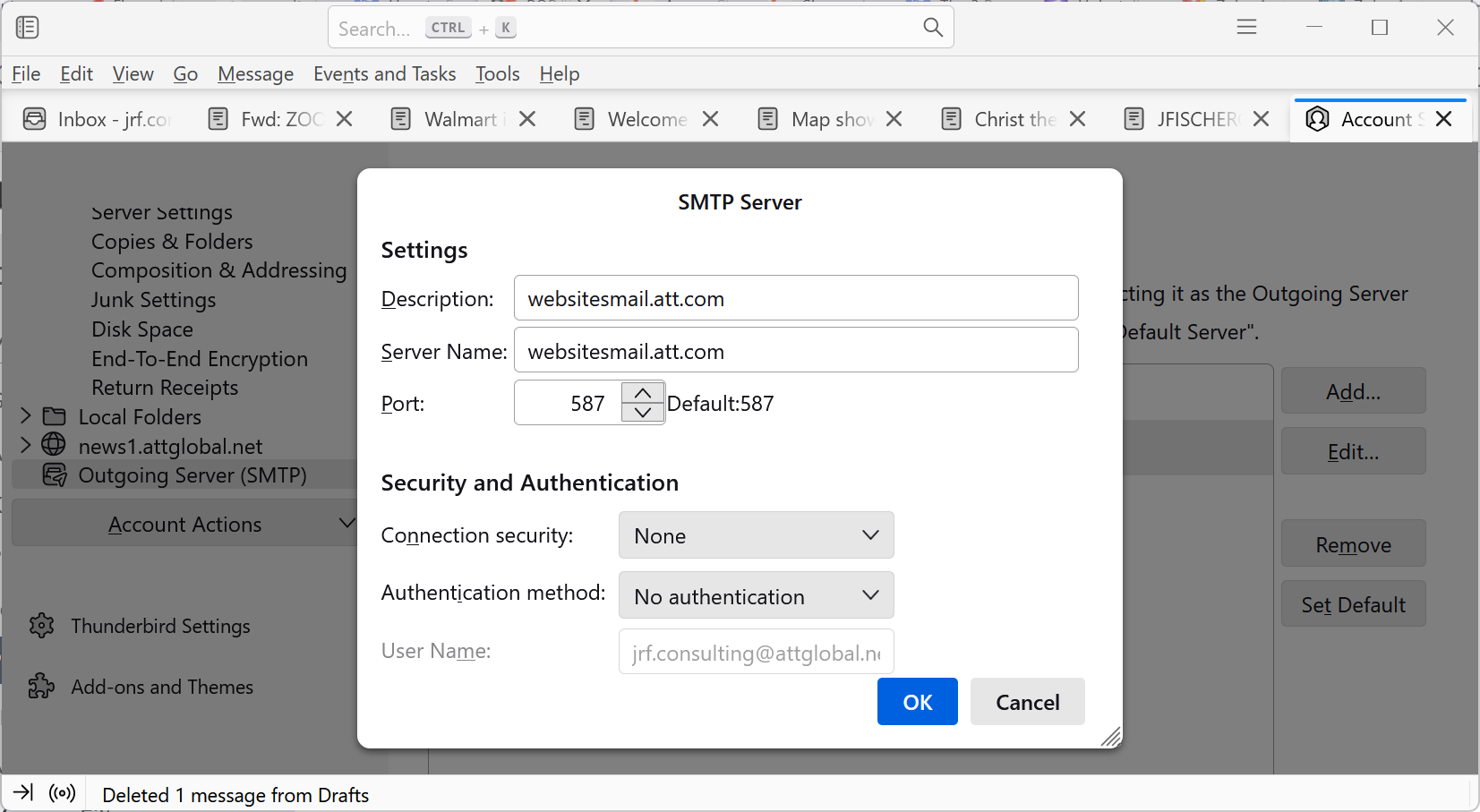
Here are my Outgoing Server settings
Description: webmail.digitalspaceportal.net Server Name: webmail.digitalspaceportal.net Port: 1025 Default: 465 Connection Security: SSL/TLS Authenticity Method: Normal Password User Name: jrf.consulting@attglobal.net
I am on a Win 11 laptop running Thunderbird V115.11.0 (64-bit)
When I try to send a message from my Thunderbird POP Server account I get:
“Sending of the message failed.
The message could not be sent because the connection to Outgoing server (SMTP) webmail.digitalspaceportal.net timed out. Try again.”
Try again never works
Here are my Outgoing Server settings
Description: webmail.digitalspaceportal.net
Server Name: webmail.digitalspaceportal.net
Port: 1025 Default: 465
Connection Security: SSL/TLS
Authenticity Method: Normal Password
User Name: jrf.consulting@attglobal.net
I am on a Win 11 laptop running Thunderbird V115.11.0 (64-bit)
Alle svar (1)
Valgt løsning
Problem fixed. Outgoing Mail Server settings updated per information provided by my internet service provider (Digital Space).