


Windows 10 reached EOS (end of support) on October 14, 2025. If you are on Windows 10, see this article.

Søg i Support

Avoid support scams. We will never ask you to call or text a phone number or share personal information. Please report suspicious activity using the “Report Abuse” option.

Læs mere
Denne tråd blev lukket og arkiveret. Stil et nyt spørgsmål, hvis du har brug for hjælp.
Løst Låst Arkiveret

bing search typing auto goes into address bar

wayannas10 replied
SuMo Bot

I just updated to Firefox v.89.0. When I open up a new tab, I get my Bing search engine with a text box in the middle of the page. When I start typing in this text box, my typing automatically goes instead into the address text box. Prior to this version of Firefox, my typing stayed the in Bing (or Google, etc.) search text box. I've tried to look up solutions which sent me to About:config keyword.enabled and other settings but nothing I've tried fixes this problem. I want my search in the larger (Bing) search text box, not in the address (urlbar) text box which is much smaller text. As I said, prior to this version of FIrefox, my typing stayed in the search text box and didn't automatically get moved into the address text box. Please advise.

I just updated to Firefox v.89.0. When I open up a new tab, I get my Bing search engine with a text box in the middle of the page. When I start typing in this text box, my typing automatically goes instead into the address text box. Prior to this version of Firefox, my typing stayed the in Bing (or Google, etc.) search text box. I've tried to look up solutions which sent me to About:config keyword.enabled and other settings but nothing I've tried fixes this problem. I want my search in the larger (Bing) search text box, not in the address (urlbar) text box which is much smaller text. As I said, prior to this version of FIrefox, my typing stayed in the search text box and didn't automatically get moved into the address text box. Please advise.

Alle svar (2)

Valgt løsning

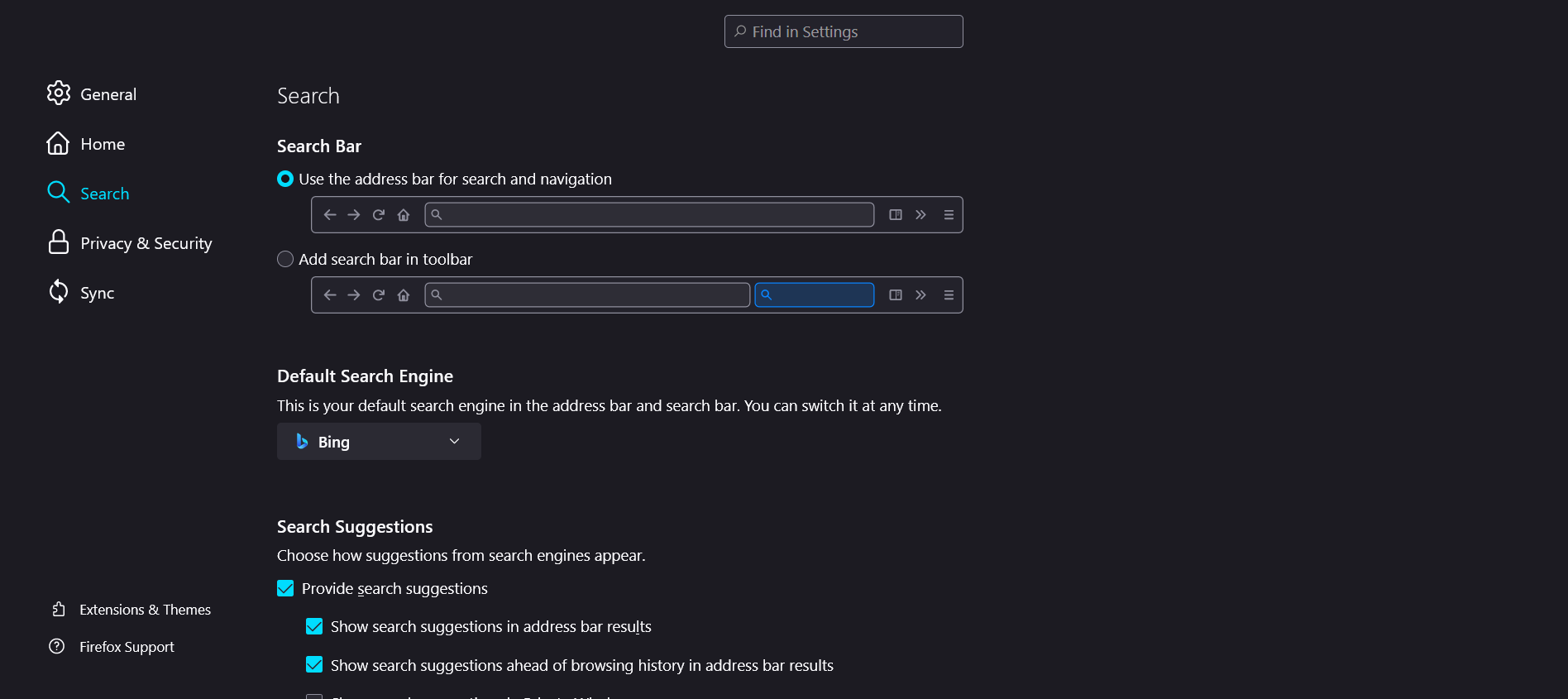
Remove the small search bar from the toolbar and it will go back to the way it was.
This question has been locked because the original author has deleted their account. While you can no longer post new replies, the existing content remains available for reference.