This thread was archived.
Please ask a new question if you need help.

Archived
Just installed FF4. No menu button, no app tab, no bookmark button. How do I get these to display?

I just downloaded and installed FF4. Why are the features highlighted in "Getting started with Firefox" such as the menu button, the app tab and the bookmark button not being displayed?
I just downloaded and installed FF4. Why are the features highlighted in "Getting started with Firefox" such as the menu button, the app tab and the bookmark button not being displayed?
All Replies (1)

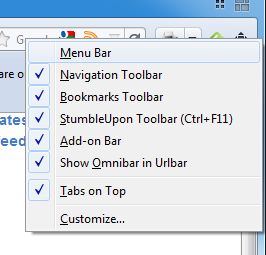
- By default the Firefox button is hidden in XP. To get it, right click a toolbar and uncheck "Menubar"
- To make a tab an app tab right click a tab and select "Pin as app tab".
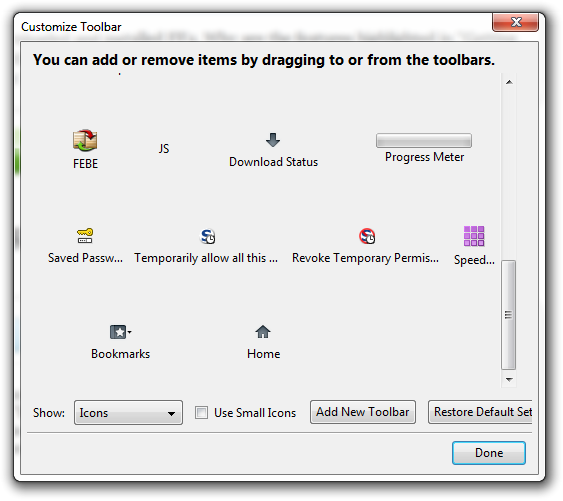
- To have the Bookmarks button display, right click a toolbar, and select Customize... In the dialog box that appears, drag the Bookmarks button to a toolbar.
Check out the Screenshots below for reference.