


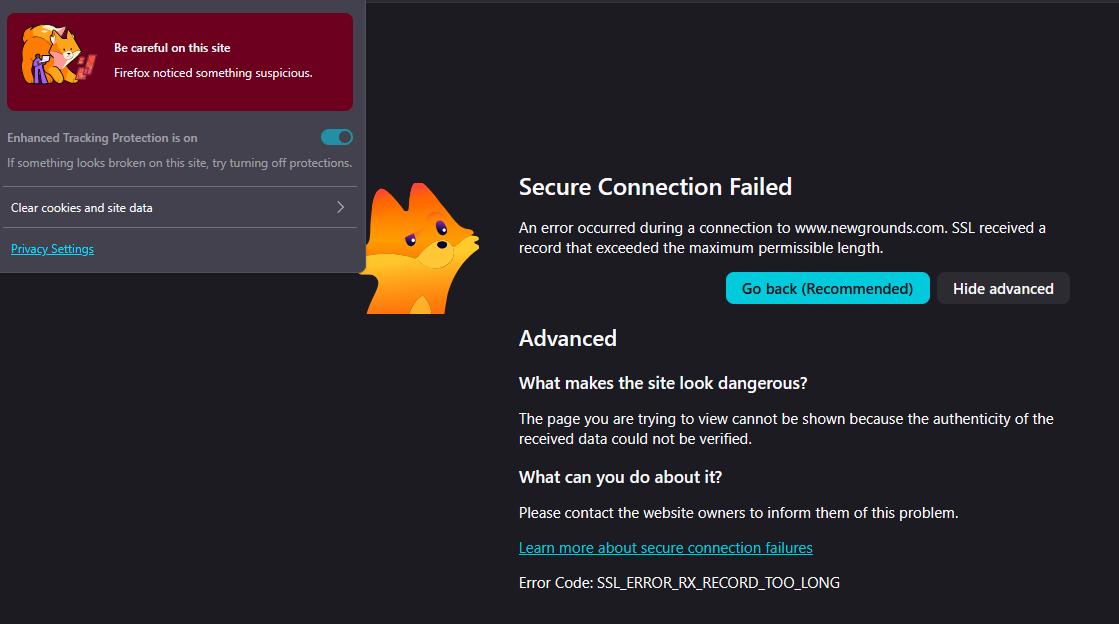
Why on earth is it impossible to access sites like Newgrounds on Firefox but works fine on anything else?
Heyo! So, I've had this ongoing issue with Firefox for quite some time around trying to access the Newgrounds website, but failing to do so. I have tried several things such as disabling the enhanced tracking setting, disabling DNS over HTTPS, forcing cookies and third-party popups to be allowed but that does not work what so ever and disabling enhanced tracking is greyed out so it's not even clickable to toggle off.
One thing that did work was to use the built-in VPN, but I really don't want to constantly have to use a VPN to browse one singular site every time I want to access it. So now for the question. Has anyone else experienced this? And if you have, how did you solve it if at all?
All Replies (2)
SSL_ERROR_RX_RECORD_TOO_LONG both on Earth and elsewhere alike usually points to "garbage" being received on the secure connection. The server could trigger it based on session/account data (so it's good to check in Private Window or in a separate testing profile), it could be a bad redirection cached or sent from the CDN or their bot protections (non–secure content stuffed into secure line), or a local antivirus and similar poking its nose into the connection.
The VPN/proxy can help limit the amount of poking along the line, and also force different datacenter delivery since the client requesting the site is now in a different physical location.
These usually go away over time, or if you switch to a different network (like a mobile hotspot) avoiding your current appliances you might get different results. (Or just try changing your DNS–over–HTTPS providers, which also tend to help get content served from different location.)
Some prior threads:
jbr said
SSL_ERROR_RX_RECORD_TOO_LONG both on Earth and elsewhere alike usually points to "garbage" being received on the secure connection. The server could trigger it based on session/account data (so it's good to check in Private Window or in a separate testing profile), it could be a bad redirection cached or sent from the CDN or their bot protections (non–secure content stuffed into secure line), or a local antivirus and similar poking its nose into the connection. The VPN/proxy can help limit the amount of poking along the line, and also force different datacenter delivery since the client requesting the site is now in a different physical location. These usually go away over time, or if you switch to a different network (like a mobile hotspot) avoiding your current appliances you might get different results. (Or just try changing your DNS–over–HTTPS providers, which also tend to help get content served from different location.) Some prior threads:
I did try checking the things above to see if it worked or not, which nothing did other than the VPN of course and changing to hotspot. I also found some other potential information attached below I do not know if this may help or not as I have really got little to no idea how this works, but I opened the console in the browser and checked the network tab to see if anything there could be useful information, and thus I found out that I could use the blocked "get" method as a fetch in the console, which I then did. And as seen in the image below, this is the error it produces.
