


VPN connection problem

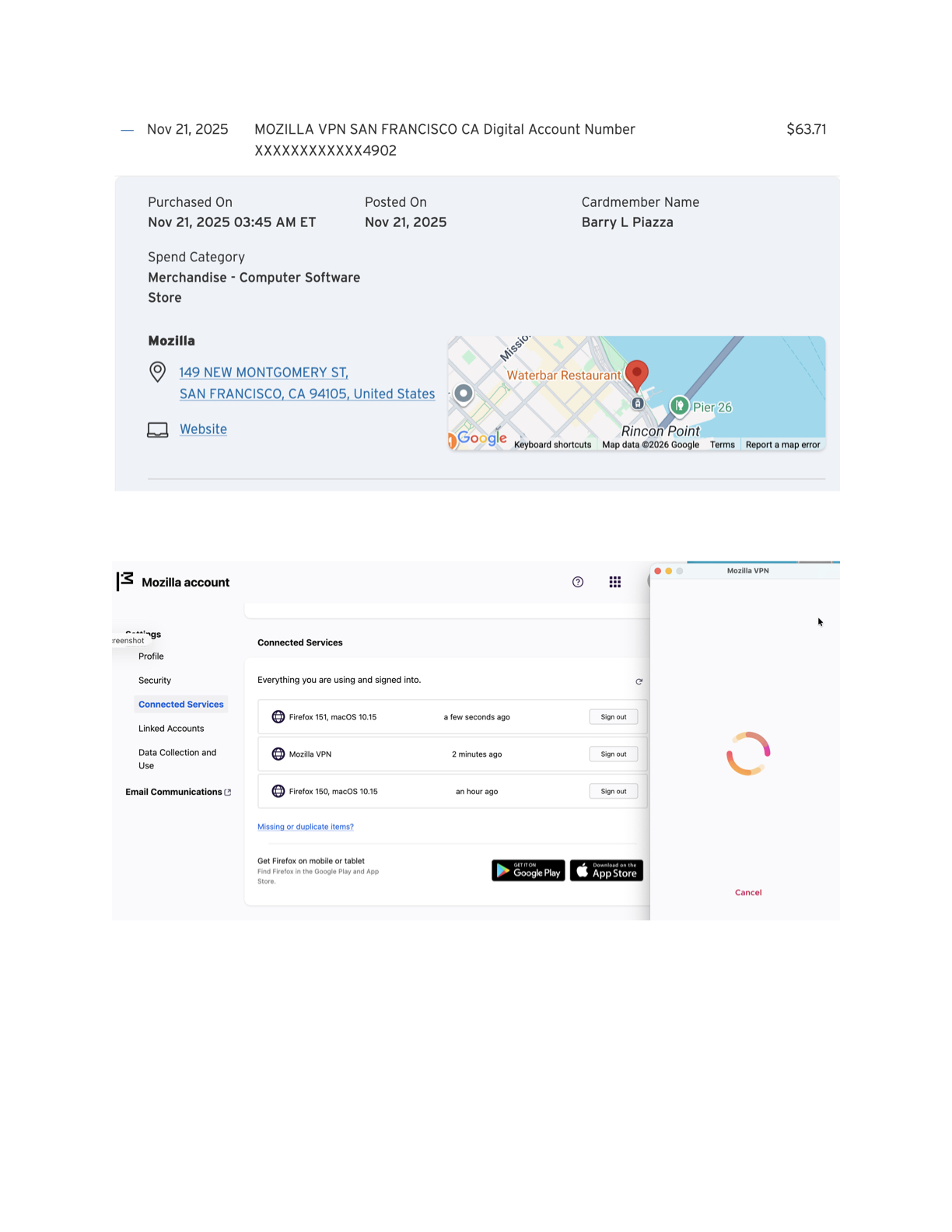
When I start VPN, it brings me to a page to choose a subscription, but I have a yearly subscription paid in November 2025. Then my Mozilla account says I am logged on but when I click on the application icon I get a circular icon in the window with a cancel button underneath it. See attachment.
All Replies (5)
To get support for Mozilla VPN you can got to top and Ask a Question > Mozilla VPN https://support.mozilla.org/en-US/questions/new/mozilla-vpn to get direct ticket support as this section you posted in is for desktop Firefox support.
https://support.mozilla.org/en-US/kb/how-can-i-contact-support-my-mozilla-vpn-app
Barry, this should have resolved itself on the next login. Does everything work as before for you now?
No, I am still having the same problem using the app. Currently I have access to the built-in free version of VPN on this login account, but the other login account that uses this computer has access to neither. As of early Wednesday morning, both accounts worked fine with the app.
Barry
If you're signed in here with the same account that holds the subscription, when you follow this form: https://support.mozilla.org/en-US/questions/new/mozilla-vpn you should be able to open a support request right to the VPN/subscription folks to get some assistance with the account.
Hopefully it's just something stuck in the login flow and they'll be able to get you unblocked.