


Windows 10 reached EOS (end of support) on October 14, 2025. If you are on Windows 10, see this article.

Search Support

Avoid support scams. We will never ask you to call or text a phone number or share personal information. Please report suspicious activity using the “Report Abuse” option.

Learn More

Thunderbird UI glitch - toolbar above message preview disappears / corrupts repeatedly

  • 1 reply
  • 0 have this problem
  • Last reply by Mapenzi
  • Open

Hi, I’m having a recurring UI issue in Thunderbird with the toolbar above the message preview pane.

After some time of using Thunderbird, the area between the message list and the message preview becomes visually corrupted. The toolbar where the Reply / Reply All / Forward buttons should appear either disappears completely or turns into a broken/glitched gray bar.

I attached a screenshot showing the problem.

What I already tried:

Restarting Thunderbird Starting in Troubleshoot Mode Disabling all add-ons Resetting UI/customization settings

These actions help only temporarily. After some time, the issue comes back again.

Additional info:

Windows 11 64-bit Latest Thunderbird version The problem seems random, but happens multiple times per day It affects usability because I lose quick access to reply buttons and message actions

Has anyone experienced something similar or knows what may cause this? Humanity invented email clients 50 years ago and somehow we’re still fighting disappearing buttons like it’s experimental Soviet software. Beautiful continuity of civilization.

Thanks.
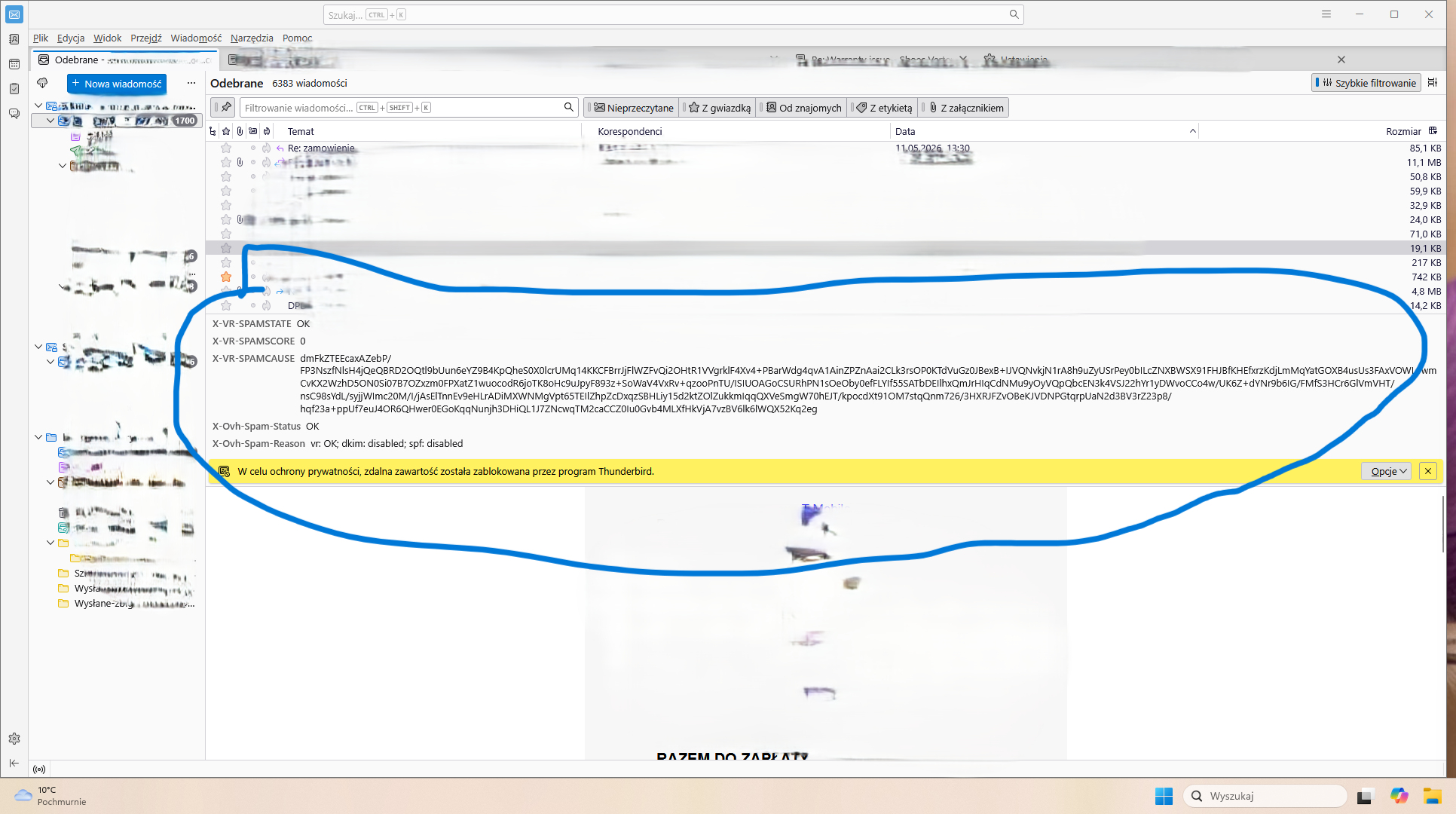
Hi, I’m having a recurring UI issue in Thunderbird with the toolbar above the message preview pane. After some time of using Thunderbird, the area between the message list and the message preview becomes visually corrupted. The toolbar where the Reply / Reply All / Forward buttons should appear either disappears completely or turns into a broken/glitched gray bar. I attached a screenshot showing the problem. What I already tried: Restarting Thunderbird Starting in Troubleshoot Mode Disabling all add-ons Resetting UI/customization settings These actions help only temporarily. After some time, the issue comes back again. Additional info: Windows 11 64-bit Latest Thunderbird version The problem seems random, but happens multiple times per day It affects usability because I lose quick access to reply buttons and message actions Has anyone experienced something similar or knows what may cause this? Humanity invented email clients 50 years ago and somehow we’re still fighting disappearing buttons like it’s experimental Soviet software. Beautiful continuity of civilization. Thanks.
Attached screenshots

All Replies (1)

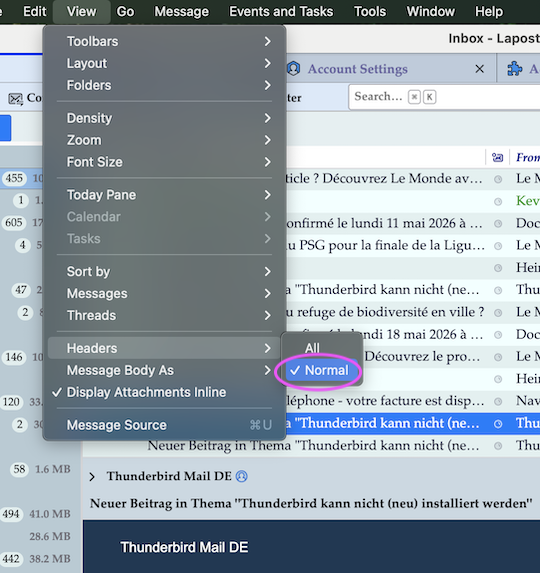
In the menu bar go to View > Headers and put a tick against ✔ Normal

Ask a question

You must log in to your account to reply to posts. Please start a new question, if you do not have an account yet.