


Update does not work
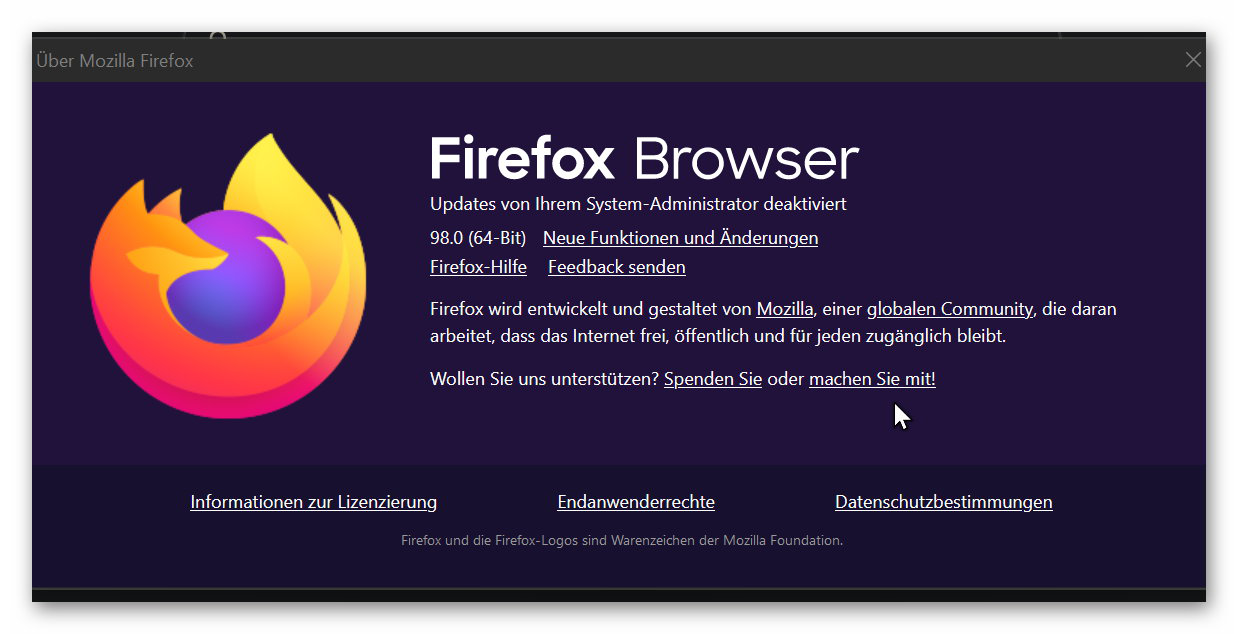
Hello! Unfortunately, my Firefox does not get an automatic update. And it can't be updated manually either. Under "Help" a notice says that updates are disabled by the system admin. But that's not true, because I'm the admin and I didn't set it that way. How can I change this?
With kind regards Klaus Hausmann
Chosen solution
See if these links help; Your organization has disabled the ability to change some options
https://support.mozilla.org/en-US/questions/1256411#answer-1213977
https://support.mozilla.org/en-US/questions/1256411#answer-1214022
https://support.mozilla.org/en-US/questions/1239094
Read this answer in context 👍 0All Replies (3)

Chosen Solution
See if these links help; Your organization has disabled the ability to change some options
https://support.mozilla.org/en-US/questions/1256411#answer-1213977
https://support.mozilla.org/en-US/questions/1256411#answer-1214022
You can check the about:policies page (63+) to see if policies are active and if errors are reported.
Your System Details shows that you have a user.js file in the profile folder to initialize prefs each time Firefox starts. The user.js file will only be present if you or other software has created this file and normally won't be present.
You can check its content with a text editor (right-click: "Open with"; do not double-click). The user.js file is read each time Firefox is started and initializes preferences to the value specified in this file, so preferences set via user.js can only be changed temporarily for the current session.
You can delete the user.js file if you didn't create this file yourself.
You can open the about:config page via the location/address bar. You can click the button to "Accept the Risk and Continue".
Thanks for the help. It was indeed that the key "HKEY_CURRENT_USER\SOFTWARE\Policies\Mozilla\Firefox\" was set to 1 on disable updatse. I changed it to 0 and now everything works again.